
This article is part of our Computers, Components & Peripherals resource section
The Best Computer Setups for Gaming
A great gaming experience is about more than just the games themselves—it’s powered by the quality and performance of the setup behind the screen. Whether someone enjoys large open world adventures, highspeed competitive shooters, or casual entertainment such as browsing through online slots real money, building or choosing the right computer setup can dramatically improve responsiveness, clarity, and overall enjoyment.
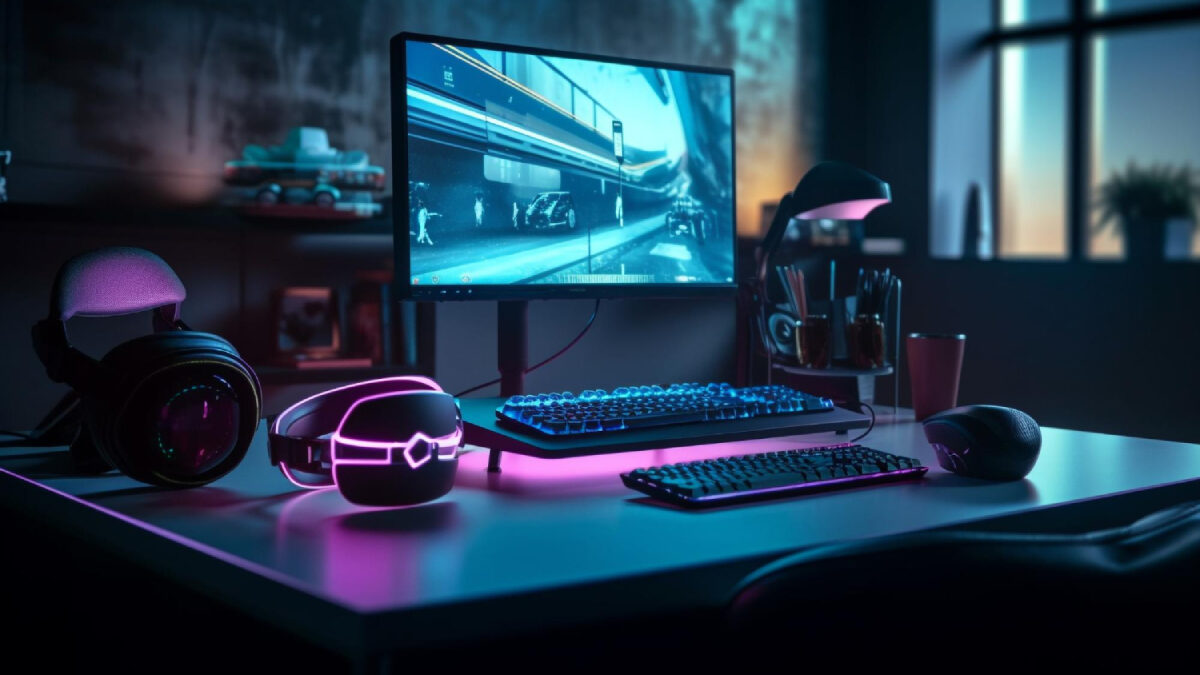
In 2026, gaming setups have become more customisable than ever, blending high end hardware, ergonomic accessories, and immersive display technology. Below is a comprehensive guide to the best computer setups for gaming and what makes each element essential.
Players who prefer gaming without relying entirely on powerful local hardware can also explore cloud gaming as an alternative, depending on their internet connection and the games they want to play.
This article is part of our Gaming Fundamentals & Guides resource section
Table of Contents
High Performance Gaming PC: The Heart of Any Setup
The central component of any gaming setup is the computer itself. Modern gaming PCs come in a range of builds—from compact rigs to full tower powerhouses—each offering unique strengths depending on the type of gaming you enjoy.
Understanding what a computer is and how its components work together can help gamers make more informed decisions when choosing or upgrading a system. A computer relies on a combination of physical components and software to process information and perform tasks.
Key features to prioritise
- Graphics Card (GPU): Essential for smooth visuals and high frame rates
- Processor (CPU): Ensures fast loading, complex physics responses, and multitasking
- RAM (16GB–32GB): Supports demanding games and background processes
- SSD Storage: Reduces loading times and improves overall system speed
These components are part of the computer’s hardware, and choosing compatible, high-quality parts is essential for a balanced gaming machine. Understanding the fundamentals of computer technology also makes it easier to evaluate performance specifications before purchasing.
The graphics card deserves particular attention because it has a direct impact on frame rates, resolution, and visual quality. Gamers comparing graphics options can use this guide to the best GPU for gaming when deciding which card fits their performance requirements.
A well balanced combination of these core components ensures reliable performance for everything from AAA titles to casual gaming sessions.
Gamers who want more control over their system can explore building their own computer. A custom build allows users to select individual components according to their performance requirements, preferred games, and budget. For a more detailed walkthrough of the process, see this guide on how to build a PC for gaming.
For those who prefer a compact alternative, a mini PC such as the CHUWI RZBOX with the Ryzen 7 5800H offers another form factor to consider. However, gamers should always compare graphics capabilities, cooling, and upgrade options before choosing a compact system.
Gaming technology continues to evolve, with improvements in graphics processing, processors, storage, and display capabilities. Keeping up with the latest breakthroughs in computer technology can help gamers understand which innovations are worth considering for their next setup.
Choosing the Right Gaming Computer
Not every gamer needs a large, dedicated tower. An all-in-one computer combines the display and computer components in a single unit, making it useful where desk space is limited. However, dedicated gaming PCs generally offer more flexibility for graphics upgrades and performance-focused configurations.
Before buying, compare the processor, graphics card, memory, storage, cooling, and power supply. These five essentials to consider before choosing a desktop can help buyers assess whether a system is suitable for demanding games.
The processor should also match the games and applications you intend to run. For buyers comparing mid-range processors, this explanation of whether an Intel Core i5 is good for gaming provides useful context about gaming performance.
Price is another important consideration. Comparing specifications across retailers and looking for genuine computer deals online can help gamers get better value without compromising on essential components.
A suitable power supply is just as important as the other internal components. This guide to power supplies for gaming explains why choosing an appropriate unit matters for a stable gaming computer.
For buyers who need a portable system, gaming laptops offer an alternative to desktop computers. The available gaming laptops vary in performance, display quality, portability, and upgrade options, so it is worth comparing specifications before choosing one.
Ultra Wide or High Refresh Rate Monitors
Your monitor significantly affects how games feel. Crisp visuals, fluid motion, and wide viewing angles all make gameplay more immersive.
Monitor types worth considering
- 144Hz or 240Hz refresh rate displays: Ideal for shooters and fast paced gaming
- 4K monitors: Perfect for stunning visuals and detailed landscapes
- Ultrawide monitors: Offer panoramic views, great for racing, simulation, and open world games
- Curved screens: Add depth and reduce distortion at wider angles
Investing in a high quality display enhances everything from exploration to competitive play.
When comparing display specifications, gamers can explore these gaming monitors to understand the available features and configurations.
Monitor selection should also take into account the distance between the screen and the player, display size, resolution, and viewing comfort. People who spend extended periods in front of screens may also want to understand the need for computer glasses and consider appropriate viewing habits.
For a closer look at display technologies and models, this comparison of the best gaming monitors offers another resource when researching a suitable screen.
Gaming Keyboards for Precision and Comfort
A reliable keyboard can improve reaction time and increase comfort during long sessions. Mechanical keyboards continue to be the favourite choice among gamers.
Why mechanical keyboards excel
- Responsive switches with tactile or linear feedback
- Durability for long-term use
- Customisable lighting for personal style
- Programmable keys for shortcuts or macros
This level of customisation gives players more control and precision. Buyers can compare different gaming keyboards to find a layout and switch type that suits their preferences.
A gaming desk can also be customised to reflect the player’s preferences. From keyboard lighting to themed accessories, there are plenty of ways to make your computer fit your personality while maintaining a practical and comfortable workspace.
High Accuracy Gaming Mice
Gaming mice are designed for performance, offering adjustable sensitivity levels (DPI), ergonomic shapes, and programmable buttons.
Top features to look for
- Adjustable DPI settings for sensitivity control
- Lightweight bodies for fast movement
- Additional side buttons for key binds
- Wireless connectivity with low-latency technology
A comfortable, responsive mouse is essential for both competitive players and casual gamers alike. Players comparing mouse designs and features can refer to this gaming mice buying guide before choosing a model.
Players who use their computers for activities beyond gaming may have different peripheral requirements. For example, people who regularly write or work with documents may find it useful to compare the features of the best computers for writers.
Quality Headsets for Immersive Sound
Sound is a crucial part of any gaming experience. High-quality headsets allow players to hear environmental cues, communicate clearly in multiplayer games, and immerse themselves in audio-rich worlds.
Key audio features
- Surround sound or spatial audio for directional awareness
- Noise-isolating earcups to stay focused
- Comfort padding for long play sessions
- Clear microphones for in-game communication
Great audio enhances immersion whether you’re exploring dungeons or enjoying casual digital entertainment.
When comparing portable gaming accessories, players may also find this roundup of gaming laptops and headphones to grab this Cyber Monday useful for exploring laptop and headset options.
Ergonomic Chairs for Long Gaming Sessions
Comfort matters—especially during extended play. Ergonomic gaming chairs support posture and reduce strain on your back and neck.
Chair features worth having
- Lumbar support cushions
- Adjustable armrests
- Breathable materials
- Reclining features for relaxation breaks
Quality seating keeps players comfortable and focused, improving the overall experience.
The desk, chair, and monitor should work together to support a comfortable playing position. These ergonomic and functional solutions for gaming setups offer further ideas for organising a gaming space around comfort and usability.
A comfortable setup should also support safe computer use. Correct posture, sensible screen positioning, and regular breaks can reduce discomfort during long sessions. These ways to make your work with a computer safer are useful considerations for anyone spending hours at a desk.
Efficient Cooling Systems
High-performance gaming PCs generate heat, especially during demanding gameplay. Efficient cooling helps maintain performance and prolong hardware life.
Cooling options
- Air cooling with high quality fans
- Liquid cooling systems for better temperature control
- Case designs with optimal airflow
Good cooling systems keep your setup running smoothly under pressure.
Dust accumulation can restrict airflow and affect cooling performance, so regular maintenance is important. Cleaning unnecessary files and keeping storage organised can also help with general system maintenance. Tools and techniques for cleaning up duplicate files on a computer can help free up valuable storage space.
High Speed Internet and Gaming Routers
With online gaming more popular than ever, a fast and stable internet connection is crucial. Lag is the enemy of smooth play, whether you’re in competitive matchmaking or enjoying quick browser-based games.
Recommended upgrades
- Fibre broadband for low latency
- Gaming routers prioritising game traffic
- Wired connections for maximum stability
A reliable network is essential for modern gaming.
Understanding computer basics and how to connect to the internet can help users troubleshoot common connectivity problems and configure their systems more effectively.
Online security is equally important, especially when gaming accounts, payment details, and personal information are involved. Learning about computer viruses and what users need to know about computer viruses can help gamers recognise potential threats.
Using reputable security software, installing updates, and avoiding suspicious downloads are practical ways to protect a computer. Players should also know what steps to take if their computer has been hacked.
Regular backups provide another layer of protection. Creating a backup of important files, settings, and personal data using a guide to backing up a Windows 10 computer can help reduce the impact of unexpected system failures.
Desk Layouts That Support Performance and Comfort
A well-organised gaming desk helps keep accessories accessible and improves gameplay efficiency.
Ideal desk setup components
- Large mouse mats for wide movement
- Monitor stands for eye-level viewing
- Cable management systems
- Ambient lighting for atmosphere
Small tweaks to your layout can dramatically increase comfort and immersion.
The size and design of the desk should match the available room and the equipment being used. Some users may prefer a compact pizza box computer for specialised or space-conscious installations, while others may need a larger desk for multiple monitors and full-size gaming equipment.
For players choosing a keyboard, factors such as key layout, switch type, size, and wrist comfort are worth considering. This guide to purchasing a gaming keyboard provides additional buying guidance.
For people who enjoy creating or modifying things, a desktop laser cutter can also be an interesting addition to a technology-focused workspace, allowing them to produce custom accessories, labels, and decorative elements.
Software can make a difference to everyday desktop organisation, too. A desktop docked search utility app can help users access files and applications more conveniently.
When selecting a computer for a particular purpose, it is useful to compare the requirements of different users. Guides to choosing a computer for school can help students and families understand the specifications needed for everyday computing, while gaming buyers can focus on more demanding graphics and processing requirements.
Gaming PCs and accessories are also available from specialist retailers and technology stores. Exploring options such as computers, tech gadgets, and more at Bummelwelt can give buyers additional ideas when comparing equipment and accessories.
Maintaining and Repairing Your Gaming Setup
Even a well-built gaming computer needs regular maintenance. Keeping drivers updated, checking temperatures, removing unnecessary software, and monitoring system performance can help maintain a smooth gaming experience.
Before replacing or upgrading equipment, it is worth checking whether the current system can meet your gaming requirements. These five tips for choosing the best gaming equipment can help buyers evaluate their options and avoid unnecessary purchases.
If a computer develops hardware or software problems, understanding the available computer repair options can help users decide whether to troubleshoot the issue themselves or seek professional assistance. Those in Toronto can also explore trusted on-site computer repair services when they need technical support.
Gaming Setups for Different Users
The best gaming setup depends on the player’s age, experience, budget, and intended use. Younger users may need a computer that supports educational activities alongside entertainment. Parents can explore the benefits of introducing kids to computers early when considering how technology can support learning and digital skills.
Some players may prefer a console rather than a gaming PC. Comparing the best flagship gaming consoles can help them understand the available platforms and choose one that fits their preferred games and budget.
Laptop buyers have their own considerations, particularly when balancing portability, performance, and price. This roundup of five best gaming laptops provides examples to compare when looking for a dedicated portable gaming machine.
For buyers exploring older portable-device comparisons or considering tablets alongside laptops, this guide to 2021’s best gaming laptops and tablets offers another reference point.
Budget is often a deciding factor when choosing a laptop. Those looking for more affordable options can explore these five cheap gaming laptops before making a purchase.
Gaming laptops can cost more than desktops with comparable specifications. Understanding why gaming laptops are way more expensive than desktops can help buyers weigh portability against performance and upgrade flexibility.
Virtual reality gaming requires more than just a capable computer. Players should also consider graphics performance, headset compatibility, available room, and tracking space. This guide to a PC gaming setup for VR provides a starting point for exploring VR-focused configurations.
Ultimately, there is no single configuration that works for everyone. A good setup should balance performance, comfort, reliability, and affordability.
The best gaming setups combine powerful hardware, ergonomic accessories, and well planned layouts to create seamless and immersive experiences. Whether players enjoy expansive open world adventures, competitive esports, or fast, rewarding entertainment such as exploring online slots real money, the right setup can enhance comfort, performance, and overall enjoyment.
By investing in quality components and tailoring each part of the system to your personal gaming style, you can build a setup that feels responsive, immersive, and ready for any adventure you launch.