


Table of Contents
Three generations compared.
This article is part of our Mobile Phones & Smartphones resource section.
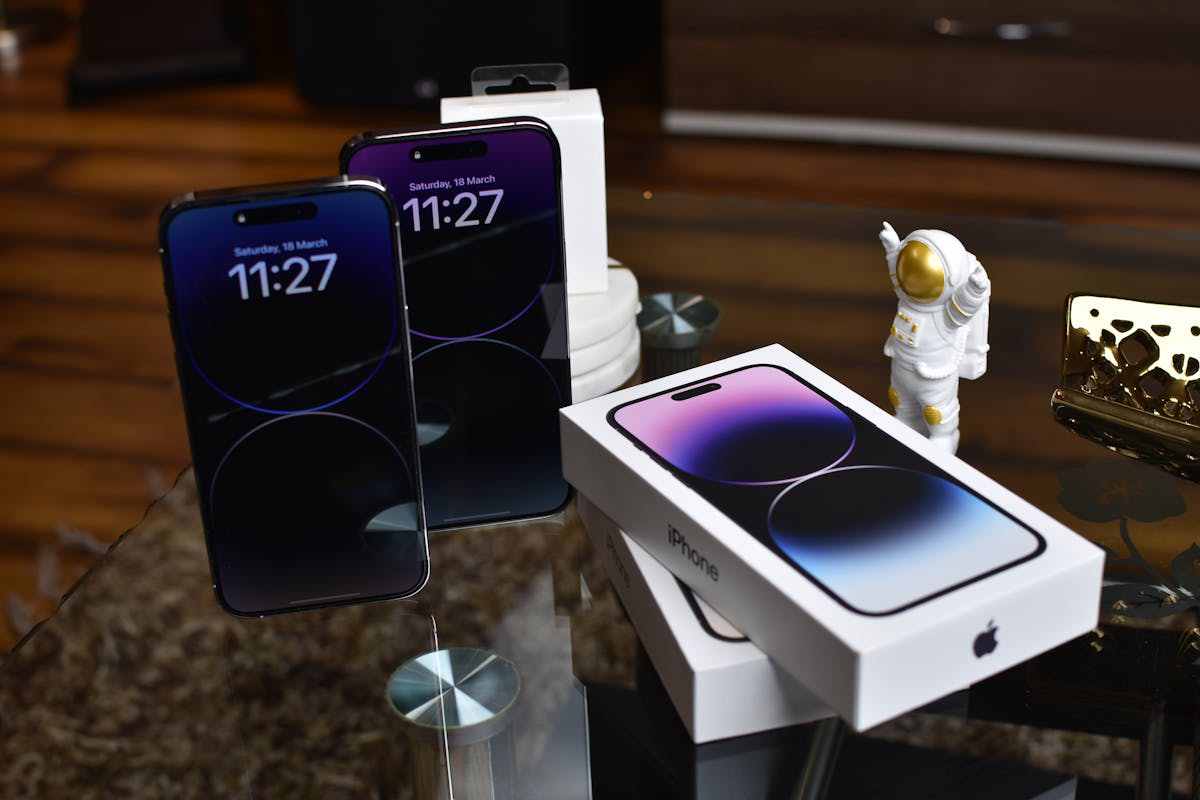
Apple’s iPhone consistently ranks among the world’s most popular smartphones, and with each new iteration, anticipation runs high. But how do the last three generations – the iPhone 14, iPhone 15, and the iPhone 16 – truly stack up? Let’s delve into their key features and differences to help you decide which model best suits your needs.
An iPhone is a type of smartphone built around Apple’s iOS platform. Readers comparing mobile ecosystems can learn more about Android, while those choosing a new device can consult our smartphone buying guide.
Apple’s progress becomes clearer when these models are compared with earlier generations. Related resources include these facts about the iPhone 12, an overview of the iPhone 11, iPhone 11 Pro and iPhone 11 Pro Max, and our Apple iPhone 15 review.
Buyers interested in Apple’s smaller and more affordable models can also compare the original iPhone SE review with the newer third-generation iPhone SE review.
Design and display
The Apple iPhone 14 retained the familiar flat-edged design with a notch housing the front-facing camera and Face ID sensors. It offered a 6.1-inch Super Retina XDR display. The iPhone 15 introduced the “Dynamic Island,” a pill-shaped cutout that cleverly integrates software notifications and alerts. This model also saw a slight increase in screen size to 6.2 inches, maintaining the Super Retina XDR display. The iPhone 16 packs the same screen as the iPhone 15 but offers support for 1 nit of minimum brightness, which can effectively help in power consumption.
Protecting the physical design is another consideration when buying an expensive phone. Owners can use this guide to choose an iPhone 15 Pro Max cover, while buyers of the newest model can learn why an iPhone 16 Pro case is important.
Instead of the diagonal dual-camera setup on the back, seen on the iPhone 14 and 15, the iPhone 16 flaunts a vertical dual-camera setup. There’s a new pressure-sensitive physical button dubbed Camera Control on the iPhone 16 that lets you quickly launch the camera and shoot photos or videos. It also allows users to adjust zoom and exposure.
Camera capabilities
Photography remains a cornerstone of the iPhone experience. The iPhone 14 featured a 12MP + 12MP dual-camera system with notable improvements in low-light performance.
The iPhone 15 builts upon this with a new 48MP main sensor and enhanced image processing capabilities, resulting in sharper images and more detailed videos.
The iPhone 16 continues to feature the 48MP + 12MP dual-camera setup. It now comes with support for macro photography as well as spatial photos and videos.
The iPhone’s display, camera and applications can support much more than photography. Users can learn about mirroring an iPhone to a PC, forwarding a text message on an iPhone, or even learning new skills using an iPhone.
Keeping applications current also supports performance and access to new features. This tutorial demonstrates the steps for updating an app on Android and iOS.
Performance and battery Life
Each generation offers Apple’s powerful A-series chip, ensuring smooth performance and efficient power consumption. The iPhone 14 housed the A15 Bionic chip, while the iPhone 15 introduced the A16 Bionic. The iPhone 16 features the even more powerful A18 Bionic chip, promising significant gains in processing speed and graphics performance.
Good performance also depends on effective storage and file management. Users can compare the best iPhone backup software, consider an iTunes alternative for iPhone data management, and follow practical steps to free up space on an iPhone.
Battery life has seen incremental improvements across the generations, with the iPhone 16 offering the longest usage time thanks to optimisations in both hardware and software.
Whichever generation you select, device protection should remain a priority. Follow these recommendations for keeping your smartphone secure, watch for the warning signs that an iPhone may be at risk, and consider using a VPN to protect an iOS device.
Apple’s parental and location features can also help families manage their devices. Parents can learn how to block apps on a child’s iOS device and explore responsible ways to track a child’s iPhone.
Additional location resources explain how to track an iPhone’s location by number and compare apps for tracking an iPhone online. These features should only be used on devices you own or with the user’s informed permission.
Price and storage options
As expected, the latest model commands the highest price. The iPhone 16 price starts at Rs 79,900 in India. The iPhone 14 and iPhone 15 have seen price reductions since their launch, making them more attractive options for budget-conscious buyers.
Buyers should also understand the available account-recovery options before choosing a device. Our guides explain how to access an iPhone after forgetting the password, how to unlock an iPhone passcode without a computer, and other useful iPhone unlocking tips for authorized device owners.
Technical problems can sometimes affect even newer devices. Troubleshooting resources explain how to fix an iPhone stuck in a boot loop and address an iPhone stuck in recovery mode.
When important files are lost, users can investigate suitable iPhone data-recovery software or read this review of AceThinker iPhone Data Recovery.
Choosing between the iPhone 14, 15, and 16 ultimately comes down to your specific needs and budget. The iPhone 16 offers the latest advancements in camera technology, performance, and battery life, making it ideal for those who want the best of the best.
Anyone moving from Android to one of these iPhones should plan how their conversations will be migrated. Available methods include using Backuptrans for iPhone and Android WhatsApp transfers, following these methods for transferring WhatsApp from Android to iPhone, or learning how to transfer WhatsApp without resetting the iPhone.
However, the iPhone14 and 15 still offer excellent features at reduced prices, making them great options for those looking for a more affordable yet high-quality smartphone.
Users upgrading from an older device can also learn how to transfer WhatsApp messages to a new iPhone. For other conversations, this guide explains how to transfer messages from Android to iPhone.
