
![Transfer Messages from Android to iPhone [Works 100%]](https://www.computertechreviews.com/wp-content/uploads/2025/04/Transfer-Messages-from-Android-to-iPhone-1200x675.jpg)

Table of Contents
Introduction
This article is part of our Mobile Phones & Smartphones resource section.
Transfer Messages from Android to iPhone – Have you ever thought of switching your mobile device? Every time a new device with updated features is released, we are tempted to upgrade our devices. But upgrading your device means transferring all your data from the old device to the new one. Back in the time, migrating the data from one device to another needs several hours.
Moving data is a common part of upgrading from one smartphone to another. If your destination device is an iPhone, you may want to compare the iPhone 14, iPhone 15, and iPhone 16 or read our Apple iPhone 15 review before making the switch. Users considering earlier generations can also explore some useful facts about the iPhone 12 or compare the iPhone 11, iPhone 11 Pro, and iPhone 11 Pro Max.
But that was the case in the past. Having spent decades improving technology and making it user-friendly, now we have solutions that not only have made transfer messages from Android to iPhone a simple process but also have saved us from sheer wastage of time.
Part 1: Way to Transfer Messages from Android to iPhone
MobileTrans – Phone Transfer is a tool that lets you transfer messages from Android to iPhone with different models or platforms. It lets you transfer messages, images, videos, etc between your device. It lets you transfer all your data at one go from the old device to the new.
Before transferring large amounts of information, preparing the destination iPhone can make the process smoother. Consider creating a copy of important files with suitable iPhone backup software, and use appropriate iPhone data recovery software if valuable files have already been lost. You can also explore the best iTunes alternatives for iPhone data management. If storage is limited, follow these methods to free up space on your iPhone, and keep important applications current by following appropriate app-update steps for iOS.
The main features of MobileTrans – Phone software are as follows:
- The speed of data transfer between devices is very high.
- It is a simple process
- Absolute data safety is provided.
- It is compatible with different types of devices.
- Easy backup and data restoration.
It’s time to learn how we can make use of MobileTrans – Phone Transfer software to transfer messages from Android to iPhone:
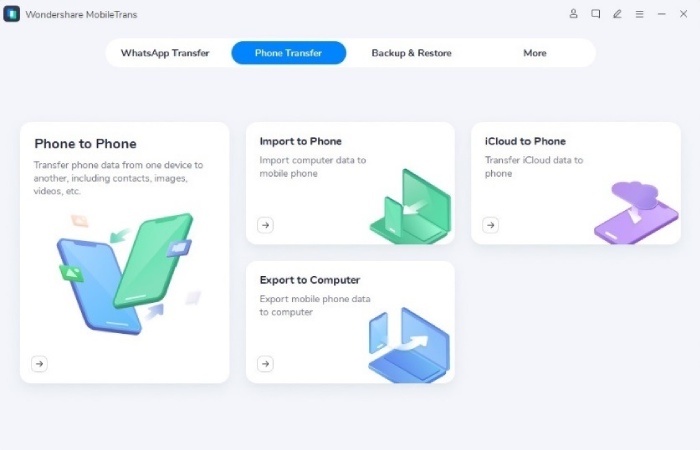
Step 1: Launch MobileTrans on Computer
Move to the official website in the first place and download the latest version. Then launch it to go the homepage.
Step 2: Connect both devices to a computer
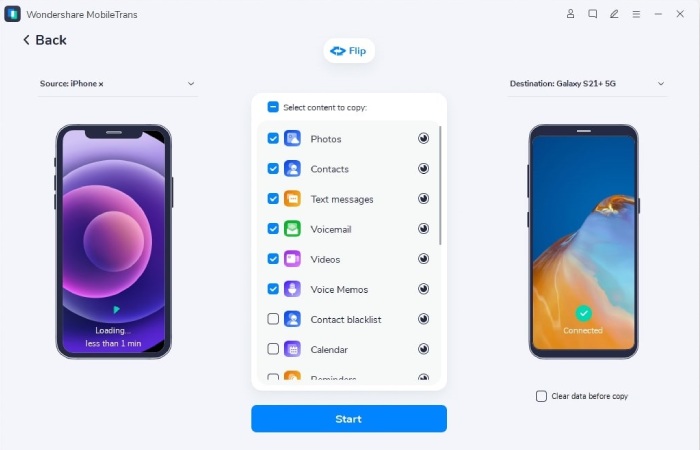
Make sure both the phones are connected to the PC. By clicking on the “Flip” button, you can change the source and destination phone.
Step 3: Select files types and Start transfer
Select the type of files you want for phone to phone transfer and click “Start”. Make sure both phones are connected throughout the transfer.
Note: Click on clear data before copying to erase existing data from the destination phone.
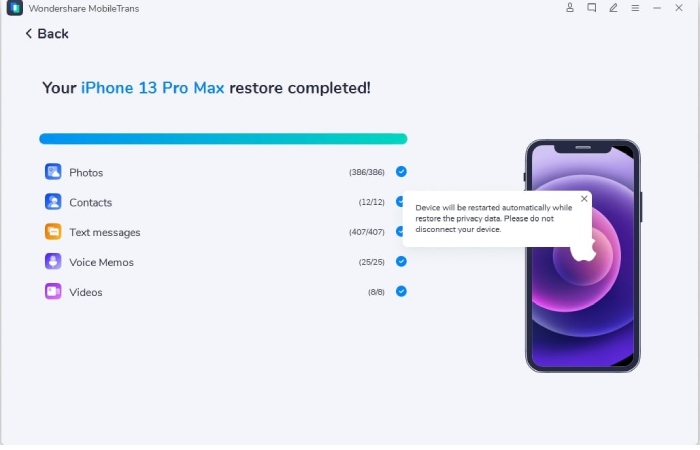
Following these steps will complete the transfer after a few minutes.
WhatsApp conversations may require additional attention when moving between mobile platforms. You can explore these methods to transfer WhatsApp from Android to iPhone, learn how to transfer WhatsApp from Android to iPhone without resetting, or follow our guide to transfer WhatsApp messages to a new iPhone 13. If you later need to move WhatsApp in the opposite direction, see our guide to Backuptrans iPhone WhatsApp to Android Transfer. Once regular conversations are on the iPhone, you can also learn how to forward a text message on iPhone.
Part 2: Transfer Messages from Android to iPhone
MobileTrans app is just like the MobileTrans software. The major difference between both of them is that the MobileTrans app has to be downloaded on both the devices used for phone data transfer, unlike software.
This app is considered to possess the best cross-platform transfer speed. It safely and seamlessly transfers all of your phone’s data, WhatsApp data from phone to phone without compromising quality.
Data safety should remain a priority after the transfer is complete. Learn to recognize signs that an iPhone might be at risk and consider how to protect iOS devices through a VPN when using less-trusted networks. For locating authorized devices, you can explore apps to track an iPhone online or options to track an iPhone location by number. Parents setting up an iPhone for a younger family member can also learn how to block apps on a child’s iOS device.
Various features that the mobiletrans app have are:
- Scan QR code to attach devices
- No internet needed
- Supports different platforms
- Fastest data transfer speed
These steps may be used for the phone to phone transfer of knowledge using the mobiletrans app
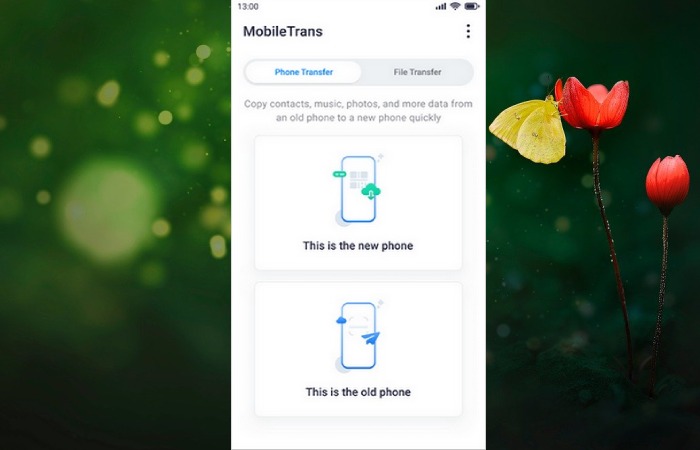
Step 1: First, you need to opt for your devices as new or old.
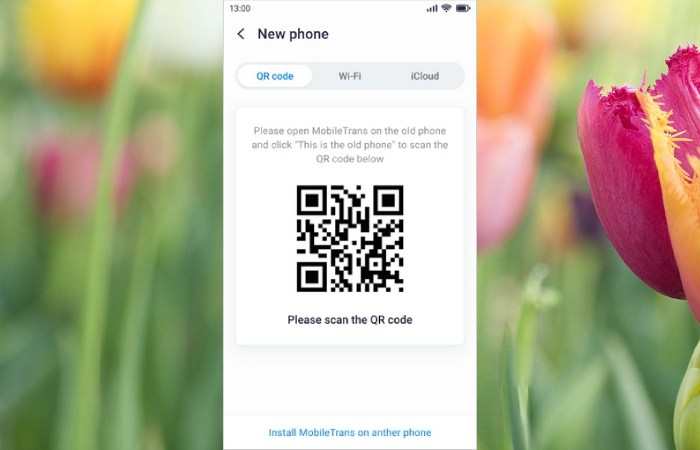
Step 2: Now, connect your device by choosing the preferable method.
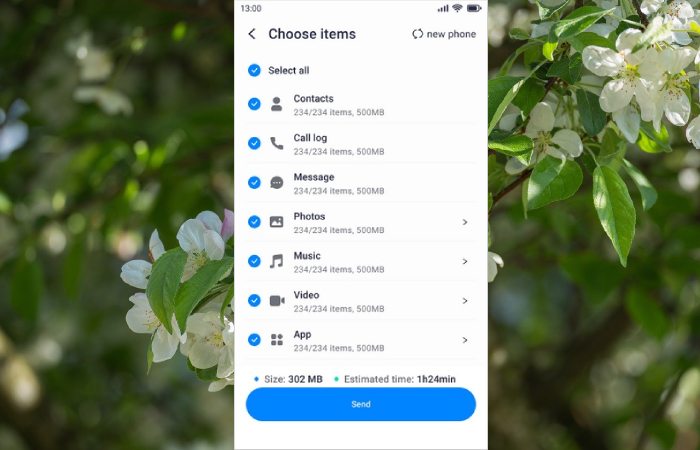
Step 3: Once connecting successfully, make sure to select the data you want to transfer.
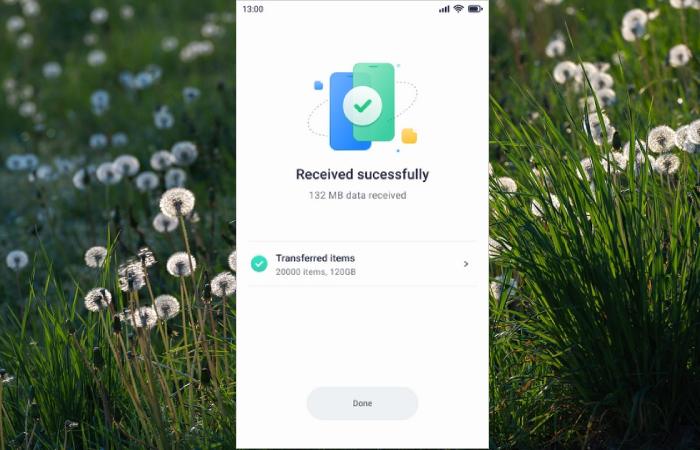
Step 4: Just anticipate some seconds, you may get the “success” notice.
If the destination iPhone cannot start or be accessed normally, resolve that problem before attempting another data transfer. For startup issues, see how to fix an iPhone stuck in a boot loop or fix an iPhone stuck in recovery mode. If access is blocked by a forgotten passcode, learn how to access an iPhone when you forgot the password, review additional tips to unlock an iPhone, or explore how to unlock an iPhone passcode without a computer.
Conclusion
Once the transfer is complete, check that important messages, photos, contacts, and other files are available on the new iPhone before removing anything from the old device. If information is unexpectedly missing, our AceThinker iPhone Data Recovery review covers another recovery option. After setting up the new device, you can also explore how to mirror an iPhone to a PC or discover ways to learn new skills using an iPhone. Families can review appropriate ways to track a child’s iPhone, while users considering Apple’s smaller model can read our iPhone SE 3rd Generation review.
Users interested in an earlier compact Apple model can also read our iPhone SE review. Along with protecting transferred data, consider protecting the physical device itself: owners of larger premium models can learn how to choose the right iPhone 15 Pro Max cover, while users of Apple’s newer Pro model can explore why an iPhone 16 Pro case can be useful for everyday protection.
Different methods can help you Transfer Messages from Android to iPhone. Different methods can help you to transfer different apps or transfer phones data in any situation. The best way to transfer all your data would be the one that is safe, less time-consuming and that does all the data transfer at one go.
