

This article is part of our Operating Systems and System Software resource section.
Table of Contents
Android Definition
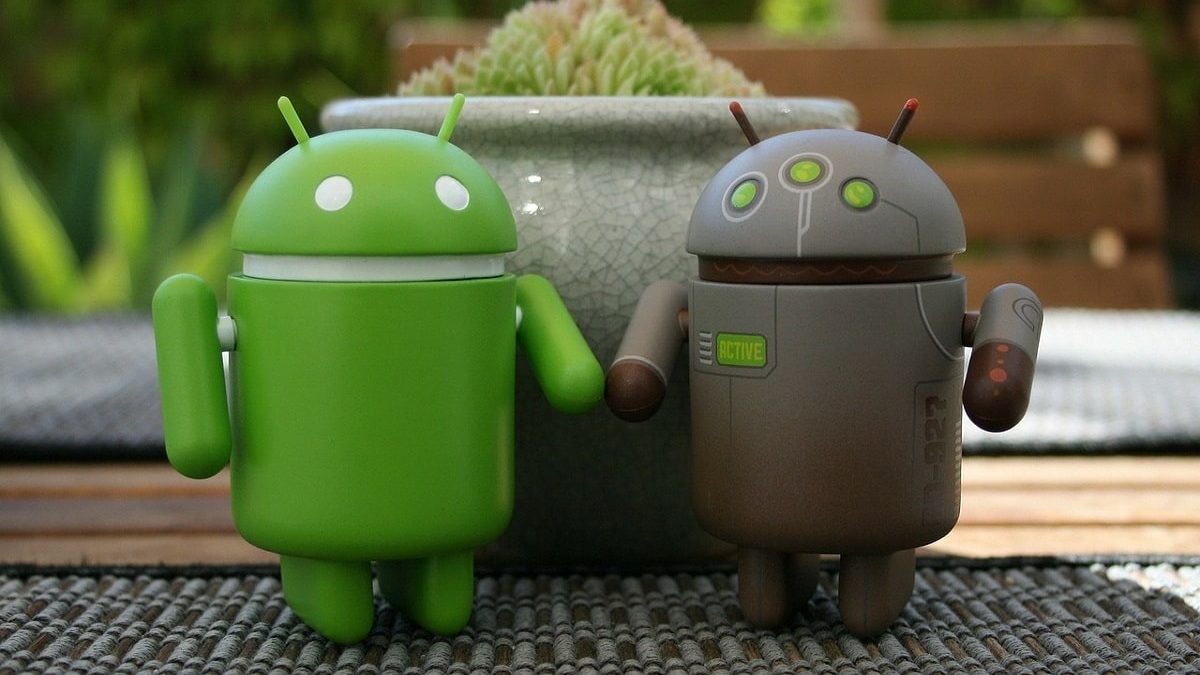
Android is the name of an operating system that is used on mobile devices. As an operating system, Android manages the device’s hardware, applications, connectivity, and other core functions. It is possible to find mobile phones equipped with Android, although some cars, televisions, and other machines also use this software.
This article is part of our Mobile Phones & Smartphones resource section.
Because Android primarily powers mobile devices, readers unfamiliar with the hardware can first learn what a smartphone is. Anyone comparing available devices can also consult this smartphone buying guide before choosing a model.
- Created by Android Inc., a company acquired by Google in 2005, Android is based on Linux, a free program that, in turn, is based on Unix.
- The initial objective of Android, in this way, was to promote open standards in mobile phones and computers.
- Given a large number of devices equipped with [Android], it is already possible to find more than one million
applications that use this operating system for its operation. - Android also stands out for its security, as experts have detected few vulnerabilities in its structure. When software problems do occur, users can also turn to Android repair apps for fixing phone software to troubleshoot certain device-related issues.
- It can adapt to multiple screen resolutions and supports WiFi, Bluetooth, LTE, CDMA, GSM /EDGE, HSPA +, and UMTS connections, among others.
Android is available across numerous manufacturers and device types. Examples include the Moto Z3 smartphone, Huawei Android mobile phones, and a wide selection of refurbished Samsung phones. Readers comparing platforms may also find this iPhone 14, iPhone 15 and iPhone 16 comparison helpful.
It also allows the sending of MMS and SMS messages, has a web browser, enables the development of streaming, and can work with MP3, GIF, JPEG, PNG, BMP, WAV, MIDI, MPEG-4, and other multimedia formats.
Android software can also run on a computer through an emulator. Users can explore the best Android emulator options or learn about using an Android emulator for Free Fire on PC. More technical users may also be interested in an Android terminal emulator for accessing command-line functions.
What are the main features of Android?
While Android is not the only mobile operating system on the market, since there are also iOS, Symbian, Blackberry OS, and Windows Phone, among others, the truth is that it differs from them because its core is based on Linux, with the consequent advantages of security and stability that this provides. Apple’s competing mobile platform is iOS, which provides the operating environment for iPhone and other supported Apple devices.
Another important component within the Android ecosystem is Android System WebView, which supports web content within compatible applications.
- This fact allows the system to be safe and stable since the user does not have the necessary permissions to allow the entry of viruses, malware, and other threats to the system, thus achieving a smooth operation.
- While these points are essential, the truth is that Android offers other very interesting features, such as application stores. It should be noted that the official Android store is Google Play.
- However, there are others such as Amazon and F-Droid, although, of course, Google Play is the one that offers the most quantity and quality of applications, most of them completely free.
The variety of available software allows users to find an Android app for almost every requirement. Our guide to the best Android apps highlights useful options, while these Android apps for buying and selling items focus on mobile marketplaces. Users interested in alternative messaging applications can also learn how to download FMWhatsApp for Android.
Keeping individual apps updated is also important, and these steps to update the Crazy Time app on Android and iOS provide an example of managing app updates across mobile platforms.
- In this regard, the large developer community that has the platform allows us to have more than one million apps, among which business applications, games, utilities, and productivity stand out, and as the number of tools grows Day by day. We could ensure that the world of Android apps is infinite.
- Another point in which Android stands out from the products that compete with it in the current market is in the personalization of the device that has it as an operating system.
- It is because Android is an open and flexible platform, allowing a true level of modification and customization, an aspect thought from its origins.
Platform security still depends on responsible application use, regular updates, and appropriate permissions. These recommendations for keeping your smartphone secure can help users protect their accounts and personal information. It is also important to understand the privacy risks associated with software promoted as a way to spy on an Android phone without the user knowing or as a keylogger app for Android.
This fact gives both manufacturers and developers and users the possibility to change the appearance or functionalities of their device, to adapt it to their true needs, and perhaps that is where its great success lies mainly.
Android’s flexibility also makes device changes and account recovery easier to manage. Users upgrading their handset can learn how to transfer data from an old phone to a new Android device. Samsung users may also want to know how long a Samsung tablet takes to charge.
When a device is protected by Factory Reset Protection, account ownership should always be verified before attempting recovery. This guide discusses how authorized owners can address FRP on Samsung Snapdragon devices.
For organizations managing multiple Android devices, Android mobile device management can provide additional control over device configuration, applications, and security.
All the Versions of Android till Date
In life, everything changes and evolves, and logically technology is no exception. Since its first appearance Android has changed, developing more and more advanced versions according to the needs of its users.
If you are interested in seeing its evolution, keep reading here you will see a summary of the different versions of Android until today.
For a more detailed historical overview, see this guide to Android versions from 1.0 to 10.0, which follows the platform’s development across its major releases.
Android Evolution
Although many consider that the first [Android] was 1.0; It is known that those specified below already existed during the trial period:
- [Android] 0.5 The Birth
- [Android] 0.5 Milestone 5
- [Android] 0.9 Beta
- [Android] 1.0 to 1.1
- [Android] 1.5. Cupcake
- [Android] 1.6. Donut
- [Android] 2.0 to 2.1. Éclair
- [Android] 2.2. Froyo
- [Android] 2.3. Gingerbread
- [Android] 3.0 to 3.2. Honeycomb
- [Android] 4.0 Ice Cream Sandwich
- [Android] 4.1 to 4.3. Jelly bean
- [Android] 4.4. KitKat
- [Android] 5 Lollipop
- [Android] 6. Marshmallow
- [Android] 7 Nougat
- [Android] 8 Oreo
- [Android] 9.0 Pie
- [Android] 10