

This article is part of our Productivity and Collaboration Software resource section
When you’re setting up your home office to work remotely, there are a lot of considerations to keep in mind. You need the best hardware and software you can afford. Choosing the right tools for productive remote workers can help you stay focused, manage your workload, and maintain an efficient routine outside the traditional office. You should figure out how to keep household distractions to a minimum. You should take into account your webcam sightline and think about investing in a custom Zoom background if what’s behind you is distracting. Following a practical remote work essentials checklist can also help ensure that the basics are covered before you settle into your new workspace.
This article is part of our Remote Work & Workplace Management resource section
Choose the Right Spot
In a perfect world, you’d have a dedicated home office that you don’t use for any other purposes. That would make it easier to keep track of your work without having to sticky note everything before packing it all up at the end of the day. It would also give you some well-earned deductions when tax time rolls around. A well-organized workspace can also support better remote work management by making it easier to separate professional responsibilities from household activities.
However, we don’t live in that perfect world. Sometimes the best you can do is have a dedicated end of the couch with a lap desk and a portable file organizer, or your seat at the dining room table with a spot on the hutch to keep your files organized.
Wherever you wind up working, you want a spot that’s well-lit and easily accessible. Don’t try to shoehorn a desk into a dark corner of your living room if there’s no space for one there. If you have to maneuver through piles of laundry or kids’ toys to get to your office, you’re likely to be distracted by a need to clean up rather than getting down to business. Having a workspace that minimizes distractions is also an important part of how to stay productive when you work from home.
Invest in Yourself
You deserve to have the best tools available to you when you work from home. You want the best computer and the most amazing desk you can buy. You also need to invest in all the software you need to do your job well. Building your setup around the right productivity tools can also help you manage tasks, stay organized, and make better use of your working hours. For broader guidance, productivity tools to help work from home can provide additional ideas for choosing technology that supports remote employees.
Whether that’s a subscription to Office 365 or Zoom, you have to have the right Microsoft and Zoom virtual background requirements on your laptop for your software to run flawlessly. If your work involves frequent collaboration, screen sharing apps and productivity tools can make it easier to communicate and work through tasks with colleagues remotely. Employees looking for additional ways to structure their working day can also use the ultimate work-from-home playbook as a guide to staying focused and mentally strong.
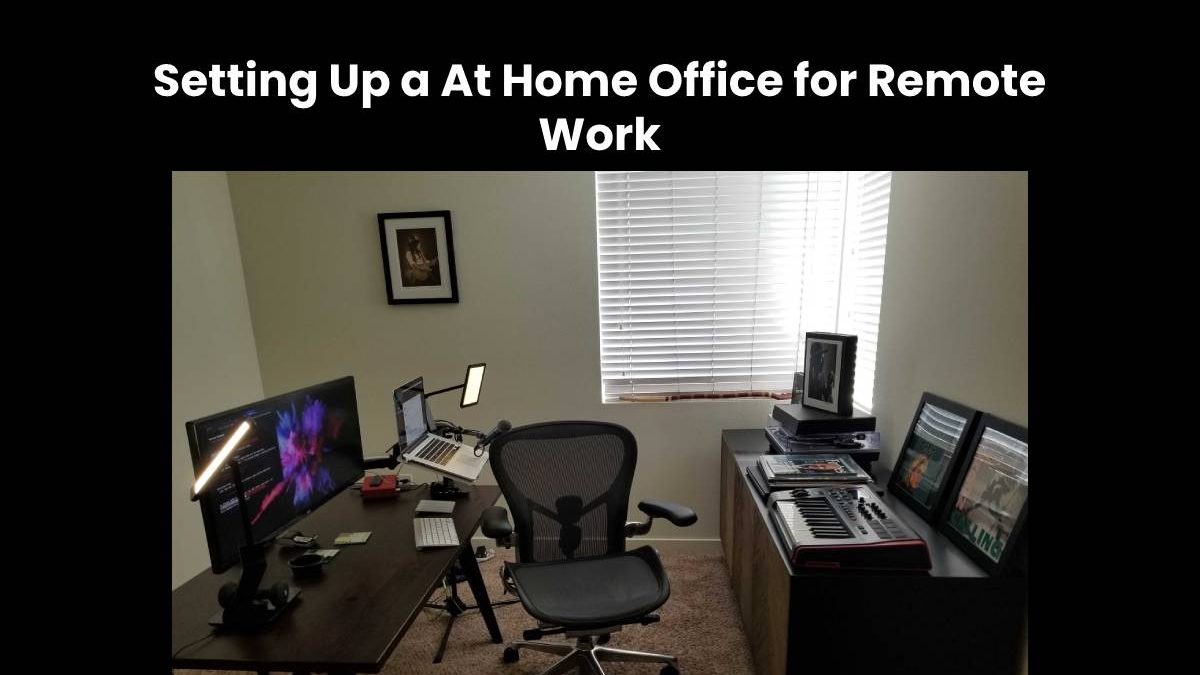
Don’t forget to take your physical needs into account when you’re setting up your home office. An ergonomic desk chair adjusted to the perfect height for your body is worth its weight in gold. A desk where the keyboard is set up to help you avoid repetitive-motion injuries such as carpal tunnel syndrome is crucial. Good lighting so you don’t have to squint or strain to see what you’re doing is vital; Finally, incorporating a foldable training desk into your workspace design offers the added advantage of adaptability, allowing you to create a dynamic environment that can be easily reconfigured to accommodate different tasks and optimize your productivity throughout the day.
You may want to consider investing in a mini-fridge for your home office so you can grab a bottle of water or a snack without hitting the kitchen. If you also communicate with customers or clients through messaging, WhatsApp Business tools for SMBs and startups can complement your wider remote-work setup. Businesses supporting employees across different locations may also need to consider unified payroll systems for a diverse workforce as part of their broader remote-work infrastructure.
Freelancers who manage projects and client communication from home can also benefit from efficient client portal software to keep files, updates, and client interactions organized. It’s easy to get distracted any time you leave your desk, and you don’t want your work hours to feel interminable because you keep stopping to wash some dishes, sweep up spills, or mop the kitchen floor. Developing stronger routines is one reason it can be useful to learn how to boost discipline when you work from home.
No matter where and how you set up your home office, it’s important to keep a few things in mind. Putting your office in the best place is critical for your success. Having the right desk, chair, and lighting is vital to your health. Investing in the best software, including a Zoom virtual office background is crucial for your productivity. Reliable video conferencing platforms are another important part of a home-office setup, particularly when meetings and virtual collaboration are part of your daily routine. The wider advantages and disadvantages of remote work are also worth considering when deciding how your home setup should fit into your working life. Consult a home organizer to help you set up your home office the best way.
Remote work has also changed how businesses think about employee support and workplace technology. The experience of coronavirus and remote working demonstrated how quickly organizations may need to adapt when employees can no longer rely on traditional office spaces.
Security should be another consideration when designing your home-working environment. Employees may be accessing company systems and sensitive information from personal or shared networks, making GRC challenges in a remote work environment an important consideration for businesses supporting distributed teams.
Organizations can also benefit from choosing appropriate systems for coordinating employees, schedules, and workloads. How to choose the right workforce management software can help businesses evaluate the technology needed to manage teams working from different locations.
Reliable technical support is equally important when employees work outside the traditional office. Problems with hardware, software, connectivity, or access can quickly disrupt a working day, which makes improving business IT support processes in a remote work environment an important part of maintaining an effective remote setup.
The benefits of working from home can extend beyond convenience when employees have the right environment and support. Understanding why work from home is beneficial for many specialists can help workers and employers make better decisions about remote working arrangements.
Mac users can also make adjustments to improve their experience when working remotely. Following work-from-home tips for Mac users can help employees get more from their devices while maintaining an organized home-office workflow.
Finally, file sharing has become increasingly important as employees collaborate from different locations. The growth of remote work has helped the industry expand, as explained in remote working helps the file-sharing industry skyrocket, making reliable digital collaboration tools an increasingly important part of the modern home office.
