

This article is part of our Computers, Components & Peripherals resource section
Desktop Laser Cutter
Table of Contents
Introduction
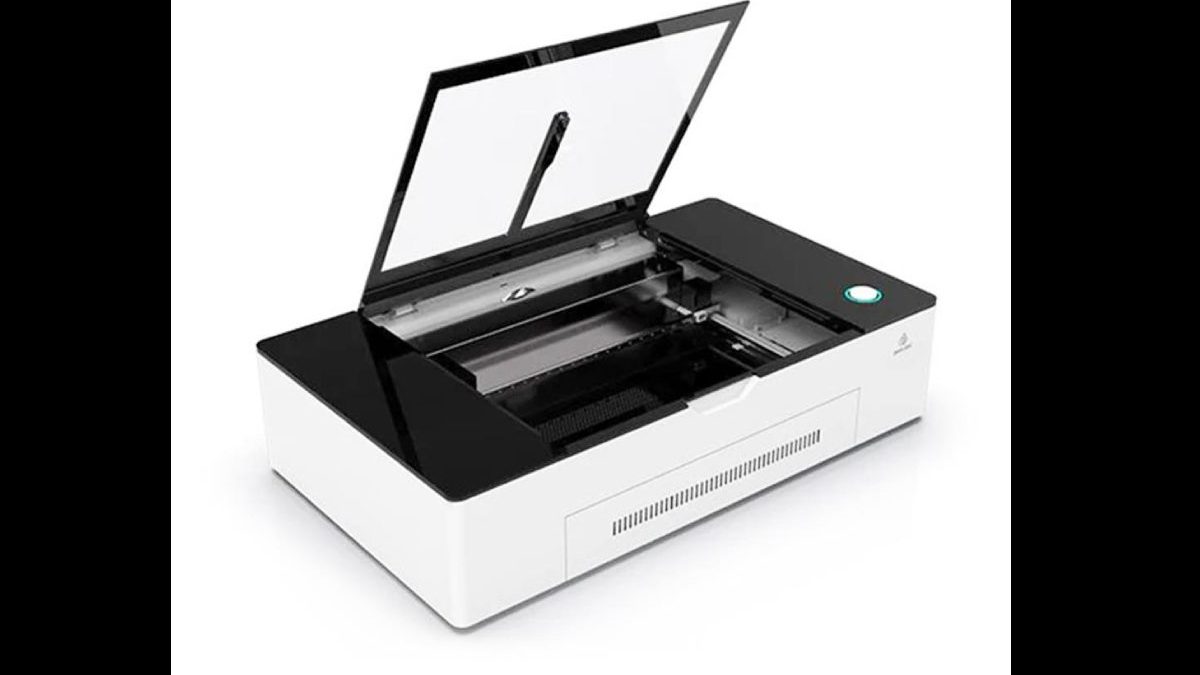
A desktop laser cutter is a small tabletop machine that cuts and engraves materials like wood, metal, glass, and plastic.
To operate a desktop laser cutter, users generally work with a computer, design software and connected equipment. Understanding the role of computer hardware can help when choosing a suitable system for this type of work.
This machine is becoming increasingly popular due to its versatility and relatively low cost. Unlike traditional methods of cutting and engraving, which can be time-consuming and require specialized training, a desktop laser cutter can be operated by anyone with basic computer skills.
People who enjoy assembling or customizing their own equipment may also be interested in learning how to build their own computer, particularly when selecting a system for creative or technical projects.
The machine works by focusing a high-powered laser beam onto the material that needs to be cut or engraved. The heat from the laser beam melts or evaporates the material, allowing it to be easily cut or engraved.
The computer used to prepare designs and manage files is another part of the overall setup. A basic introduction to what a computer is can help beginners understand the equipment involved.
In addition to being fast and easy to use, a desktop laser cutter can produce precise and detailed results. As a result, it is an excellent tool for consumer-level applications such as hobby crafting, home improvement projects, and even small-scale manufacturing.
A computer’s form factor may also matter when desk space is limited. One compact option to learn about is the pizza box computer.
Advantages of Desktop Laser Cutters
Now you know what a Desktop laser cutter is, below are some of the advantages of the desktop laser cutter.
Ability to Cut a Variety of Materials
One of the great things about laser cutters is that they can cut through various materials, including thick and thin.
You can use your laser cutter to create detailed carvings in wood or even intricate designs on paper. The sky’s the limit regarding the types of projects you can create with a laser cutter.
The range of possible projects makes it useful to have a computer workspace that suits your interests and creative process. You can explore ideas for how to make your computer fit your personality.
Precision
One of the main advantages of using a co2 laser cutter is its precision. The beam can be focused within a fraction of a millimeter, making it possible to create intricate designs.
Laser cutters also have a minimal margin for error. Once the design is programmed into the machine, it will produce the same result each time it is run. This repeatability makes laser cutters ideal for mass-production applications.
Preparing and organizing design files is an important part of a digital workflow. A desktop docked search utility app may be useful when locating files and information on a computer.
Fast
Laser cutters can quickly and easily cut through various materials, including metals, plastics, and glass. They can also be used to make complex patterns and designs. As a result, laser cutting has become an essential tool for many businesses.
The computer used alongside a laser cutter may also be used for other demanding activities. For example, people who use the same system for gaming can explore the best computer setups for gaming when considering performance and equipment requirements.
Automated
The most significant advantage of owning a desktop laser cutter is the ability to automate the cutting and engraving process. With built-in software, you can select the exact size and shape of the object you want to cut or engrave, and the machine will do the rest.
It is a huge time-saver, especially if you need to produce multiple items for your business. In addition, the software can be used to create custom patterns or designs that would be difficult to make by hand.
A stable computer setup and reliable working environment can help support digital design tasks. Our guide on making your work with a computer safer discusses additional considerations for computer users.
As a result, a desktop laser cutter can be a valuable asset for anyone needing to produce precise cuts or engravings frequently. Hence can save you time and effort in the long run.
Affordable
The most significant advantage of a desktop laser cutter is its price tag. An industrial laser cutter can cost tens of thousands of dollars. A desktop model can be bought for a few thousand dollars.
The computer and accessories needed for a project can also affect the overall budget. Comparing computer deals online may help when looking for suitable equipment at different price points.
You can also explore computers, tech gadgets and more at BummelWelt when researching computer-related products and accessories.
For users who want a compact system to accompany their workspace, the CHUWI RZBOX mini PC with the Ryzen 7 5800H is one example of a mini PC to research.
Safe
Fortunately, modern laser cutters are designed with safety in mind and feature a variety of safety features. For example, most laser cutters have enclosed cutting beds that prevent users from coming into contact with the laser beam.
In addition, many laser cutters include interlock systems that prevent the machine from operating unless the proper safety measures are in place.
Users should also take care when working with the computer connected to the machine. Our guide on how to protect a computer covers further ways to protect a computer and its information.
It is also important to understand the potential risks associated with malicious software. Learn about the definition of a computer virus to become familiar with this type of threat.
For more detailed information, read computer virus: what you need to know.
Disadvantages of Desktop Laser Cutters
As everything has a flip side, so do the laser cutter engravers. Below are some of the disadvantages of the laser cutters
Size Limitations
Due to their smaller size, desktop laser cutters typically have smaller working areas than industrial models. Hence they can be limiting if you need to cut or engrave large pieces of material.
The computer itself can also take up valuable workspace. An all-in-one computer is one design worth considering when trying to keep a desk less cluttered.
Less Powerful
There is a significant difference between industrial and desktop models regarding laser cutting. Industrial laser cutters are significantly more powerful and have no trouble cutting through thicker materials.
They are also faster, with some models able to cut over 100 inches per second. In contrast, desktop laser cutters are smaller and slower.
Computer technology continues to develop, bringing new capabilities to the devices used for design and production. Read about the latest breakthroughs in computer technology to explore some of these developments.
Requires Specialized Knowledge
Using a laser cutter can be complex as it often requires specialized knowledge or training to operate effectively.
If you need to become more familiar with how these machines work, you may need to invest some time in learning before you can use one properly.
A computer connected to a laser cutter also needs to be used appropriately, especially when children are learning about digital tools. You can read about the benefits of introducing kids to computers early.
A reliable Internet connection may be useful when accessing design resources, software documentation and tutorials. Our guide to computer basics and connecting to the Internet explains some of the fundamentals.
People who use computers for technical or creative work may also need to keep their files organized. Find out how to clean up duplicate files on a computer to help manage digital storage.
It is also sensible to keep copies of important project files and documents. Windows users can learn more about how to back up a Windows 10 computer.
If you suspect that someone has accessed your computer without permission, read our guide on what to do if your computer has been hacked.
For users who need a computer for documentation, planning and project notes, our guide to the best computer for writers may also be useful.
Students interested in design, engineering or creative projects can explore our advice on choosing a computer for school.
Users who spend long periods working at a computer should also consider eye comfort. Learn more about the need for computer glasses.
Conclusion
Overall, desktop laser cutters offer many advantages over their industrial counterparts—including affordability, versatility, automation, and precision—but there are some disadvantages to consider (namely, size limitations and lack of power).
Whether or not a desktop laser cutting is suitable for you will ultimately depend on your specific needs and requirements.
Like other computer-connected equipment, a laser cutter should be maintained and used with care. If the computer develops a problem, our guide on how to repair your computer may help you understand the available options.
If professional assistance is needed, you can also read about Toronto’s trusted on-site computer repair.
For more information about keeping a computer and its files secure, explore our guide to protecting your computer from common risks.
People who want to learn more about selecting a suitable computer desk and workstation can also read these five essentials to consider before choosing a desktop.
Desktop Laser Cutter