


This article is part of our Computers, Components & Peripherals resource section
What are the Qualities of a Great Keyboard
These days, the keyboard industry consists of different options, from efficiency-oriented to joint-friendly ergonomic models. Many keyboard brands are offering undeniably beautiful and innovative keyboards. But, it is difficult to choose one keyboard from a myriad of hundreds of keyboard products out in the industry.
Although there are personal preferences and requirements that matter a lot, the following qualities are the pivotal points before selecting a great keyboard.
Although personal preferences and requirements matter a lot, the following qualities are pivotal when selecting a great keyboard. Understanding the definition of computer hardware can also help you understand how a keyboard fits into your overall computer setup.
So…let’s walk through the footprint of this guide to find what qualities you should pick before choosing your next keyboard.
Table of Contents
Connectivity
Do you know computer mice are so advanced these days that they come as wireless? Here comes an idea in the minds of a few keyboard manufacturers, like Akko: why can’t there be a wireless keyboard? Now, we have wireless keyboards in the marketplaces which is a fantastic quality of a keyboard. Actually, the purpose of the keyboard plays a significant role in determining its ideal features. Typically, keyboards are straightforward plug-and-play devices.
They do not require any extra software (gaming keyboards being the exception). Wired models tap into USB power to ditch batteries altogether. So, gamers often choose wired keyboards because they avoid wireless lag and interference hassles. On the flip side, a wireless keyboard frees you from tangled cords with the use of either a USB receiver or Bluetooth to transmit data to your PC. Although wireless models have their advantages and disadvantages, they offer a cleaner desk and more flexibility.
Just imagine you are typing away from the comfort of your couch, or working from across the room. Sounds cool! Plus, many wireless keyboards come with a 2.4-GHz dongle. It can also connect cordless phones and Wi-Fi devices. This facility allows multiple devices to share the same connection. Thus, you need to consider the wired or wireless keyboards according to your convenience. As a result, it all comes down to what you will use the keyboard for – simple tasks or high-stakes gaming.
If you prefer a wireless keyboard for everyday work, look at the connection options, battery life, charging method and compatibility with your computer before buying. For example, the Logitech K800 wireless illuminated keyboard is a model to consider when comparing wireless connectivity with backlighting for typing in dim environments.
Right Keyboard Switch
The humble keyboard switch is often overlooked despite being oh-so-crucial to your typing or gaming experience. These switches have tiny mechanisms beneath the keys. Still, the difference they make is palpable. That means the type of switch used for each key can change your views about the typing experience. Let’s see what are the right types of keyboard switches from which you can choose from.
The trio of key switch types, silicone dome, scissor, and mechanical, are very popular. Most of the desktop PC keyboards come with silicone-dome switches. Actually, this type of switch relies on a grid of rubber bubbles formed by two dimpled layers of silicone membrane. This design requires a firm press to register a keystroke. As a result, it leads to a gradual loss of springiness and responsiveness over time.
So…it is worth exploring the other two options if you are looking for a more satisfying typing experience. The sleek and modern scissor switches are found in newer laptops and ultrabooks to offer a superior typing experience. Unlike silicone dome switches, scissor switches come with a mechanical stabilizer to offer uniformity and precision.
Plus, each keycap has a plunger underneath that helps in shorter key travel and a shallower typing feel. This design makes scissor switch keyboards more durable and less prone to wear and tear as compared to their silicone dome counterparts. Then, what’s the result? Definitely, a crisp and snappy typing experience for the end users that is built to last. Having an Akko mechanical keyboard will give you all this.
Before settling on a switch type, compare membrane and mechanical keyboards to understand how their construction, feedback, sound and maintenance requirements differ. Membrane models are often affordable and relatively quiet, while mechanical keyboards offer a wide range of switch options and tactile experiences. Neither type is automatically the best for every user.
Low-profile mechanical switches
Traditional mechanical keyboards often have taller keycaps and a deeper typing feel. Low-profile mechanical keyboards use a shallower design that can reduce the overall keyboard height and shorten key travel, depending on the model.
This style may appeal to people who want mechanical feedback without the bulk of a conventional mechanical keyboard. Before choosing one, check the switch characteristics, key layout, wrist position and availability of replacement keycaps. This guide to low-profile mechanical keyboards can help you explore this category.
The most suitable switch is the one that feels comfortable during your typical typing sessions. If possible, test a few switch types in person before making a purchase.
Consider Ergonomics
You need to take care of your hands, arms, and wrists with ergonomic keyboards. The ergonomic keyboards are specially designed keyboards that help prevent carpal tunnel syndrome and repetitive stress injury. But, how? They keep your hands in a neutral position while typing. This reduces strain on your joints and tendons while making typing and gaming a superbly comfortable experience.
More importantly, ergonomic keyboards come with amazing features like padded wristrests, curved designs, and sloped keyboards that cradle your hands and wrists. So, you will not only avoid discomfort but also prevent painful inflammation and potentially costly surgical procedures just with the selection of the right ergonomic keyboard.
After all, your hands are essential for daily activities and typing is obviously a big part of that. So, why not invest in an ergonomic keyboard? It is a simple way to prioritize your hand health and well-being. Plus, many ergonomic keyboards are designed to promote good posture and reduce eye strain. These features make them a great choice for anyone who spends a lot of time on a computer screen. The Akko magnetic keyboard is always a perfect example of an ergonomic keyboard.
So, it is time to make a mindful decision to switch to an ergonomic keyboard and give your hands the care they deserve. What are the other features and qualities of the best keyboard? Share your suggestions and points of view in the comments section.
For anyone who spends several hours a day typing, it is worth exploring the different ergonomic keyboard designs. Split layouts, curved designs and adjustable tenting can help some users find a more comfortable hand position, although the benefits depend on individual needs and how the keyboard is adjusted.
Ergonomics involves more than the keyboard itself. Your chair, desk height, monitor position and typing habits also affect comfort. Keep your shoulders relaxed, avoid bending your wrists sharply and take regular breaks rather than relying on a particular keyboard to eliminate discomfort completely.
Key Layout and Size
A great keyboard should have a layout that suits the tasks you perform most often. Full-size keyboards typically include a number pad, function keys and a separate navigation cluster. These features can be useful for spreadsheets, accounting, data entry and other work that involves frequent numerical input.
Tenkeyless keyboards omit the dedicated number pad, reducing the keyboard’s width and leaving more room for mouse movement. Compact layouts go further by combining functions or removing additional keys. They can save desk space, but some users find that accessing arrow keys, function keys or navigation controls requires extra key combinations.
Think about the applications you use every day. If you regularly enter numbers, a full-size keyboard may be convenient. If you use a mouse extensively or have a small desk, a narrower layout may be more practical.
Layout language and key placement matter as well. Check whether the keyboard uses the layout you are accustomed to, especially if you frequently type symbols, work in multiple languages or use keyboard shortcuts. A familiar layout can make the transition to a new keyboard much easier.
Gaming Performance and Responsiveness
Gaming keyboards are designed to support quick input, comfortable key access and, on some models, advanced customisation. Features can include programmable keys, adjustable lighting, onboard profiles, dedicated media controls and software for assigning macros.
However, a keyboard does not need dozens of extra features to perform well. The most important qualities depend on the games you play. Competitive games may benefit from consistent key response, reliable rollover and a layout that makes movement and frequently used commands easy to reach. Strategy and simulation games may place greater value on programmable shortcuts and additional controls.
If gaming is your main priority, explore the available gaming keyboards and compare their switch options, layouts, connection methods and software support. Look beyond lighting effects and marketing claims to determine which features make a practical difference to your gameplay.
N-key rollover and anti-ghosting are also worth understanding. Rollover describes how many simultaneous key presses a keyboard can register, while anti-ghosting features help prevent unintended input combinations. These capabilities can be useful when games require multiple keys to be held or pressed together.
A keyboard’s polling rate and latency may matter to competitive players, but they should be evaluated alongside the complete system and the user’s actual requirements. A higher advertised number does not automatically make a keyboard more comfortable or improve every player’s performance.
Match Your Keyboard with Your Mouse
The keyboard is only one part of a desktop input setup. Your mouse also affects precision, comfort and how efficiently you interact with applications or games. Choosing the two devices together can help create a more practical workspace.
For gaming, consider the mouse’s shape, weight, sensor performance, button placement and connection type. Players who make frequent rapid movements may prefer a lightweight design, while others may prioritise additional buttons or a shape that fits their grip. You can compare options in this roundup of eight gaming mice for swift clicking and slashing.
It is also useful to understand how different input devices work. A mechanical mouse is a distinct category from a keyboard’s mechanical switches, so the terminology should not be confused when comparing products.
For everyday productivity, a comfortable mouse and keyboard combination can make navigation and data entry easier. Check that both devices work with your operating system, fit your desk and allow you to maintain a relaxed hand and arm position.
Build Quality and Durability
A keyboard should be able to withstand regular use without developing loose keys, unreliable connections or inconsistent input. Build quality depends on factors such as the case material, keycap construction, switch design, stabilisers and internal components.
The keyboard’s weight and rigidity may influence how stable it feels on the desk. A sturdy base and effective rubber feet can help prevent unwanted movement during typing. Keycaps should remain secure, and larger keys such as the space bar and Enter key should feel reasonably consistent across repeated presses.
Mechanical keyboards often allow individual switches or keycaps to be replaced, depending on their construction. Some models have hot-swappable switches, making it possible to change compatible switches without soldering. Others require more involved repairs. Membrane keyboards may be less straightforward to repair if the internal membrane becomes damaged.
Durability claims should be considered alongside warranty coverage and repair options. A high advertised keystroke rating does not guarantee that every part of a keyboard will last for the same length of time. Look for reliable construction, clear warranty terms and replacement parts where practical.
Design, Appearance and Customisation
A keyboard can be functional and still reflect your personal style. Manufacturers offer different case colours, keycap designs, lighting effects and layouts, allowing users to choose a device that complements their desk or gaming setup.
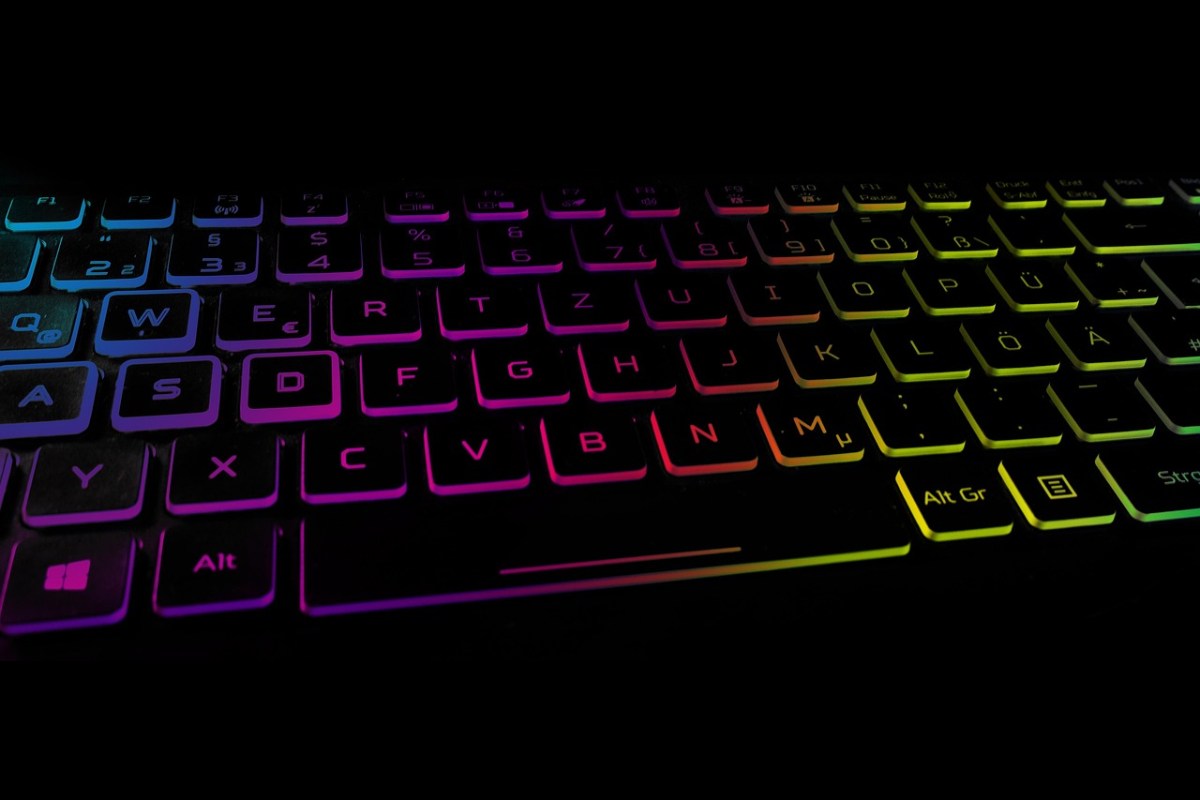
Customisation can also have a practical purpose. Backlighting may make keys easier to see in a dim room, while programmable keys can reduce repetitive actions in supported applications. Adjustable lighting brightness and the ability to turn effects off are useful for people who prefer a more understated workspace.
Some keyboard brands focus particularly on distinctive colours, themed keycaps and customisable mechanical designs. If appearance and personalisation are important to you, read about what makes the designs of Akko keyboards special.
Before buying a visually distinctive model, check its actual specifications. A design that looks appealing in photographs may not provide your preferred switch feel, layout, connection type or ergonomic features. Practical comfort and compatibility should remain part of the decision.
Ease of Cleaning and Maintenance
Keyboards collect dust, crumbs, skin oils and other debris through everyday use. A keyboard that is easy to maintain can remain more pleasant to use and help prevent dirt from accumulating around the keys.
The cleaning method depends on the keyboard’s construction. For routine care, disconnect a wired keyboard or switch off a wireless one before cleaning. Follow the manufacturer’s instructions, remove loose debris gently and use a suitable cloth for the keycaps and case. Avoid pouring liquid onto the keyboard or using cleaning products that could damage its materials.
Some mechanical keyboards allow keycaps to be removed for more thorough cleaning, but removal should be done carefully and only when the design permits it. Not every keycap or switch is intended to be removed by the user.
For detailed instructions, consult this guide on how to clean a keyboard. Regular light cleaning is generally easier than trying to remove a large amount of accumulated debris in one session.
Virtual Keyboards and Alternative Input
A physical keyboard is not the only way to enter text. Virtual keyboards display keys on a screen and allow users to select them with a touchscreen, mouse or other supported input method.
They can be useful on tablets, touchscreen computers and devices where a physical keyboard is unavailable. Virtual keyboards may also provide accessibility features, including alternative selection methods and configurable layouts. Their usefulness depends on the device, operating system and user’s needs.
On the other hand, long typing sessions can be less comfortable on a touchscreen than on a well-positioned physical keyboard. Screen space can also be reduced while the virtual keyboard is visible. For people who enter large amounts of text, a separate physical keyboard may offer a more suitable experience.
If you are deciding between the two approaches, read about the advantages of using a virtual keyboard. The best choice depends on portability, accessibility, typing volume and the way you interact with your device.
What to Consider Before Buying a Keyboard
Before purchasing a keyboard, make a short list of the features you genuinely need. Start with your primary use: office work, writing, programming, gaming or a mixture of tasks. Then compare the layout, switch type, comfort, connectivity and available space on your desk.
Set a budget that reflects how often you use the keyboard. A basic model may be sufficient for occasional tasks, while frequent typists may benefit from investing in better key feel, a comfortable layout and durable construction. More expensive models are not automatically the best fit.
Try a keyboard in person if possible. Typing a few sentences can reveal whether the keys feel too stiff, too shallow, too loud or too cramped. If an in-person test is not possible, check the return policy and read reviews that discuss long-term use rather than appearance alone.
Gamers should also consider the games they play, the number of simultaneous key presses they need, programmable controls and the keyboard’s software. This guide to purchasing a gaming keyboard can help you assess which gaming-specific features deserve attention.
Finally, check compatibility with your computer and operating system. Confirm the supported connection type, layout, required software and any limitations on advanced features. A keyboard that matches your everyday needs is more valuable than one with specifications you are unlikely to use.
Conclusion
A great keyboard combines comfortable typing, reliable performance, suitable connectivity and a layout that matches your daily tasks. Switch type, ergonomics, build quality, cleaning requirements and customisation all contribute to the overall experience.
There is no single keyboard that suits every person. Writers may prioritise comfort and a familiar layout, gamers may look for responsive switches and reliable input, and mobile users may prefer compact or virtual options. Think about how you work, test the features that matter most and choose a keyboard that supports your habits without unnecessary expense.
The right keyboard should make everyday computing more comfortable and efficient. By evaluating your requirements before purchasing, you can select a device that serves you well for the long term.
