The motherboard provides the foundation that connects the processor, memory, graphics hardware, storage, networking, USB devices, expansion cards, and other components inside a computer. Choosing the right motherboard can affect compatibility, upgrade options, connectivity, performance features, and the long-term flexibility of a PC.
Computer Tech Reviews welcomes original contributions from technology writers, PC builders, hardware enthusiasts, IT professionals, technicians, developers, reviewers, and contributors with practical experience selecting, installing, configuring, upgrading, or troubleshooting motherboards.
Our Motherboard Write for Us opportunity is intended for useful articles that help readers understand motherboard technology, compare platforms, verify hardware compatibility, build computers, configure firmware, solve technical problems, and make better purchasing decisions.
This contributor section is part of our broader Computer Write for Us section and the wider Gadgets Write for Us hub.
Motherboard Topics We Welcome
We welcome technical explainers, PC-building guides, motherboard comparisons, chipset guides, BIOS and UEFI tutorials, upgrade articles, compatibility guides, troubleshooting content, and first-hand motherboard reviews.
A strong motherboard article should help readers understand how the board affects the rest of the computer rather than simply reproducing a list of ports, slots, and specifications.
Motherboard Chipsets
The chipset helps determine which processors, expansion options, storage interfaces, connectivity features, and platform capabilities are available on a motherboard.
We welcome articles explaining motherboard chipsets, platform differences, PCIe connectivity, storage support, USB features, processor compatibility, and how chipset selection affects a computer build.
Chipset comparisons should explain which differences matter to particular users rather than assuming that a higher-tier chipset is always necessary.
CPU Sockets and Processor Compatibility
Processor compatibility is one of the first things to verify when selecting a motherboard. The CPU socket, chipset, firmware support, processor generation, and power-delivery capabilities can all affect whether a processor will work correctly.
We welcome articles explaining CPU sockets, processor generations, motherboard support lists, BIOS requirements, and how to verify compatibility before purchasing hardware.
Articles should avoid assuming that two processors using similar branding or even the same physical socket necessarily have identical motherboard support.
BIOS and UEFI
Motherboard firmware controls important hardware initialization and configuration functions before the operating system starts.
We welcome articles about BIOS and UEFI settings, firmware updates, boot configuration, memory profiles, fan controls, virtualization features, integrated hardware, security options, and troubleshooting firmware-related problems.
Firmware guides should clearly identify the motherboard model and relevant firmware version because menus and available options can differ between manufacturers and models.
Motherboard RAM and Memory Compatibility
The motherboard determines which memory technologies, capacities, speeds, configurations, and physical modules a desktop system can support.
We welcome articles about RAM compatibility, memory slots, memory channels, supported capacities, memory profiles, stability, troubleshooting, and choosing memory for a new PC build.
Compatibility articles should distinguish between technically supported memory specifications and configurations that may require additional tuning or firmware support.
PCIe Slots and Expansion
PCI Express connectivity allows motherboards to support graphics cards, networking hardware, storage controllers, capture cards, sound hardware, and other expansion devices.
We welcome articles explaining PCIe generations, lane allocation, slot sizes, bandwidth, graphics-card installation, expansion-card compatibility, and how multiple devices can share available platform resources.
Technical guides should distinguish physical slot size from electrical lane configuration where this affects performance or compatibility.
Motherboard Storage Connectivity
Modern motherboards may support multiple internal storage interfaces for SSDs, hard drives, and other devices.
We welcome articles about M.2 slots, NVMe storage, SATA connections, PCIe storage, boot drives, RAID where appropriate, storage expansion, and troubleshooting drives that are not detected.
Storage guides should verify whether particular slots share bandwidth or disable other motherboard ports when certain configurations are used.
Motherboard Power Delivery
A motherboard’s power-delivery system helps provide stable power to the processor and other components. Its importance can increase with higher-power processors and sustained workloads.
We welcome articles about voltage-regulation hardware, CPU power connectors, power delivery, thermal considerations, processor compatibility, and choosing an appropriate motherboard for demanding systems.
Articles should avoid reducing motherboard quality to VRM phase counts alone, since component quality, controller design, cooling, and implementation also matter.
Motherboard Connectivity
Motherboards can provide Ethernet, Wi-Fi, Bluetooth, USB, audio, display outputs, internal headers, and other connections that affect how a computer interacts with peripherals and networks.
We welcome articles explaining motherboard connectivity, USB standards, networking, wireless features, audio connections, display outputs, front-panel headers, fan headers, and peripheral support.
Explore Related Computer Hardware Write for Us Pages
If your proposed article focuses primarily on another computer type, processor technology, graphics hardware, chip technology, or peripheral, choose the contributor section that most closely matches the subject.
Motherboard Comparisons and Buying Guides
A useful motherboard buying guide should begin with the processor, intended workload, expansion requirements, and future upgrade plans. A basic office PC may need very different motherboard features from a gaming system, workstation, content-creation PC, or high-performance desktop.
When comparing motherboards, contributors may consider factors such as:
- CPU socket
- Chipset
- Processor support
- BIOS or UEFI support
- Memory type
- Memory capacity
- Memory slots
- PCIe generation and lane configuration
- Graphics-card support
- M.2 and NVMe support
- SATA connectivity
- USB connectivity
- Ethernet
- Wi-Fi and Bluetooth
- Audio hardware
- Power delivery
- VRM cooling
- Fan and cooling headers
- Form factor
- Internal headers
- Firmware features
- Expansion potential
- Price and long-term value
Recommendations should explain why particular motherboard features are useful for the intended build rather than encouraging readers to pay for capabilities they are unlikely to use.
Motherboard Form Factors
Motherboards are available in different physical sizes designed for different computer cases and expansion requirements.
We welcome articles explaining motherboard form factors, case compatibility, expansion slots, memory slots, storage options, cooling considerations, and the practical differences between larger and smaller boards.
A useful form-factor comparison should consider the complete build rather than treating physical size as the only difference.
Motherboard and CPU Compatibility
A processor and motherboard must be compatible at several levels. Socket type is important, but chipset support, firmware version, memory technology, power delivery, and cooling can also affect whether a system will work correctly.
We welcome step-by-step compatibility guides that help readers verify a processor before purchasing or upgrading a motherboard.
Useful checks include:
- CPU socket
- Processor generation
- Motherboard chipset
- Manufacturer CPU support list
- Required BIOS or UEFI version
- Memory support
- CPU power requirements
- Cooling compatibility
- Integrated graphics requirements
Compatibility information should be verified using current motherboard and processor documentation where possible.
Motherboard and Graphics Card Compatibility
Modern graphics cards generally connect through PCI Express, but a successful installation also depends on the rest of the computer.
We welcome articles explaining PCIe compatibility, slot configuration, card dimensions, case clearance, power-supply requirements, BIOS considerations, CPU pairing, and display connections.
Articles should distinguish motherboard compatibility from case and power-supply compatibility because a graphics card can be electrically compatible with a motherboard while still being unsuitable for the complete system.
Motherboard and RAM Compatibility
Memory compatibility depends on the motherboard, processor, memory technology, module capacity, number of modules, firmware, and configuration.
We welcome articles explaining how to select RAM, populate memory slots correctly, interpret motherboard memory specifications, use supported memory profiles, and troubleshoot unstable configurations.
Where appropriate, contributors can explain the role of motherboard qualified-vendor lists while also noting that such lists may not include every compatible memory kit.
Choosing a Motherboard for a Desktop PC Build
The motherboard should be selected as part of the complete system rather than in isolation. Processor choice, graphics requirements, storage, memory, networking, peripherals, cooling, case size, and upgrade plans all influence which board is appropriate.
We welcome build-planning articles that help readers choose motherboards for:
- Home computers
- Office PCs
- Gaming systems
- Content-creation PCs
- Programming and development systems
- Workstations
- Compact desktop builds
- Multi-storage systems
- Multi-monitor workstations
The article should explain which motherboard features actually benefit the target workload.
Motherboard BIOS and Firmware Updates
Firmware updates can add processor support, address compatibility problems, improve stability, update security-related functionality, or introduce other platform changes.
We welcome guides explaining when a motherboard firmware update may be necessary, how to verify the correct firmware, and what precautions users should take before starting an update.
Because an interrupted or incorrect firmware update can create serious problems, instructions should be specific to the motherboard manufacturer and model whenever possible.
Motherboard Upgrades
Replacing a motherboard is more involved than upgrading many other PC components because the board connects almost every major part of the system.
We welcome motherboard upgrade guides covering:
- Processor compatibility
- Memory compatibility
- Graphics cards
- Storage interfaces
- Power-supply connections
- CPU coolers
- Case compatibility
- Front-panel connectors
- Operating-system considerations
- Drivers
- Firmware configuration
Upgrade articles should explain when replacing the motherboard is necessary and when the existing platform may still meet the user’s requirements.
Motherboard Troubleshooting and How-To Articles
Motherboard-related problems can appear as boot failures, missing hardware, unstable memory, storage problems, connectivity issues, or unexpected system behavior. Troubleshooting should begin by isolating the likely cause rather than assuming the motherboard itself has failed.
We welcome practical guides addressing issues such as:
- A computer that will not power on
- A PC that powers on but will not boot
- No display after building a PC
- A processor not being recognized
- RAM not being detected
- Memory instability
- A graphics card not being detected
- An NVMe SSD not appearing
- SATA drives not being detected
- USB ports not working
- Ethernet problems
- Wi-Fi or Bluetooth problems
- Incorrect fan behavior
- BIOS settings resetting
- Boot-device problems
- Problems after a firmware update
- Problems after replacing a processor
- Problems after adding new hardware
Where relevant, identify the motherboard model, processor, memory, graphics card, storage devices, power supply, firmware version, and operating system involved.
Motherboard Diagnostic Features
Some motherboards provide diagnostic LEDs, displays, beep codes, recovery functions, or other features that can help identify hardware problems during startup.
We welcome articles explaining how these diagnostic tools work and how readers can use them as part of a structured troubleshooting process.
Diagnostic codes should always be interpreted using documentation for the specific motherboard because meanings can differ between manufacturers and models.
Motherboard Performance and Benchmarking
Motherboards do not normally determine application performance in the same way as processors or graphics cards, but power delivery, firmware configuration, memory settings, cooling, and platform limits can influence system behavior.
We welcome motherboard comparisons that test meaningful differences rather than attempting to create performance claims from insignificant benchmark variations.
If presenting results, provide relevant details such as:
- Motherboard model
- Firmware version
- Processor
- Memory capacity and configuration
- Graphics card
- Storage
- Cooling
- Power supply
- Operating system
- Drivers
- Power settings
- Testing methodology
Performance differences should be interpreted carefully and tested under consistent conditions.
Motherboard Security
Motherboard firmware and platform hardware can play a role in secure boot, trusted hardware features, virtualization, firmware integrity, encryption support, and operating-system security.
We welcome defensive articles explaining motherboard security settings, firmware updates, secure boot, hardware-backed security, and responsible BIOS or UEFI configuration.
Security articles should clearly explain which protections depend on compatible processors, operating systems, firmware, or additional configuration.
What Makes a Strong Motherboard Article?
A strong motherboard article should help readers understand PC hardware, verify compatibility, solve a problem, build or upgrade a computer, compare platforms, or make a better purchasing decision.
We prefer submissions based on practical experience, technical knowledge, documented research, reproducible testing, or clearly explained observations.
Your article should:
- Address a specific motherboard question, problem, or purchasing decision.
- Identify the motherboard model where relevant.
- Identify the intended processor and platform.
- Explain technical terminology when necessary.
- Verify CPU, memory, storage, and expansion compatibility.
- Verify firmware requirements where relevant.
- Distinguish specifications from observed behavior.
- Explain practical advantages, limitations, and trade-offs.
- Describe testing methodology when performance results are included.
- Support technical claims and statistics with reliable sources.
- Use current hardware information where compatibility matters.
- Disclose relevant relationships with manufacturers, retailers, developers, or products.
Motherboard Article Ideas You Can Pitch
- How to choose the right motherboard
- How motherboard chipsets work
- How to check CPU and motherboard compatibility
- How to check RAM and motherboard compatibility
- How to check graphics-card and motherboard compatibility
- How motherboard form factors differ
- What PCIe slots do on a motherboard
- How PCIe lanes affect expansion devices
- How motherboard M.2 slots work
- How to choose a motherboard for a gaming PC
- How to choose a motherboard for an office computer
- How to choose a motherboard for a workstation
- What motherboard VRMs do
- How BIOS and UEFI work
- When should you update motherboard firmware?
- How to troubleshoot a PC that will not boot
- How to troubleshoot RAM that is not detected
- Why an NVMe SSD may not appear in BIOS
- Why a motherboard may not recognize a processor
- How to troubleshoot a graphics card that is not detected
- What to check before replacing a motherboard
- When a motherboard upgrade makes sense
- How to interpret motherboard diagnostic LEDs
- What motherboard specifications actually matter?
- What to check before buying a used motherboard
Content We Are Unlikely to Accept
We are not looking for articles created primarily to advertise a motherboard, component manufacturer, retailer, hardware product, service, or backlink. Products can be discussed when genuinely relevant, but the article should provide independent value to readers.
We may reject submissions that simply reproduce motherboard specification tables, rewrite manufacturer descriptions, contain unsupported performance claims, rely on outdated compatibility information, repeat keywords unnaturally, or recommend hardware without explaining why it is appropriate.
Do not claim that you personally tested a motherboard or computer build unless you actually used it. Research-based articles are welcome, but they should clearly distinguish documented information from first-hand testing.
AI tools may assist with research, planning, organization, or drafting, but authors remain responsible for the final article. Motherboard specifications, CPU support, memory compatibility, firmware information, benchmark results, quotations, statistics, and factual claims should be independently verified before submission.
Unedited or unverified AI-generated articles will not be accepted.
Editorial Guidelines
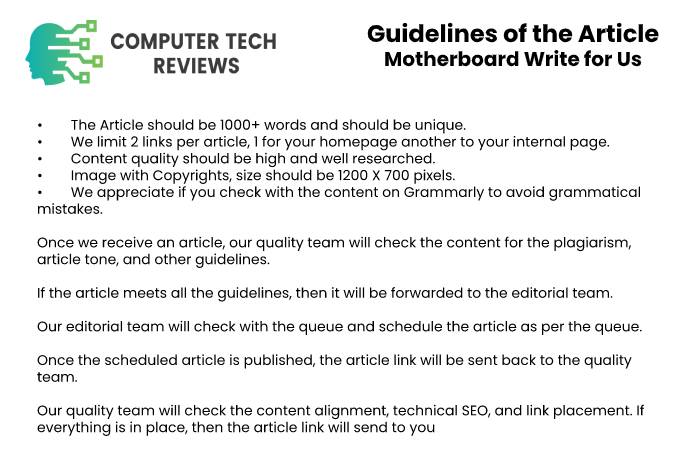
- Submit original content that has not been published elsewhere.
- Write a minimum of 800 words for a standard article.
- Use a clear title, introduction, descriptive headings, and short paragraphs.
- Write naturally for readers rather than search engines.
- Avoid unnecessary promotional or sales-focused language.
- Verify motherboard models, chipsets, CPU support, memory support, and expansion specifications.
- Verify BIOS or UEFI requirements where compatibility depends on firmware.
- Support factual claims, performance figures, and statistics with reliable sources.
- Use current hardware information when discussing compatibility.
- Clearly distinguish personal testing from research-based conclusions.
- Explain testing methodology when performance results are included.
- Disclose relevant commercial, sponsorship, employment, or product relationships.
- Use original or properly licensed photographs, diagrams, charts, and screenshots.
- Proofread and fact-check the complete article before submission.
- Our editorial team may edit submissions for accuracy, clarity, formatting, and readability.
How to Submit a Motherboard Guest Post
Before submitting a complete article, you may send us a short proposal explaining what you want to cover and why the topic would be useful to Computer Tech Reviews readers.
Your proposal can include:
- Your proposed article title
- A brief explanation of the topic
- The intended audience or PC build
- The question or problem the article will address
- A proposed outline
- The motherboard and other components involved
- The firmware version where relevant
- The complete test configuration if benchmarks are included
- Whether you personally tested the hardware discussed
- Links to relevant writing samples
- Details of any commercial relationship connected to the submission
Send your proposal or completed article to contact@computertechreviews.com.
For complete PC systems and general hardware topics, visit our Computer Write for Us section. Processor-focused submissions can use our Intel Processor Write for Us page, while semiconductor topics fit our Chip Write for Us section. Graphics-focused submissions can be directed to our Graphics Card Write for Us page.
Frequently Asked Questions
Can I submit a motherboard guest post?
Yes. We welcome original articles about motherboards, chipsets, CPU sockets, BIOS and UEFI, memory, PCIe, storage, power delivery, connectivity, PC builds, upgrades, and troubleshooting.
Can I write about motherboard chipsets?
Yes. Articles can explain chipset differences, processor support, PCIe connectivity, storage, USB features, expansion options, and how chipset selection affects a computer build.
Can I write about CPU and motherboard compatibility?
Yes. Compatibility guides are encouraged when they accurately verify socket, chipset, processor generation, firmware support, memory, power, and cooling requirements.
Can I write about BIOS and UEFI?
Yes. Articles can cover firmware settings, updates, boot configuration, fan controls, memory profiles, virtualization, hardware configuration, security features, and troubleshooting.
Can I write about motherboard and RAM compatibility?
Yes. Articles can explain memory types, capacities, speeds, channels, module configurations, motherboard support, firmware considerations, and troubleshooting unstable memory.
Can I write about graphics-card compatibility?
Yes. Articles can cover PCIe compatibility, slot configuration, case clearance, power requirements, firmware considerations, and other factors involved in installing a graphics card.
Can I submit PC-building guides?
Yes. Motherboard-focused build guides are welcome when they clearly explain component compatibility, installation, firmware configuration, connectivity, and system testing.
Can I submit motherboard troubleshooting articles?
Yes. Troubleshooting guides are encouraged when they use a logical diagnostic process and help readers distinguish motherboard problems from processor, memory, graphics, storage, power-supply, or software issues.
Do I need to personally test the motherboard I write about?
Not for every type of article. Research-based explainers can use reliable documentation and credible sources. However, you should never describe a motherboard as personally tested or reviewed if you have not actually used it.
Can I submit AI-assisted content?
AI tools may assist with research, planning, or drafting, but the author remains responsible for the finished article. Motherboard specifications, CPU support, memory compatibility, firmware information, benchmark results, quotations, statistics, and factual statements should be independently verified before submission.
Recent Posts
M4A vs MP3 for Transcription: What Actually Changes the Transcript
M4A vs MP3 for Transcription Comparing M4A vs MP3 for transcription is close to a non-question, and the reason is…
The Patch Window Problem: Why Small IT Teams Fall Behind on Updates
The Patch Window Problem This Article is a part of Cybersecurity Guides and Best Practices Every breach report that mentions…