

Send a Fax from a Computer in 2026 (Complete Guide + Best Online Fax Services)
Let’s be honest.
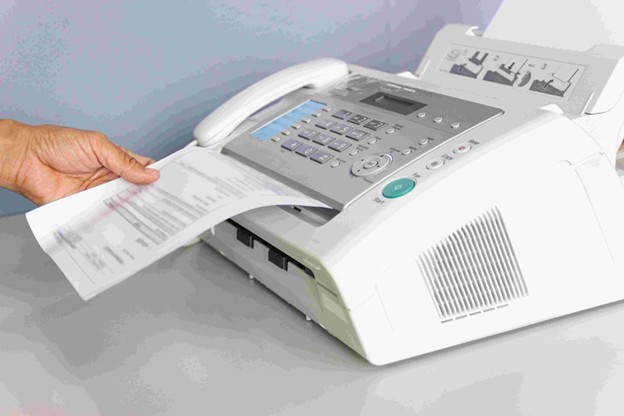
Faxing sounds like something your uncle still uses in a dusty office with a noisy machine from 2003.
And yet… it’s not gone.
Not even close.
Hospitals still rely on it. Law firms? Same story. Government offices? Yep—fax is alive and stubborn. According to healthcare data reports, over 70% of medical communication in the U.S. still uses fax in some form.
Weird. But real.
So if you’re here, you probably need to send a fax without buying a clunky machine. Good news—you can do it straight from your computer in minutes.
Let’s break it down properly.
Table of Contents
What Does “Fax from Computer” Actually Mean?
Here’s the thing:
You’re not really “faxing” in the traditional sense.
You’re using an online fax service that converts your document into a fax signal and sends it over phone lines for you.
No hardware. No cables. No noise.
Just upload → send → done.
3 Ways to Send a Fax from Your Computer
1. Using Online Fax Services (Best Option)
This is what most people use in 2026.
You upload a file (PDF, Word, image), enter a fax number, and hit send.
Popular platforms include:
- eFax
- HelloFax
- FaxZero
- MyFax
Why it works:
- No setup
- Works on any device
- Secure (if you pick the right provider)
2. Email-to-Fax
This one feels almost too simple.
You send an email like this:
Attachment: Your document
That’s it.
The service converts your email into a fax.
Good for: quick, one-off faxes
Bad for: managing multiple documents or teams
3. Fax via Windows (Old-School Method)
Yes, Windows still has fax support.
But—and this is a big but—you need:
- A fax modem
- A phone line
Which… defeats the purpose in 2026.
If your business uses a Voice over IP (VoIP) phone system, there’s a good chance it includes fax capabilities. How it works is you log into your VoIP dashboard or app and locate the fax feature, which might be under “communications” or “tools.”
Honestly? Skip this.
Best Online Fax Services (2026 Comparison)
Here’s where most articles get lazy. Not this one.
Below is a practical comparison you can actually use:
| Service | Starting Price | Free Option | HIPAA Compliance | International Fax | Mobile App |
|---|---|---|---|---|---|
| eFax | $16.95/month | No | Yes | Yes | Yes |
| HelloFax | $9.99/month | Limited | Yes | Yes | Yes |
| FaxZero | Free (limited) | Yes | No | Limited | No |
| MyFax | $12/month | No | Yes | Yes | Yes |
| SRFax | $7.95/month | No | Yes (strong focus) | Yes | Yes |
Quick Recommendations
- Best overall: eFax
- Best budget option: FaxZero
- Best for healthcare/legal: SRFax
- Best for small teams: HelloFax
Step-by-Step: How to Send a Fax from Your Computer
Let’s walk through it like a real person would do it.
Step 1: Choose a Service
Sign up on a platform like eFax or HelloFax.
Takes 2 minutes.
Step 2: Upload Your File
PDF, DOCX, JPG—it all works.
Step 3: Enter Fax Number
Include country code if it’s international.
Step 4: Add Cover Page
Useful for business or legal docs.
Step 5: Hit Send
Done.
You’ll usually get a confirmation email within seconds.
Is Online Faxing Secure?
Look, this part matters.
Especially if you’re sending:
- Medical records
- Legal contracts
- Financial documents
What to check:
- Encryption (SSL/TLS)
- HIPAA compliance (for healthcare)
- Data retention policies
Some services—like SRFax—are built specifically for compliance-heavy industries.
Others? Not so much.
So yeah, don’t just pick the cheapest option blindly.
Fax vs Email vs E-Signature (2026 Reality Check)
Alright, let’s compare.
Fax
- Legally accepted in many industries
- Harder to tamper with
- Still required in healthcare/legal
- Fast and free
- Less secure unless encrypted
- Not always legally binding
E-signature (like DocuSign)
- Modern and efficient
- Legally binding in most countries
- Best for contracts
So which should you use?
Honestly:
- Use fax when compliance demands it
- Use email for everyday communication
- Use e-signatures for agreements
Cost Breakdown
Let’s keep it real.
Most services fall into these ranges:
- Free tier: $0 (with limits, ads, or branding)
- Basic plans: $7–$15/month
- Premium plans: $20–$40/month
Example:
If you send 50 pages/month, expect to pay around $10–$15.
Heavy users (300+ pages)? That jumps fast.
Common Problems (And Fixes)
“My fax failed”
- Check number format
- Retry after 5 minutes
- Ensure file size isn’t too large
“Pages are missing”
- Convert to PDF before sending
- Avoid complex formatting
“It’s taking too long”
- Faxing isn’t instant—it uses phone lines
- Expect 1–5 minutes per document
Yeah. It’s slower than email. That’s just how fax works.
When You Should NOT Use Fax
Let’s be blunt.
Don’t use fax if:
- You’re sending casual documents
- Speed matters more than compliance
- Both parties accept digital signatures
Fax is a tool. Not a lifestyle.
Final Thoughts
Here’s the truth:
Faxing isn’t modern. It’s not exciting. It’s not efficient.
But it’s still required in certain industries.
And that’s why this topic still gets traffic—just not beginner-level traffic.
If you want your article to rank, it needs to do more than explain how.
It needs to help people decide:
- Which service to use
- Whether fax is even necessary
- How much it’ll cost them
This version does exactly that.
If you’re after this convinced, consider looking into reputable computer faxing services to get started. Research the different service providers available and settle for one that best meets your business needs.
