

This Article is a part of
Data Security and Privacy Guide
Business Data Backup
Even the smallest company generates and operates huge amount of data on a daily basis. New addresses in your client database, virtual piles of correspondence, invoices and accounting reports, electronic documents, agreements and paybills — nearly all of the crucial information your business workflow relies upon today is stacked into your system unit. But how protected it actually is?
Say, one of your employees hits the “Remind me later” button, postponing a crucial antivirus update that was necessary for some system vulnerabilities to be patched up, and then forgets about it… Until, a few days later, all of the computers connected within a work network get infected with ransomware, and are now being bombarded with messages forcing you to pay $13.000 — otherwise the encrypted data will be permanently erased. Why $13.000? Because that’s the average value of the required ransom per attack, according to the latest 2020 cyber security studies.
Alright, you pay for antivirus and are completely sure your system is well-protected. However, besides trojans and malware, there are plenty of other threats that could make your data get gone one day — like unexpected power surges, severe system failures, or even sabotage from a disgruntled employee that manifests in intentional deletion of important files. Could you expose that vital information to the risk of being lost? And before answering, make sure that you have calculated how much time it would take to recover your data, or how much money could be wasted in case of downtime… and let’s move on to those four aforementioned basic rules.
A reliable backup strategy should be part of broader data security and privacy practices that protect sensitive information from loss, unauthorized access, and other security threats.
Table of Contents
#1. Organizing Your Data
First and foremost, invest some time to gather and organize your important files into well-structured directories; jot all of the substantial parts of data that you need to run a backup — for example, in a Word document. It can be simple like this:
> Local PC
> Videos
> Images
> Movies
> Documents
> Website Database
> Logs
…or you might want to make it more detailed and itemized. Then, once you’re done making the list of everything you want to backup, and decided where it’ll be placed, ensure there’s enough disk space to store one, two or even three different duplicates of that data.
Backup planning should also cover individual endpoints and employee devices. Organizations supporting legacy systems can review how to back up Windows 10 systems to help protect locally stored business information.
#2. Determine Backup Schedule
The next step is to determine the frequency of backup for each data set. To choose the most optimal option, try to weigh roughly: how difficult would it be to rebuild, or restore, the piece of data last saved a week ago? Two weeks? A month?
For instance, if your website has a data bank that is being changed or updated daily, you’ll most likely need backups of that information as often as possible — at least twice a week or so. All in all, this completely depends upon your own needs.
Creating backups is only useful if they can be successfully restored when needed. Regular backup monitoring can help identify failed jobs, incomplete backups, and other problems before they affect recovery.
Also, consider how long you’d like to keep the data. Say, keeping backups older than a month for a MySQL database that is updated very frequently will be rather a waste of disk space than a rational decision.
Most backup solutions provide a variety of retention schedules, such as holding hourly and daily backups for a week, weekly copies for a month, and so on. In addition to that, best options will include retaining certain backups — like monthly or bi-annual — for as long as possible, if not forever. Another good idea would be to put these on media which can be further stored in a safe-deposit-box.
Choosing the right backup approach starts with understanding the different types of data backup and determining which methods best match an organization’s recovery objectives and operational requirements.
#3. Choose the Right Backup Location
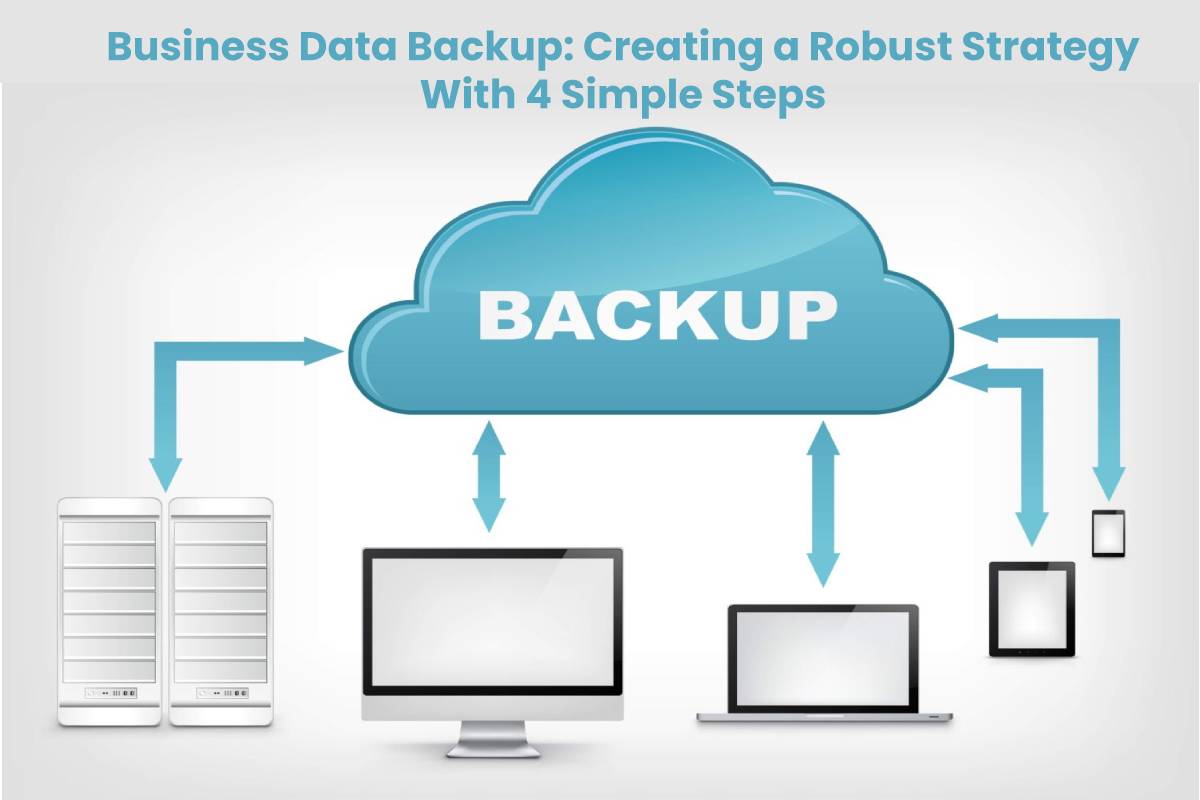
At this stage, you’ve got to choose a proper place to store your colies. Say, cloud storage platforms represent most common option today, offering a multitude of useful features, such as scalability (meaning you can take up as much space as you require without the need to overpay for unused space), process automation or additional data protection means (e.g., storing your information in the cloud in encrypted form). In addition to all of the above, you are freed from the hassle associated with maintaining physical copies intact, having them available remotely at any time.
If you don’t like the idea of entrusting a third-party service with your vital data, or you need the backups to be placed on-premises, the good old usual media like USB-devices, magnet tapes, or external hard drives will work as well. Just make sure to choose location that is easy to use, and access.
Notice that backing up your data and storing it on the same disk as its original is obviously not a good idea. Get your data off of that device to ensure it remaining viable even if the main server is compromised — so that you can fully recover your information.
#4. Bring Your Backup Strategy to Life
Finally, do a little research to find out which option will suit you better taking into account your industry’s data retention standards and requirements; since all of the data backup strategies require money and time to invest (and no doubt you don’t want neither to wasted), let your choice to be thoroughly deliberated.
Organizations that want to reduce the infrastructure and administrative burden of managing backups can consider Backup as a Service (BaaS) as a scalable approach to protecting business-critical information.
And remember: you cannot predict all the possible scenarios; so, in the event a data loss happens to your precious files, don’t hurry to panic! Whatever is the reason your data is missing, Salvagedata’s experts have enough experience to eliminate it and retrieve your vital data safe and sound. Just bring your device for a free examination, and let the professionals do the rest!
Backups provide recovery capabilities, while enterprise data loss prevention strategies can help organizations identify, monitor, and control sensitive information before it leaves approved environments.
