

This article is part of our Laptops & Portable Computers resource section
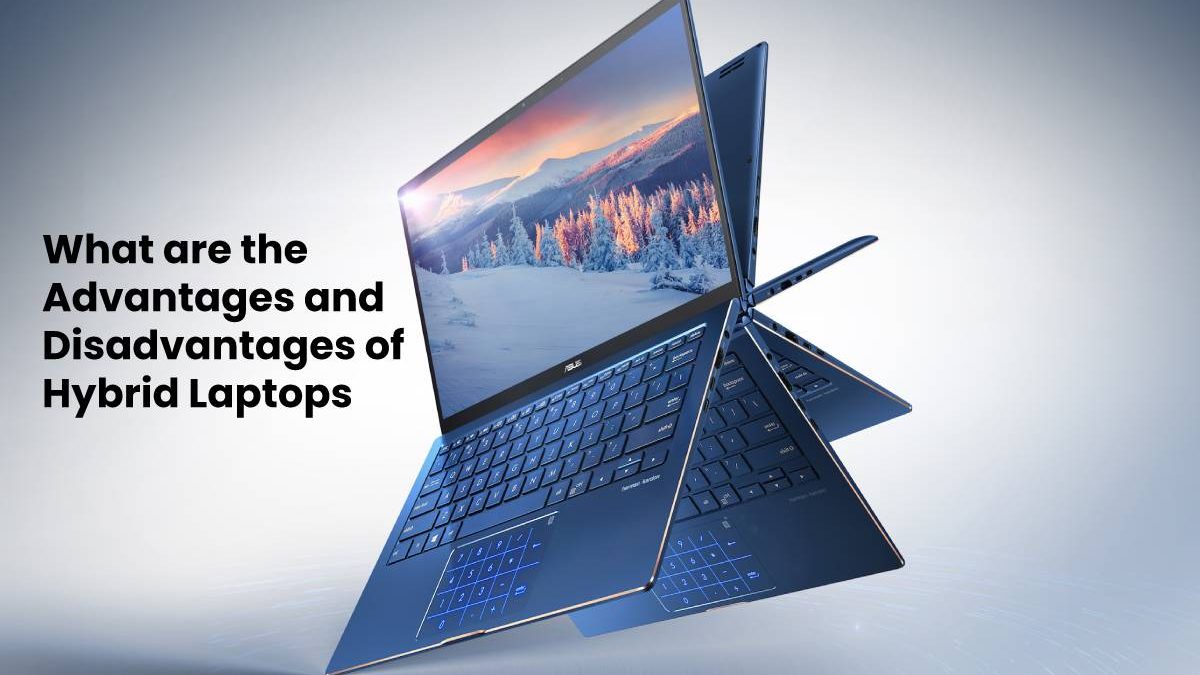
Hybrid 2 in 1 laptops have become quite popular in recent years. Much like how Smartphones have condensed so many features into one device, the hybrid laptop is a product that offers everything I need in a single machine. It combines the efficient performance of a laptop with the portability and ease of use of a tablet.
The result is a device with many advantages and only a few drawbacks. Here are the main things to know about owning a hybrid 2 in 1 laptop.
If you are still deciding which type of computer best suits your needs, this comparison of PC or laptop options can help you weigh portability, performance, and convenience.
If your current device no longer meets your requirements, these tips on how to get a new laptop can help you plan your next purchase.
Table of Contents
Advantages of Hybrid Laptops
There are plenty of reasons why I enjoy using a hybrid laptop. They are useful in a wide variety of situations, and always let me get the job done with convenience and style.
Flexibility
It is possible to do just about anything with a device like this. I start off in tablet mode as the day begins. This allows me to browse the web and navigate apps with ease.
When it comes time to get some work done, I can clip on the attachable keyboard. In seconds, the tablet is transformed into a fully functional laptop. The most powerful 2 in 1 hybrid laptop can even rival some desktop PCS.
For more options that combine tablet convenience with laptop functionality, explore these top 2-in-1 laptops for work and play.
I can type long word documents with actual keys. Also make spreadsheets and PowerPoint presentations with the touchpad. I can even plug in a mouse for when I require the utmost precision.
If you are comparing a hybrid with a conventional computer, this guide to choosing a laptop vs desktop setup can help you identify the right configuration for your workspace.
If you want to understand the practical differences between the two main computer formats, read this comparison of laptop vs desktop.
If I want to go back to tablet mode, I simply detach the keyboard. The device recognizes that the output is gone and returns to tablet functionality. Once I was able to swap between modes so freely, I wondered how I lived without it for so long.
Portability
Most hybrid devices are much slimmer and weigh far less than a standard laptop. Anyone who travels a lot will appreciate how it lightens the load considerably. It is also great for moving between home and work.
For people who value an especially compact design, a mini laptop is another portable computing option to consider.
The laptop is perfect when you are at a desk and want to put full attention on a task. The tablet mode works wonders when taking notes at a job site. There is an unlimited number of ways each mode can be applied to daily life.
If you need more screen space while working away from your main desk, these best portable monitors for laptops offer options for extending your display.
Some users may prefer relying on a smartphone for certain tasks, so this comparison of phones versus desktops or laptops is useful when considering which device fits different everyday activities.
Price
Since so many different models have flooded the market, the average cost of each hybrid laptop has gone down drastically. They start off around the 200 dollar range for a basic machine. Anyone who wants the cutting edge tech can shell out upwards of $3000.
The great news is that a mid-range tablet offers great performance for the price. Most hybrids that cost between $300 and $500 are more than powerful enough for most people. Standard laptops with similar performance typically go for a few hundred bucks extra.
If you are shopping within a budget in India, this roundup of the best laptops under ₹60,000 can help you compare alternatives before buying.
Plus, buying one device is always going to be cheaper than buying two. Consider a hybrid instead of springing for separate devices.
When comparing brands and models, you can also explore this guide to Xiaomi laptops.
Another option for shoppers researching computer prices and specifications is this complete guide to HP laptops and laptop prices.
Students choosing a versatile computer for studying, note-taking, and everyday tasks may also find these best student laptops useful.
For another perspective when researching a laptop purchase, see this expert review from TheLaptopAdviser.
Power
Many hybrid laptops are designed to be able to pay some modern PC games. While I’m not able to max out any graphical settings, it is possible for me to run several games at a smooth frame rate. It is certainly better than playing games on just a tablet.
Despite the strong power, the battery lasts a very long time. Hybrid laptops use efficient batteries to stretch run time pretty far. My hybrid still has juice after being unplugged for eight hours.
Security
Hybrid laptops are way less likely to be hacked than a traditional laptop. Many hybrids run on a unique operating system. Hackers tend to target the most popular operating systems when creating viruses or malware.
Since my hybrid runs on proprietary software, I have never seen a malicious attack attempted on my device. It simply isn’t worth it for cybercriminals to target each unique hybrid device individually.
Whatever computer you choose, security still matters. Mac users can explore these tips to keep your Mac safe for advice on protecting their devices and personal information.
Users who work across Apple devices may also find these best Mac apps helpful for productivity and everyday tasks.
For people who transfer files between Android devices and Mac computers, this MacDroid review explores a tool designed to help with that workflow.
You can also learn how to AirDrop photos between an iPhone and Mac computer when sharing images across compatible Apple devices.
Mac owners who want to troubleshoot performance can read this guide on how to check RAM usage on Mac.
Keeping a computer clean and well maintained is another useful part of device care; this guide explains how to clean your Mac.
Disadvantages of Hybrid Laptops
As amazing as hybrid laptops are, there are still a few notable disadvantages. It is worth pointing them out in order to make the best buying decision possible.
Overall Performance
While many hybrids stand toe-to-toe with traditional laptops, the industry just has more experience making them. Many laptop manufacturers are familiar with how to get the most out of each laptop they produce. This allows them to release computers with much higher specs if the buyer is willing to pay up.
The only way you are going to play the latest games on the go is with a traditional laptop. Hybrids are designed to be as power-efficient as possible. This means they aren’t as powerful as they could be.
For people who also use Windows computers, this guide to essential Windows 11 apps to install on a laptop offers software ideas for everyday productivity.
When preparing an older computer for resale or disposal, it is important to protect personal data; learn about software to erase hard drives and SSDs in PCs, laptops, and Mac devices before securely retiring a device.
Screen Size
Whenever I have to view a monitor for long periods, I want the screen to be as big as possible. Games and movies demand a larger view in order to be fully immersive. Hybrid laptops tend to have smaller screens than conventional PCs.
While the smaller screen aids portability, it weakens the video watching experience. Getting used to the smaller screen is vital when purchasing a hybrid laptop.
Keyboard Size
To fit the more compact design, hybrid laptop keyboards tend to be very small. My larger hands can sometimes cramp up when I type for too long. The keyboard is also missing some functionality that is native to standard keyboards. When writing longer documents, I sometimes run into trouble finding the right key. It also tends to get more uncomfortable the longer I type consecutively. Having small hands makes using a hybrid laptop much easier.
Conclusion
I have really been enjoying my time with hybrid 2 in 1 laptops. They offer a convenient PC solution when traveling about. Being able to switch to tablet mode on the fly is incredibly liberating.
Anyone who is in the market for either a tablet or laptop should try out a hybrid at least once. The advantages far outweigh the negatives in my opinion. Now that I got used to the quirks of a hybrid machine, I never want to look back at standard laptops or tablets.