

This article is part of our Business and Enterprise Software resource section.
Barcode Scanners in a POS System
A barcode (also bar code) is an optical data representation. The data usually describes something about the object the barcode carries. When barcode and sales data need to connect with purchasing, inventory, and other business functions, understanding the definition of ERP can help businesses see how these systems work together. Conventional barcodes systematically represent data by varying the spacing and width of parallel lines.
The first ones were linear or one-dimensional (1D). Later, 2D variants were developed, using dots, rectangles, hexagons and other geometric patterns. They do not use bars as such. Barcode scanners have the following functions in a POS system. Understanding these functions is particularly useful when evaluating a POS system for your restaurant or retail business and deciding which checkout features your business needs.
Table of Contents
Shorten checkout time
A POS can identify products fast using a barcode system. It takes much less time to complete the checkout process in comparison to manual product entry. Faster and more accurate checkout can contribute to a better customer experience, which is one reason a POS system can help increase retail sales when properly integrated into retail operations.
Prevent Errors
Errors occur more often with manually entered data than data entered via a barcode scan. A barcode scanner is quick and reliable.
Increased customer satisfaction
Bar code scanners eliminate human error and cut down on the checkout time. The customer gets the right product they picked every time. Barcode scanners speed up the checkout process, which leads to quicker purchases both offline and online.
Barcodes for Inventory Management
Using barcodes makes it much simpler to organize and manage inventory. This also highlights the importance of inventory management software for businesses that need accurate stock information and better control over product movement. You can label each piece of inventory with a unique UPC for a smarter approach to organization. That UPC can correspond to another UPC on your storage shelves. This way, you always know what goes where.
Barcodes help with inventory management by making it easier for retailers to know how much of a product they have available. It’s possible to do a quick inventory count using the barcode scanner. To do this, you scan the barcodes on your boxes rather than manually counting with pen and paper. When you receive new stock from suppliers, you can use the same process to quickly update inventory counts. For businesses that transport those products to customers or stores, fleet management software can complement inventory tracking by helping monitor delivery vehicles and transportation activity.
Combining barcode scanning with real-time digital tracking is also helping businesses move toward revolutionizing inventory management through greater automation and visibility.
Barcodes are cost-effective to print and design. The cost of printing is much lower. Businesses producing large volumes of labels and other documents can also use a printing management system to manage printing activity and control related costs. It’s possible to print a huge number of barcodes at a very low cost.
Barcodes for Receipts
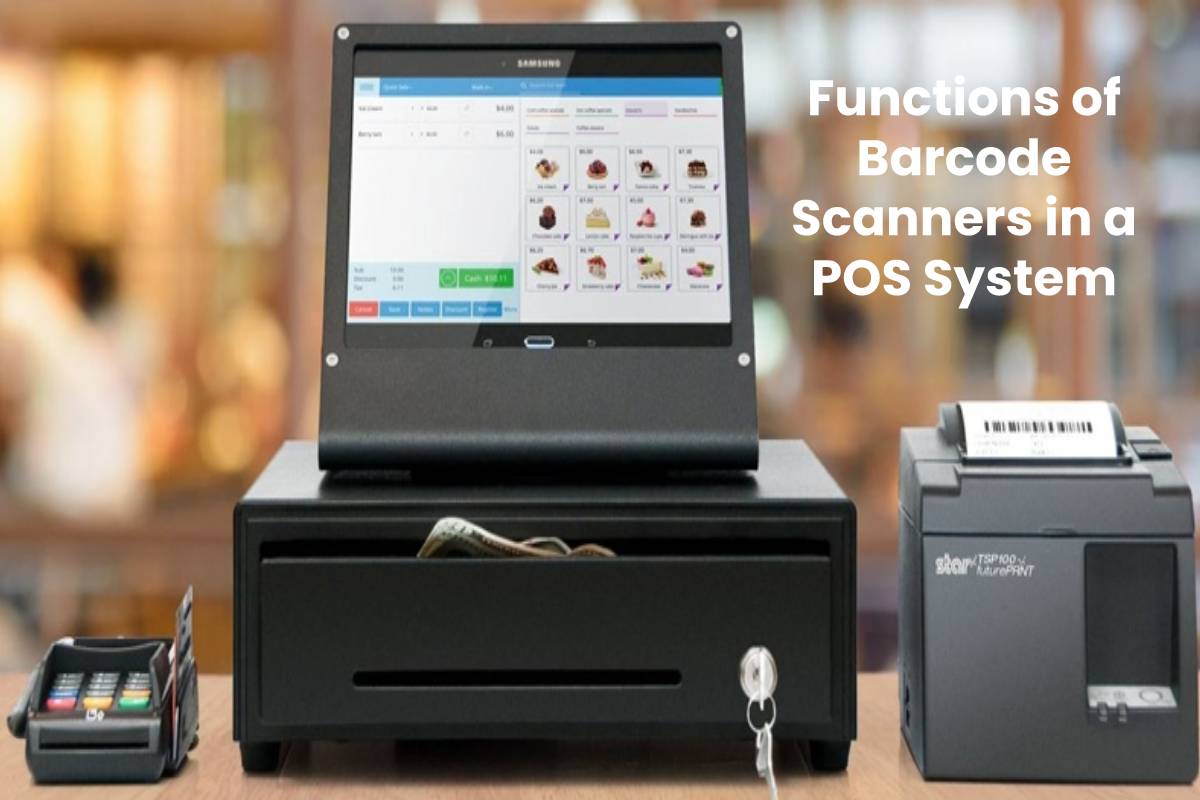
Some POS systems will store the information from a transaction by printing a barcode at the bottom of a receipt. This can include the name of the cashier, the register where the transaction took place, the items a customer bought, what each item cost, and the method of payment. It might even include information about your customer’s loyalty program.
Sales transactions are among the most obvious ways that businesses use barcodes. Rather than keying in an item price, code, and quantity manually, a cashier doesn’t need to do anything but scan the barcode of the items the customer is buying. This leads to faster checkouts and fewer mistakes when ringing up customers. Both the cashier and the customer find the overall checkout experience to be a more pleasant and efficient process.
Types of Barcodes: Other
Barcodes aren’t limited to the retail world. A number of social media use a barcode like a username to identify a user. For example, you need to place your phone’s camera in the app if you want to add a friend on Snapchat or Facebook Messenger over their unique code.
Cut down on training time
It used to take a lot of time to train an employee to use a POS system before. A handheld barcode scanner takes just minutes to master. An employee can learn to work with one in a very short span of time with greatly reduced human errors.
Lower Inventory Costs
You enjoy immediate access to inventory data in real time to lower your inventory costs. Retailers can use this information alongside KPIs for successful inventory management to measure stock efficiency, availability, and inventory performance. This will limit the costs for a company in several ways, including labor for handling excess inventory, interest, and facility overhead. These cost-saving benefits further demonstrate the importance of inventory management software for maintaining the right stock levels without unnecessary overhead.
Types of Scanners
There are three main types of barcode scanners. As businesses connect more scanners, POS terminals, and other devices, network inventory management can help IT teams maintain visibility over the technology supporting these operations. Each type reads different types of labels and barcodes in different ways. We’ll go into each of these briefly in this section.
Laser
The best known, most popular type is the laser. This scanner uses a photo sensor and laser to measure the reflection of the lines in order to assess if the barcode is being scanned. It reads the barcodes on a 1 dimension (1D) plane.
The best scanners are 2D because they can read all barcodes. The fact that they can read in a two-dimensional way yields a lot of advantages. You can scan in any orientation. You have to align the scanner on the same plane as the label with the 1D, but with the 2D, you can read it in any orientation.
Linear
These scanners can only read 1D images, but differently from laser versions. The laser uses a red light and photo sensor to read the white and black spaces in the label. The linear scanner takes a photo and then analyzes it.
Wireless or Wired
Obviously, wireless is more popular. Everyone loves mobile living. A scanner still has to be connected to a computer to work despite being categorized as wireless.
UPC and SKU
A UPC (Universal Product Code) and a SKU (Stock Keeping Unit) is not the same thing. It’s important to note their differences while they do have things in common. It’s also important to know what those differences mean for your company. Both numbers identify products numerically.
A UPC is used to identify a product no matter where it’s sold, because it is a universal code. A chocolate bar of a given brand will have the same UPC whether you buy it in another state or in your hometown.
Their universal nature is what makes barcodes and UPCs so useful for ringing up purchases or entering new inventory into your POS system fast. Once products are ready to be delivered, route management software can help businesses plan efficient delivery routes and coordinate product movement. Mistakes are prevented because everything is standardized.
A SKU is not universal. It is unique to a company and is mainly used for managing inventory and other back-of-house operations. The big difference between UPC and SKUs is that you are in control of the second.
You create them and use them to track as much data about an item as you need, within reason. Depending on your technologies and internal processes, this can give you greater flexibility and freedom with how you manage and track your inventory.
