

Types of Software Enterprise IT Teams Need for Reliable Operations
Enterprise IT teams don’t fail from a shortage of talent. They fail because they’re running complex infrastructure without consistent visibility into what’s breaking, why it’s breaking, and who should be fixing it.
The cost of that visibility gap is concrete. According to a 2024 survey of 1,700 IT and engineering executives by New Relic, IT outages cost a median of $33,333 per minute of operational shutdown, with median annual outage costs per organization sitting at $76 million. At $33,000 per minute, a two-hour incident can cost over $4 million before the root cause is identified. That’s not a theoretical risk – it’s the documented reality for enterprises operating without adequate monitoring coverage.
Modern enterprise environments make the problem harder. A single organization might run on-premises servers, use two or three cloud providers, containerize workloads, operate a distributed application layer, and maintain a growing estate of SaaS tools. No single software product covers that entire surface area. Trying to manage it with one tool, or with ad hoc approaches, is how visibility gaps become million-dollar incidents.
In 2026, reliable IT operations require seven distinct categories of software working together. Each one covers a gap that the others don’t. This article walks through each category, explains what it does, and names one representative tool for each.
Table of Contents
Why enterprise IT teams need a layered software stack
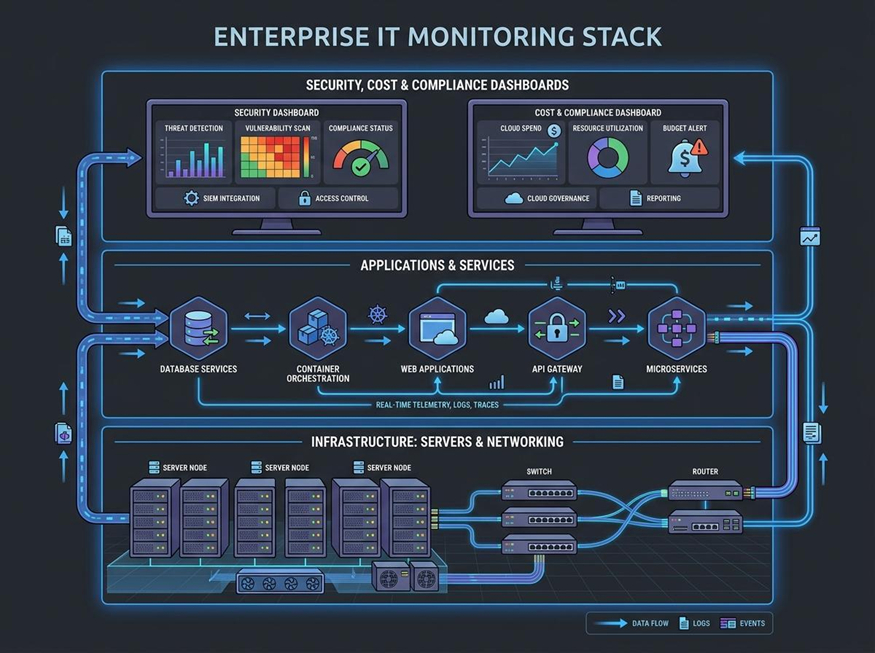
The seven categories in this article aren’t interchangeable – they address different visibility layers, and a gap in any one layer creates blind spots that compound during incidents. Infrastructure problems surface in application metrics. Application errors generate log events. Security findings require incident response workflows. Cloud cost anomalies often trace back to infrastructure provisioning decisions made weeks earlier. The layers don’t operate independently.
Large organizations that run hybrid networks – combining on-premise infrastructure, cloud resources, and third-party connectivity – depend on enterprise IT services with Tailwind Voice & Data to underpin the connectivity layer that every software tool in this list relies on. The software stack can only deliver on its promise when the underlying network is stable, observable, and managed by people who know what they’re doing.
According to Gartner’s 2025 Market Guide for Network Automation Platforms, 67% of enterprise networking activities are still performed manually. That figure explains why layered software tooling – not just headcount – is the sustainable path to operational reliability. The seven categories below build that stack from the ground up.
1. Website uptime and availability monitoring
Software in this category continuously checks whether web properties, APIs, and user-facing services are reachable from external probe locations worldwide. It’s the most basic layer of external visibility: it tells you when something stops working from the perspective of a real user attempting to connect. Internal teams are typically among the last to know about availability failures. Uptime monitoring closes that gap by probing from outside the network perimeter at scheduled intervals.
Core capabilities in this category include configurable check intervals (some as short as 30 seconds), multi-region probe locations, SSL certificate expiry alerts, public status pages, and integrations with alerting and ticketing systems. Super Monitoring combines uptime checks, full page load testing, and user action tracking in a single interface designed for teams that need both availability data and performance context in one place.
When shopping for tools in this space, a review of alternatives to popular uptime monitoring platforms shows how feature sets differ across providers and what trade-offs teams should evaluate before committing. At a median outage cost of $33,333 per minute, even a five-minute gap between failure and first alert carries a six-figure operational cost – which means check interval and alert delivery speed matter more than most teams realize during initial evaluation.
2. Network and infrastructure monitoring
Tools in this category watch routers, switches, firewalls, servers, and other physical or virtual infrastructure components, tracking availability, throughput, latency, and device health in real time. Application-layer problems frequently trace back to network-layer failures. Without infrastructure visibility, root cause analysis during incidents relies on guesswork and manual log diving rather than on real-time data.
Key capabilities include SNMP polling, network flow analysis using NetFlow or sFlow, device health dashboards, CPU and memory thresholds, bandwidth utilization tracking, and automated alerting when metrics drift outside normal ranges. PRTG Network Monitor uses a sensor-based model to cover network devices, bandwidth, and server resources from a single console, with a flexible alerting system that routes notifications to the right team.
Gartner projected in September 2024 that by 2026, 30% of enterprises will automate more than half of their network activities, up from under 10% in mid-2023. That automation depends entirely on accurate monitoring data to feed its decision logic. You can’t automate responses to events you’re not measuring.
3. Application performance monitoring (APM)
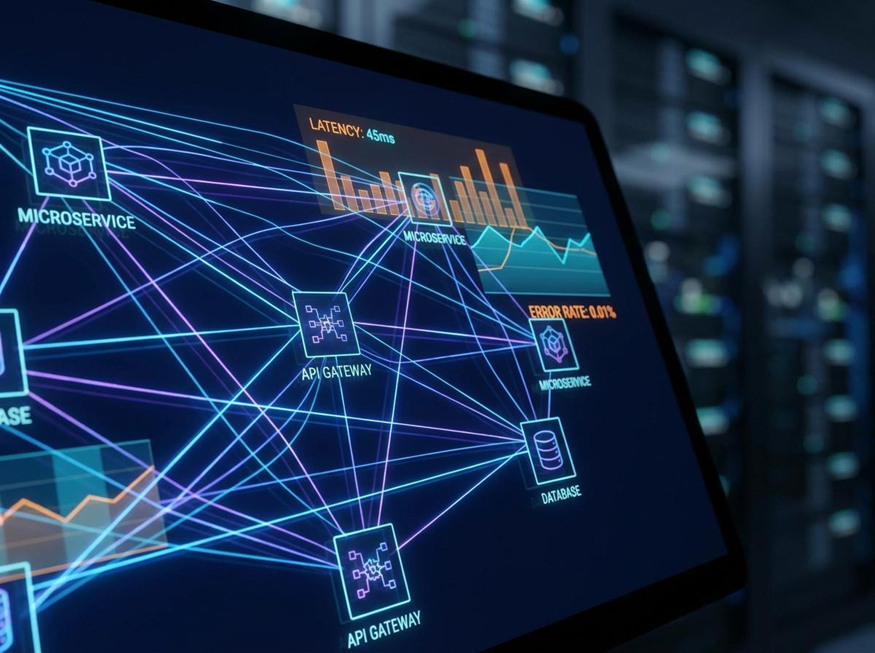
APM software instruments application code and infrastructure to trace individual requests, measure response times, detect errors, and map dependencies across distributed systems. Where uptime monitoring says “something is down,” APM says “here is exactly where in the application chain it slowed or failed.” That specificity is what makes APM distinct – and what makes it worth the higher complexity of deployment compared to simpler availability checks.
Modern enterprise apps run across microservices, containers, and multi-cloud environments. Performance issues don’t follow simple, linear paths – they require distributed tracing to identify and resolve. Key capabilities include error-rate tracking, transaction profiling, synthetic-transaction monitoring, dependency mapping, and real-user monitoring. Dynatrace uses AI-assisted analysis to automatically detect anomalies and trace their origin across application and infrastructure layers without requiring manual configuration of every service relationship.
For teams that rely on third-party integrations, a look at top tools for API monitoring is a useful complement to full-stack APM – APIs are often where performance degradation originates, and they require their own monitoring approach separate from what APM tools natively cover.
The global APM market was valued at $9.31 billion in 2025 and is projected to reach $25.24 billion by 2033 at a 13.27% CAGR, according to SNS Insider research published in December 2025. Growth is driven directly by the increasing complexity of cloud-native enterprise environments – a trend that shows no sign of reversing.
4. Security and vulnerability scanning
Tools in this category continuously scan the enterprise attack surface – endpoints, web applications, cloud configurations, and network perimeters – for known vulnerabilities, misconfigurations, and compliance gaps. They don’t wait for attackers to find a weakness first. That proactive posture is what separates security scanning from reactive incident response, and it’s the difference between catching a flaw in staging versus learning about it from a breach notification.
The CISA Known Exploited Vulnerabilities catalog grew by nearly 20% in 2025, reaching 1,484 confirmed exploited vulnerabilities. Yet 50% of critical KEV vulnerabilities remain unpatched 55 days after a fix is available, according to analysis of CISA data. Scanning tools are designed to surface and prioritize remediation gaps before attackers can exploit them.
Core capabilities include authenticated and unauthenticated scanning, CVE correlation, CVSS and EPSS severity scoring for prioritization, compliance reporting aligned to PCI-DSS, SOC 2, and HIPAA, and integration with patch management and ticketing workflows. Tenable Nessus is one of the most widely deployed vulnerability scanners in enterprise environments, known for broad plugin coverage and deep integration with patch management processes.
For teams comparing options across security scanning vendors, resources covering the best competitor analysis tools can help structure the evaluation process when feature overlap between vendors makes differentiation hard to assess without a clear framework.
The challenge of vendor selection gets harder when compliance requirements are layered in. CISA’s Cybersecurity Performance Goals 2.0, released in December 2025, sets baseline security practices for critical infrastructure operators and lists continuous vulnerability management as a named requirement, giving enterprise teams a federal benchmark against which to measure their scanning programs. For regulated industries, that benchmark carries real weight in audit conversations.
5. Log management and analysis
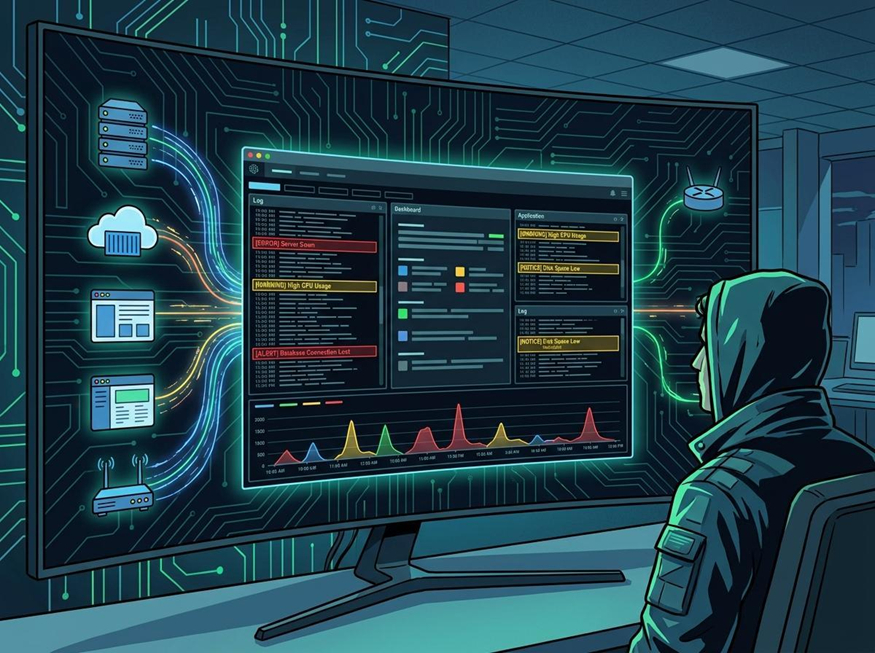
Log management platforms collect, normalize, store, and analyze log data from across the enterprise stack – servers, applications, network devices, containers, and cloud services – to detect anomalies, support security investigations, and meet audit and compliance requirements. Logs are the forensic record of every event in the environment. Without centralized log management, security investigations are incomplete, compliance audits become painful exercises in manual data retrieval, and post-incident reviews lack the timeline data needed to prevent recurrence.
Core capabilities in this category include high-volume log ingestion from varied sources, real-time search and correlation, alerting rules and anomaly detection, role-based access controls, and configurable retention policies aligned to compliance frameworks. Elastic Stack – the combination of Elasticsearch, Logstash, and Kibana – provides open-source log aggregation and search that many enterprise teams build custom pipelines on top of, with commercial support options available for production deployments.
The NIST Cybersecurity Framework 2.0 defines “Detect” as one of six core cybersecurity functions, with event logging and monitoring called out as foundational controls that organizations must implement to meet the framework’s baseline requirements. For regulated industries, that framing matters: log management isn’t optional. It’s the mechanism by which the “Detect” function becomes operational in practice, not just a checkbox in a policy document.
6. Incident response and on-call management
Incident response software structures how teams detect, escalate, assign, and resolve incidents. This category covers on-call scheduling, alert routing, runbook automation, escalation policies, and post-incident review workflows. It answers the practical question every IT leader dreads: “We know something is broken – who’s handling it right now, and what are they doing?”
Fast detection without a coordinated response still results in prolonged outages. NIST SP 800-61 Rev. 3, updated in April 2025 and aligned with NIST CSF 2.0, defines the standard four-phase incident response lifecycle: Preparation, Detection and Analysis, Containment and Eradication, and Post-Incident Activity. Enterprise teams are expected to follow that lifecycle. Incident response software operationalizes it so it runs consistently under pressure – not just in tabletop exercises when there’s time to think clearly.
Key capabilities include on-call rotation scheduling, multi-level escalation policies, alert deduplication and noise reduction, incident status pages, runbook integration, and structured post-mortem templates. PagerDuty is widely used in enterprise environments for its sophisticated escalation policies and deep integrations with monitoring, observability, and ticketing platforms.
For teams evaluating platforms that combine uptime alerting with on-call routing, a look at options for evaluating Better Uptime and its alternatives shows how some vendors are consolidating these two capabilities into unified interfaces – a trend worth tracking if your current setup uses separate tools for alerting and incident management.
7. Cloud resource and cost management
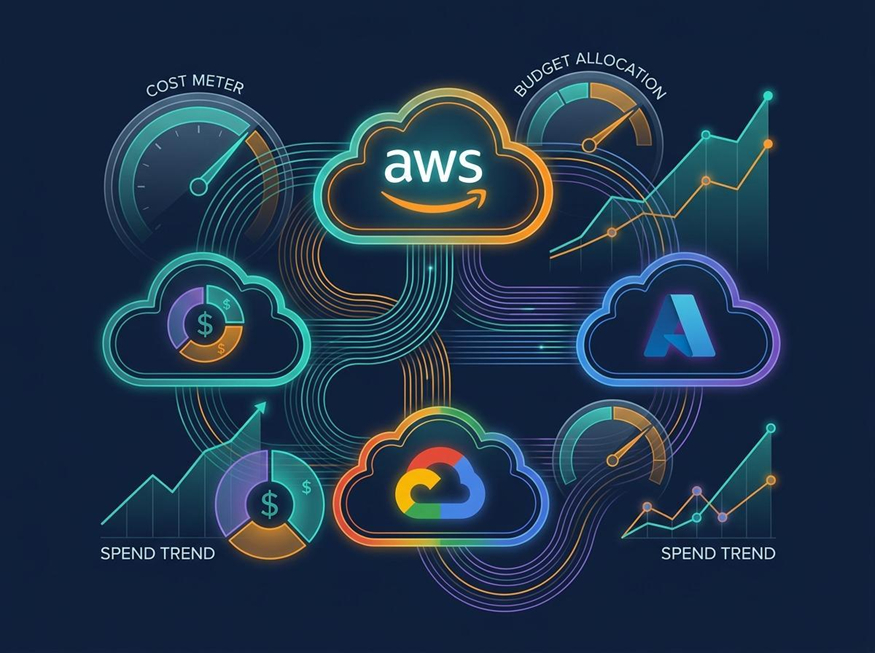
Tools in this category give IT and finance teams real-time visibility into cloud spend across providers, identify idle or over-provisioned resources, enforce tagging and governance policies, and forecast future costs as workloads scale. Cloud overspend is the default state for enterprise IT, and the scope of what needs managing keeps expanding well beyond simple compute line items.
The FinOps Foundation’s State of FinOps 2026 report – drawing on 1,192 respondents managing over $83 billion in annual cloud spend – found that 98% of practitioners now manage AI spend, up from just 31% two years ago. The FinOps Foundation State of FinOps 2026 data also shows that 90% now manage SaaS costs, and 78% of FinOps teams report directly to the CTO or CIO. Those numbers reflect how far beyond basic compute optimization the cloud cost challenge has expanded for enterprise IT.
Key capabilities include multi-cloud spend dashboards, idle and orphaned resource detection, reserved instance and savings plan management, anomaly spend alerts, tag enforcement, and AI workload cost attribution. CloudHealth by VMware provides multi-cloud cost visibility and governance across major public cloud providers in a single platform, with reporting that maps spend back to business units and projects. Without this category of tooling, cloud budgets operate on a lag – teams discover cost spikes after the bill arrives, not while the workload is still running.
Conclusion: a stack where every layer counts
The seven categories in this article aren’t independent purchasing decisions. They’re interdependent layers, and the value of each one compounds when they’re connected. Network monitoring feeds infrastructure context into APM. Log data powers security investigations. Uptime alerts trigger incident response workflows. Cloud cost data informs provisioning decisions made at the infrastructure layer.
Enterprise IT reliability in 2026 isn’t about finding the single best tool. It’s about building a stack where every visibility layer has coverage and the gaps between layers are deliberately closed. A team running strong APM but no log management will handle the first incident well and the second investigation badly, because they won’t have the forensic data to understand what actually happened.
The practical starting point is an audit of your current environment against these seven categories. Identify which layer has the weakest coverage. That’s where the next investment should go – not a complete overhaul, but one targeted addition that closes the most consequential gap in your current stack.
