

What you need to know before buying graphic cards
Last Updated: April 2026
Buying a graphics card in 2026 isn’t what it used to be.
Seriously. It’s not just “pick the one with more VRAM” anymore. You’ve got AI upscaling, ray tracing cores, frame generation tricks, power limits, and pricing that swings like crazy depending on the month.
And honestly? Most guides out there still talk like it’s 2021.
So let’s fix that.
This is the no-BS, practical, slightly opinionated guide to buying a GPU today — whether you’re building a gaming PC, editing videos, or just trying not to waste ₹20,000.
Table of Contents
GPU Market in 2026: What’s Actually Happening
Look, here’s the thing:
The GPU market has split into three very clear battles:
- NVIDIA (RTX 5000 series) → Best for AI features, DLSS, ray tracing
- AMD (RX 9000 series) → Better raw performance per rupee
- Intel Arc (2nd gen) → Budget disruptor, still catching up
What’s new in 2026?
- DLSS 4 (NVIDIA) now uses AI frame prediction — not just upscaling
- FSR 3.5+ (AMD) improved frame generation without dedicated AI cores
- Games are VRAM-hungry now — 8GB is borderline
- Power consumption? Yeah… it’s higher than ever
And prices? Still unstable. A card can jump ₹5,000 in a week depending on supply.
GPU Performance Tiers (2026 Breakdown)
Let’s simplify things. Because model numbers alone are confusing.
Budget GPUs (₹15K – ₹25K)
- RTX 3050 / RTX 4050
- RX 7600 / RX 8600
Good for:
- 1080p gaming (medium-high settings)
- Esports (Valorant, CS2, Fortnite)
Not good for:
- Ray tracing (it’ll struggle)
- Future AAA titles
Mid-Range GPUs (₹25K – ₹50K)
- RTX 4060 / RTX 5060
- RX 7700 XT / RX 8700
This is the sweet spot. Honestly, most people should stop here.
Good for:
- 1080p Ultra
- 1440p High
- Light ray tracing
High-End GPUs (₹50K – ₹1L+)
- RTX 4070 / RTX 5070
- RTX 4080 / RTX 5080
- RX 7800 XT / RX 8800 XT
Good for:
- 1440p Ultra + Ray Tracing
- 4K gaming
- Streaming + editing
Enthusiast / Flagship (₹1L+)
- RTX 4090 / RTX 5090
Let’s be real. This is overkill for most people.
But if you want:
- 4K Ultra + Ray tracing + 120 FPS
- AI workloads
- No compromises
Then yeah… this is your zone.
GPU Comparison Table (2026)
Here’s a practical comparison you can actually use:
| GPU | VRAM | Power | Tier | Best For | Approx Price (INR) |
|---|---|---|---|---|---|
| RTX 4050 | 8GB | ~130W | Budget | 1080p gaming | ₹22K |
| RX 7600 | 8GB | ~165W | Budget | Value gaming | ₹20K |
| RTX 4060 | 8GB | ~115W | Mid | DLSS gaming | ₹28K |
| RX 7700 XT | 12GB | ~245W | Mid | Raw performance | ₹38K |
| RTX 5060 | 12GB | ~140W | Mid | Future-proof 1080p/1440p | ₹35K |
| RTX 4070 | 12GB | ~200W | High | Ray tracing | ₹55K |
| RX 7800 XT | 16GB | ~263W | High | VRAM-heavy games | ₹52K |
| RTX 5070 | 16GB | ~220W | High | DLSS + AI | ₹65K |
| RTX 5080 | 16GB | ~320W | Enthusiast | 4K gaming | ₹95K |
| RTX 5090 | 24GB+ | ~450W | Flagship | Extreme builds | ₹1.6L+ |
VRAM Requirements for 2026 Games
This is where most buyers mess up.
They buy an 8GB card… and regret it in 6 months.
Reality check:
- 8GB → Bare minimum (already struggling in some games)
- 12GB → Safe for 1080p/1440p
- 16GB+ → Ideal for future-proofing
Real examples:
- Cyberpunk 2077 (RT Ultra) → Uses 10–12GB
- The Last of Us Part I → Can exceed 12GB
- Starfield → Eats VRAM like snacks
So yeah… don’t cheap out here.
Ray Tracing vs Rasterization
Alright. Let’s clear the confusion.
Rasterization (Traditional Rendering)
- Faster
- Used in most games
- AMD performs well here
Ray Tracing
- Realistic lighting, shadows
- Heavy on performance
- NVIDIA dominates
But here’s the honest take:
If you’re gaming at 1080p → skip ray tracing
If you’re at 1440p or 4K → it’s worth considering
DLSS vs FSR
This matters more than you think.
NVIDIA DLSS 4
- AI-based
- Best image quality
- Frame generation = smoother gameplay
AMD FSR 3.5+
- Works on more GPUs
- No dedicated AI cores
- Slightly weaker visuals
My take?
- If you want plug-and-play performance → NVIDIA
- If you want value per rupee → AMD
Power Consumption
This part? Most people skip it.
Big mistake.
Example:
- RTX 4060 → ~115W
- RTX 5080 → ~320W
- RTX 5090 → ~450W
Now imagine pairing that with a cheap PSU.
Yeah. Not good.
Rule of thumb:
- Budget builds → 550W PSU
- Mid-range → 650–750W
- High-end → 850W+
Cooling & Size
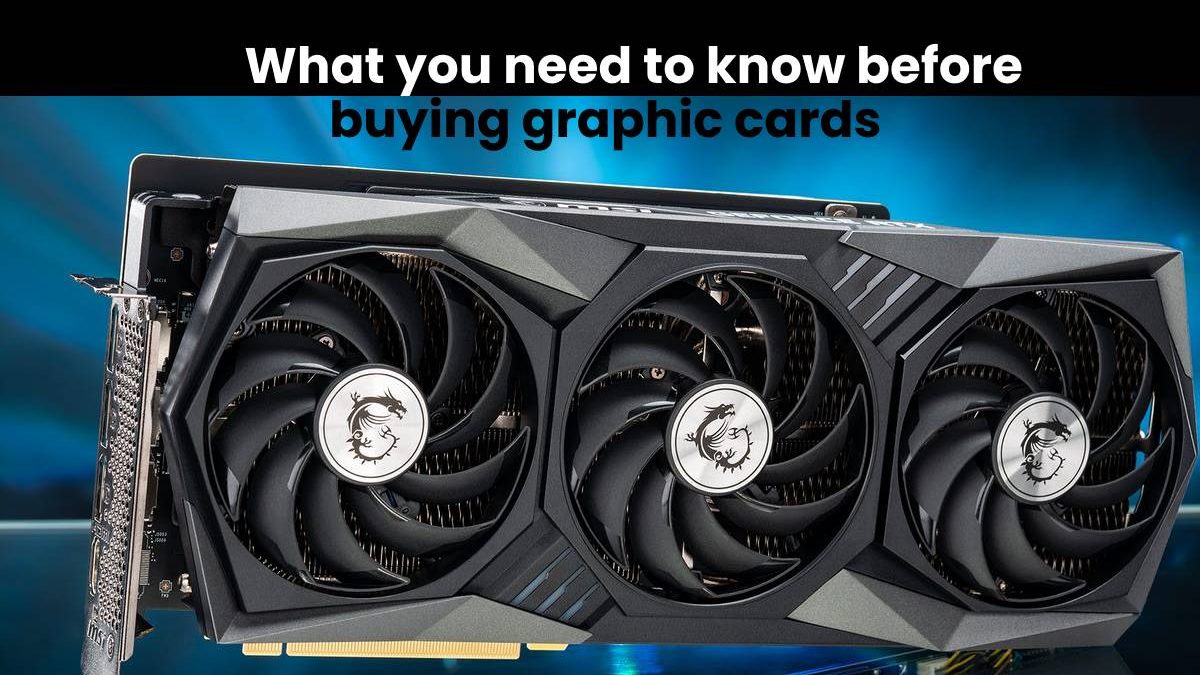
Modern GPUs are… huge.
Some are literally the size of a brick.
Before buying, check:
- Case clearance
- Number of fans (2 vs 3 fan models)
- Airflow in your cabinet
Because nothing hurts more than:
Buying a GPU… and it doesn’t fit.
Brand Differences (Subtle, But Important)
Same GPU. Different brands.
And the price difference? Sometimes ₹5,000+.
What changes?
- Cooling quality
- Noise levels
- Factory overclock
- Warranty
Reliable brands:
- ASUS
- MSI
- Gigabyte
- Sapphire (for AMD)
Avoid unknown brands unless you’re on a tight budget.
Real Benchmark Sources You Should Trust
Let’s be honest — not all reviews are equal.
These are actually reliable:
- Gamers Nexus (deep thermal + performance testing)
- TechSpot (clean benchmarks, comparisons)
- Digital Foundry (real-world gaming analysis)
If a site doesn’t show real FPS charts… skip it.
Common Mistakes Buyers Still Make
I see this all the time.
1. Buying based only on VRAM
More VRAM ≠ better GPU always
2. Ignoring CPU bottleneck
Pairing RTX 4070 with an old i5? Bad idea
3. Overspending
You don’t need a ₹1L GPU for 1080p gaming
4. Ignoring PSU
Cheap PSU = unstable system
5. Falling for marketing
“Gaming OC Ultra Edition”… relax, it’s the same chip
How to Choose the Right GPU
Let’s make this easy.
Step 1: Decide your resolution
- 1080p → Budget / Mid-range
- 1440p → Mid / High
- 4K → High-end
Step 2: Set your budget
Be realistic. GPUs scale fast in price.
Step 3: Choose your priority
- Best visuals → NVIDIA
- Best value → AMD
Step 4: Check system compatibility
- PSU
- CPU
- Case
Step 5: Compare benchmarks
Specs lie. Performance doesn’t.
Final Thoughts
Honestly?
Most people don’t need the latest GPU.
A solid mid-range card like an RTX 4060 or RX 7700 XT will handle 90% of games just fine.
The trick isn’t buying the most expensive card.
It’s buying the right one for your use case.
Because at the end of the day…
A ₹35K GPU that fits your needs perfectly beats a ₹1L GPU you barely use.
