As PDF files have become a staple in everything from work reports to school assignments, having a reliable tool to edit and manage them is essential. Adobe Acrobat has long dominated this space, but its expensive subscription model has left many users searching for a capable, cost-free alternative. Enter JOPDF, a desktop application that promises to deliver professional-grade PDF editing for absolutely no cost. But is it a genuine game-changer, or just another free tool with hidden catches? After spending significant time testing it, here’s my full review.
Table of Contents
What Is JOPDF?
JOPDF is a desktop PDF editor available for Windows, macOS, and Linux (Linux version currently in development). Launched in late 2025, it’s a relatively new player in the market that has quickly gained attention for its bold promise: 100% free, no registration, no ads, and no hidden costs. The software positions itself as a “one-stop” solution, allowing you to perform almost all common PDF tasks within a single, unified interface.
The company behind JOPDF is based in Chengdu, China, and is led by General Manager Edward Zhang. Zhang has stated, “We’re removing the barriers of costly subscriptions and intrusive ads, making PDF editing accessible to everyone”.
Key Features and Performance
From the moment you launch JOPDF, its clean, modern, and minimalist interface makes a strong impression. The dashboard is well-organized, presenting tools in logical categories, which makes navigation intuitive even for first-time users.
Here’s a breakdown of its core capabilities:
PDF Editing
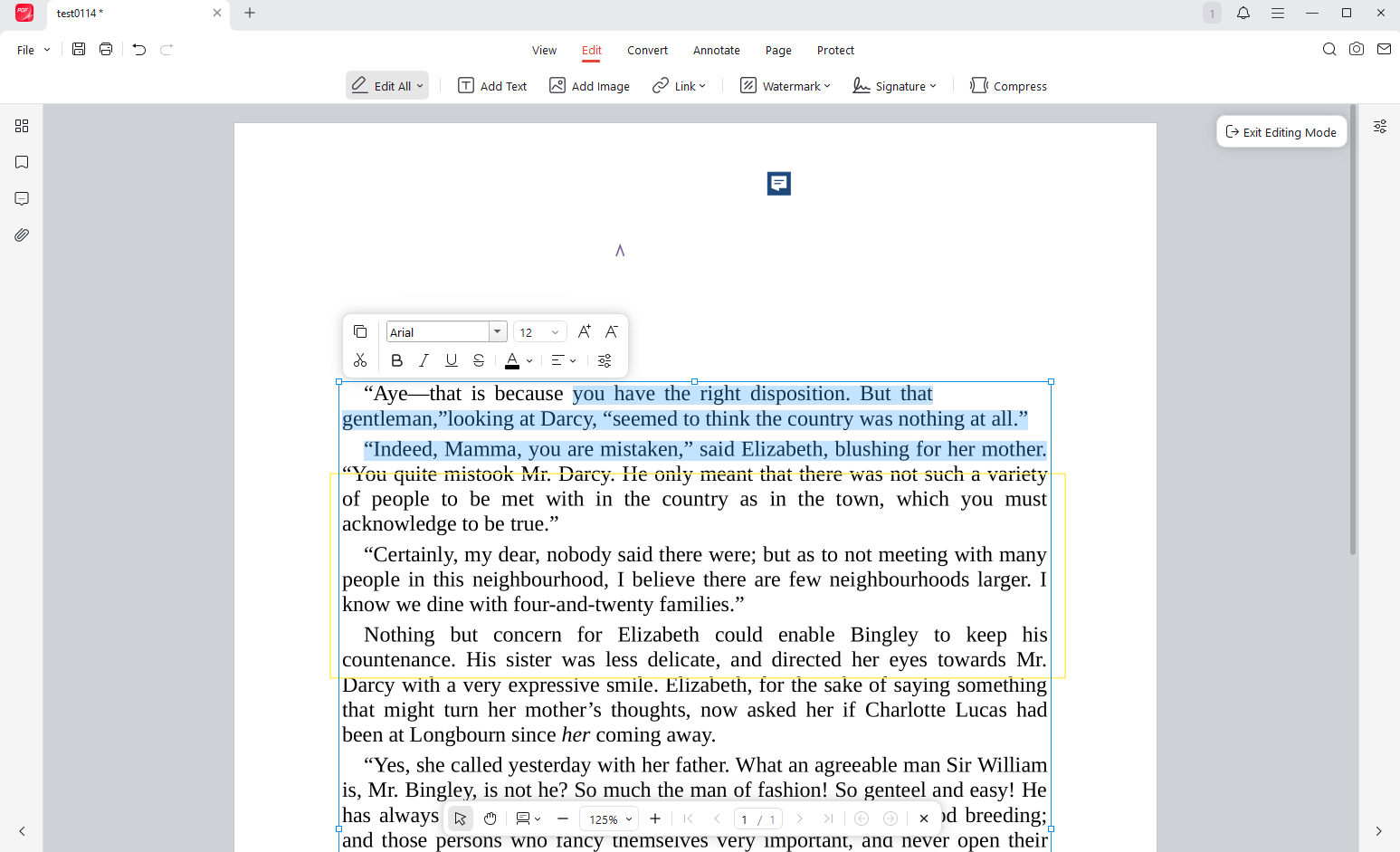
JOPDF allows you to edit PDFs in a way that feels surprisingly similar to a word processor. You can click directly on text blocks to modify them, adjust fonts, change colors, resize or replace images, and even add hyperlinks. The editing experience is smooth, and the layout of the PDF remains intact. This functionality alone makes it a powerful tool for making quick, direct changes to documents without needing to convert them to another format first.
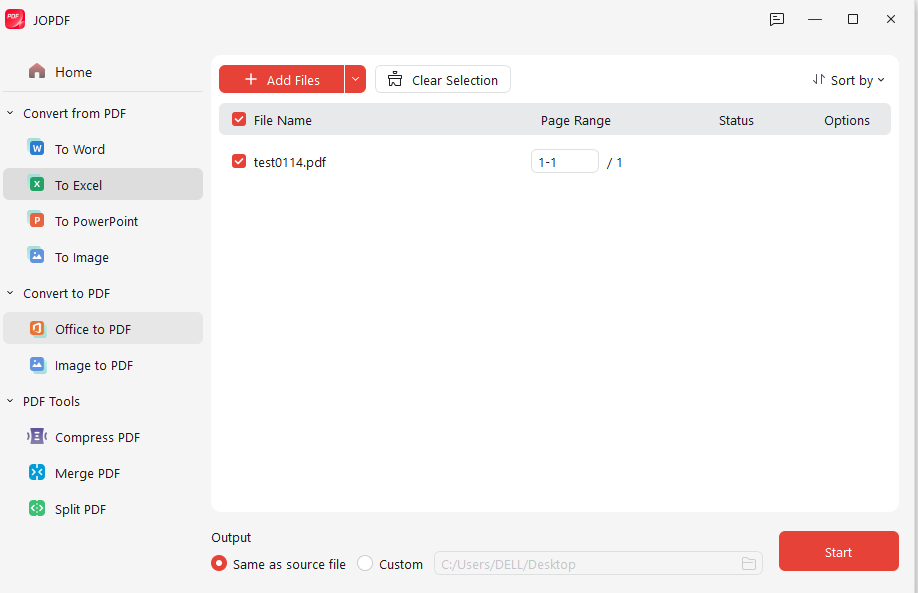
Step by Step process with the screenshots:


Conversion and Compression
The software supports high-quality, two-way conversion between PDF and popular formats like Word, Excel, PowerPoint, and various image formats. During my tests, the conversion quality was excellent, with layouts and formatting remaining largely accurate. You can also compress PDF files to reduce their size, and both conversion and compression can be performed on multiple files in batch, which is a huge time-saver.
Annotations and Markup
A robust set of annotation tools is available for reviewing and collaborating on documents. You can use highlighters, underlines, sticky notes, freehand drawings, and a variety of shapes like rectangles, arrows, and circles. These tools are perfect for students reviewing notes, teams providing feedback on a draft, or anyone who needs to mark up a PDF.
Page Management and Security
JOPDF gives you complete control over the structure of your documents. You can easily insert, delete, rotate, extract, or reorder pages using a simple drag-and-drop sidebar. For sensitive documents, you can also add password protection and set granular permissions, such as restricting editing or printing.
Performance
The software is lightweight (the installer is only about 1.3 MB) and launches almost instantly. Navigating through large, multi-page PDFs is fluid, with no noticeable lag, even on lower-spec computers. The tabbed interface allows you to work on multiple documents simultaneously, which greatly enhances workflow efficiency
Pricing
The pricing is incredibly straightforward: JOPDF is 100% free. There are no premium tiers, no feature restrictions, and no in-app purchases. According to the developer, the software will remain free in the future. This pricing model is arguably JOPDF’s single most disruptive feature, directly challenging established giants like Adobe Acrobat Pro.
Pros & Cons
Pros:
Truly 100% free with no feature limitations, ads, or registration requirements.
Cross-platform support for Windows, macOS, and Linux.
Clean, intuitive, and well-organized interface.
Excellent editing capabilities, allowing in-place text and image modification.
High-quality two-way format conversion (PDF to/from Word, Excel, PPT, images).
Offline-first design ensures your files remain private and secure.
Cons:
Automated security scanners flag the website, which may understandably cause concern for cautious users.
Lacks OCR (Optical Character Recognition) for editing scanned documents or image-based PDFs.
The website offers only limited information about the company behind the software.
Some complex formatting may not be preserved perfectly during conversion.
The Verdict: Is JOPDF Worth Downloading?
JOPDF is a rare gem in the software world: a powerful, feature-rich, and genuinely free application that delivers on its promises. It is an exceptional tool for students, professionals, and home users who need to handle PDFs regularly but don’t want to pay for expensive subscriptions.