
May 02nd, 2026
Extremely Severe Alert Message from Indian National Disaster Alert System has shocked every citizens.
That message is not a scam or emergency—it’s part of a nationwide test of India’s disaster alert system.
Table of Contents
What this message actually is
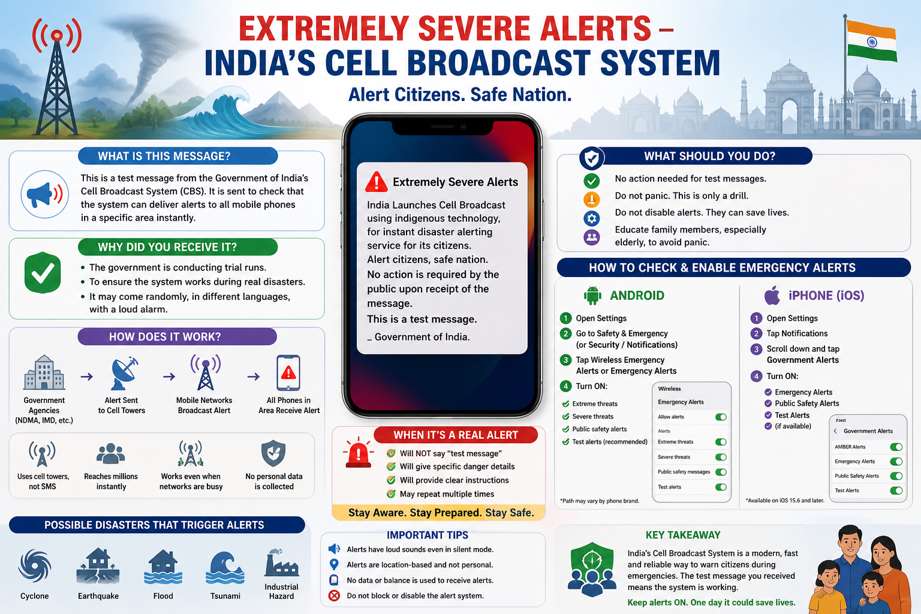
The alert you received is from the Government of India’s Cell Broadcast System (CBS), rolled out under initiatives like Department of Telecommunications and National Disaster Management Authority.
Purpose of the alert
- To test a new emergency warning system
- To ensure alerts can reach millions of people instantly
- To prepare for real disasters like:
Cyclones
Earthquakes
Floods
Tsunamis
Industrial hazards
How this system works
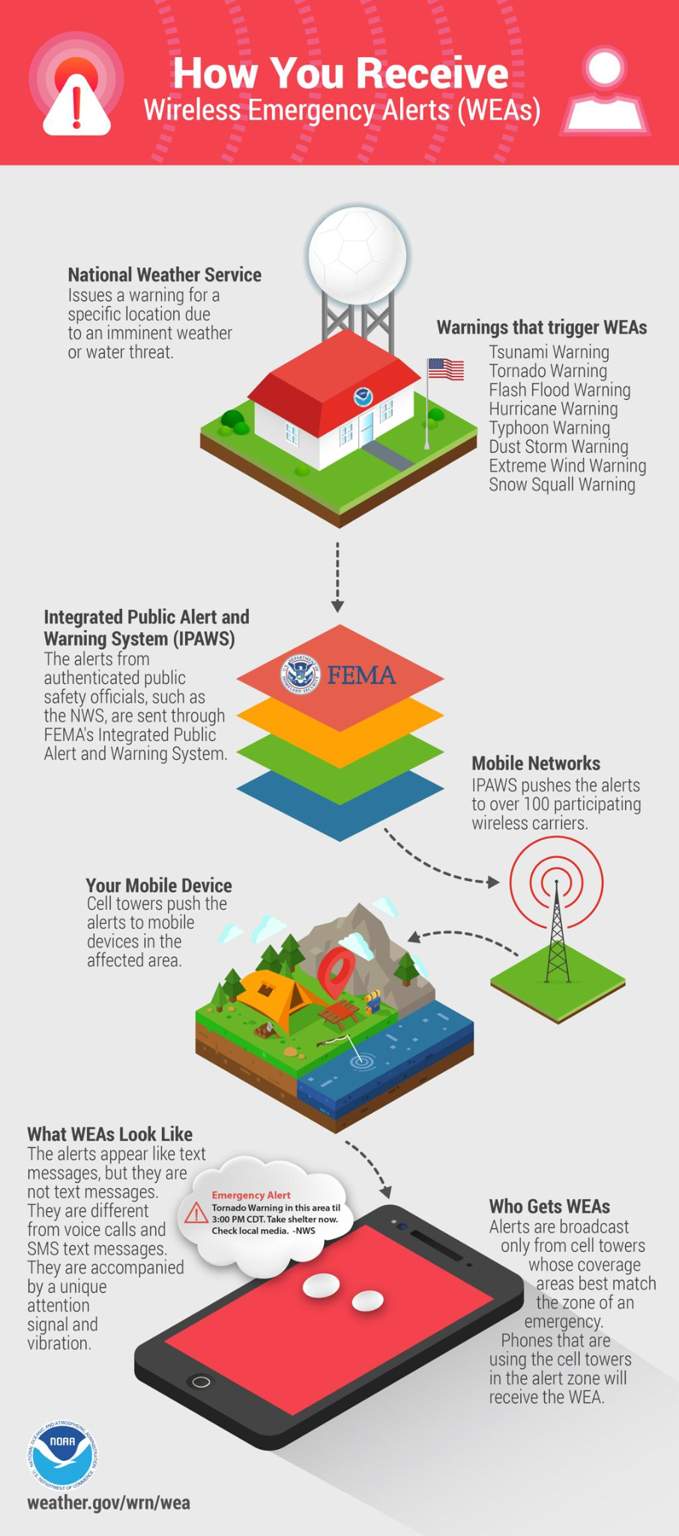
- Uses cell towers, not SMS → no delay or congestion
- Sends alerts to all phones in a specific area
- Works even when networks are busy
- Does not collect your personal data
Why you received it
The government is conducting trial runs across India
Messages may come:
- Randomly
- In different languages
- With loud alarm sounds
The line “No action is required… This is a test message” confirms it’s only a drill.
What every citizen should know
Key awareness points
This is a good sign—India is strengthening public safety systems
In a real emergency, similar alerts will contain:
- Exact danger details
- Location-specific instructions
- What actions to take immediately
Should you take any precautions now?
- Right now (for test alerts)
- No action needed
- No need to panic
- Do not disable alerts permanently
What you should do going forward
1. Keep alerts enabled
• Don’t turn off emergency alerts in your phone settings
2. Understand alert behavior
• Loud alarm sound is intentional
• It overrides silent mode for safety
3. Be prepared for real emergencies
• Know basic safety steps:
- Earthquake → Drop, Cover, Hold
- Flood → Move to higher ground
- Cyclone → Stay indoors, avoid windows
4. Educate family members
• Especially elderly people (like your mom) so they don’t panic
When it’s a REAL alert (important difference)
A real alert will:
• ❌ NOT say “test message”
• ✅ Give clear instructions
• ✅ Mention specific danger
• ✅ May repeat multiple times
How you can check and enable emergency alerts on your phone
For Android Phones
- Open Settings
- Go to Safety & Emergency (or “Passwords & security” / “Notifications” depending on brand)
- Tap Wireless Emergency Alerts or Emergency Alerts
- Turn ON:
- ✅ Extreme threats
- ✅ Severe threats
- ✅ Public safety alerts
- ✅ Test alerts (optional but recommended)
For iPhone (iOS)
- Open Settings
- Tap Notifications
- Scroll to the bottom → Government Alerts
- Turn ON:
- ✅ Emergency Alerts
- ✅ Public Safety Alerts
- ✅ Test Alerts (if available)
Important Tips
- 🔊 These alerts make loud sounds even in silent mode — this is normal
- 📡 They don’t use your data or track you
- 🚫 Don’t disable them unless absolutely necessary
- 👨👩👧 Help elderly family members understand these alerts (to avoid panic)
Final takeaway
This message is part of India building a modern, fast disaster warning system—similar to systems used in countries like the US and Japan.
You don’t need to do anything now—but stay aware and keep alerts ON, because one day it could save lives.