
Terminal Applications Write for Us – Submit a Guest Post
Terminal applications remain central to software development, system administration, cloud operations, cybersecurity, data engineering, and technical support. They give users a text-based environment for running command-line programs, working with shells, accessing remote systems, monitoring services, and automating repeatable tasks.
Computer Tech Reviews welcomes software developers, system administrators, DevOps engineers, terminal-tool creators, cybersecurity professionals, technical educators, and experienced writers to contribute to our Terminal Applications Write for Us section.
We are interested in original articles about terminal emulators, shells, command-line tools, text-based interfaces, remote sessions, automation, developer workflows, terminal configuration, accessibility, performance, and security.
This contributor page belongs to our broader Software Write for Us hub, where writers can submit articles about programming, operating systems, developer tools, software testing, applications, and enterprise software.
What Is a Terminal Application?
A terminal application commonly provides a text-based interface through which users interact with a shell, command-line program, or remote computer. On a graphical desktop, it often operates as a terminal emulator that reproduces the behavior expected by programs originally designed for physical text terminals.
A modern terminal application may provide:
- Text input and output
- Tabs, windows, panes, or split views
- Configurable fonts and color schemes
- Unicode and bidirectional-text support
- Keyboard shortcuts
- Scrollable output history
- Hyperlink and clipboard integration
- Profiles for different shells or connections
- Search and command-history features
- Remote-session integration
A terminal application does not necessarily connect to a server. It may run a shell or program on the local computer, connect to a remote host, attach to a container, communicate with a serial device, or open a session inside a development environment.
Terminal, Shell, Console, and CLI
These terms are related but should not be used interchangeably.
- Terminal emulator: A program that provides a terminal-style input and display environment.
- Shell: A command interpreter that reads commands and starts programs or performs shell-specific operations.
- Command-line interface: A text-based interface through which a user provides commands and options to a program.
- Console: A term that may refer to a system’s primary text interface, a virtual console, a management interface, or an application’s diagnostic output.
- Text user interface: An interactive interface drawn with text characters inside a terminal.
When a user types a command into a terminal window, the terminal usually passes that input to a shell or another running program. The shell interprets its own syntax and starts the requested command-line tools.
Terminal Emulation
A terminal emulator communicates with applications through conventions involving character streams, control codes, terminal capabilities, and escape sequences. Programs use these mechanisms to position the cursor, apply colors, clear areas of the screen, or respond to keyboard input.
Articles about terminal emulation may examine:
- Terminal types and compatibility
- Escape sequences
- Character encoding
- Unicode rendering
- Keyboard input
- Terminal dimensions
- Pseudoterminals
- Color support
- Alternate-screen buffers
- Terminal capability databases
Writers should avoid assuming that every terminal supports the same escape sequences, colors, fonts, or input behavior. Portable command-line programs should account for differences between environments.
Shells and Command Interpretation
A shell provides a language and environment for starting programs, combining commands, redirecting input and output, managing variables, and automating tasks.
Shell features may include:
- Command history
- Aliases and functions
- Environment variables
- Filename expansion
- Pipelines
- Input and output redirection
- Job control
- Conditional execution
- Loops and scripts
- Command completion
Shell syntax is not universally portable. A command written for a Unix-style shell may not work in PowerShell or another command interpreter. Even related shells can differ in quoting, arrays, conditionals, built-in commands, and error handling.
Every tutorial should identify the shell and operating environment for which its commands were tested.
Command-Line Applications
A command-line application accepts text-based commands, options, arguments, or structured input. It may perform a single operation and exit, remain interactive, or participate in a pipeline with other tools.
Useful CLI topics include:
- Designing commands and subcommands
- Options, flags, and positional arguments
- Standard input, output, and error streams
- Exit status conventions
- Configuration files and environment variables
- Machine-readable output
- Interactive prompts
- Progress indicators
- Help text and documentation
- Backward compatibility
A well-designed CLI should work for people using it interactively and for scripts that depend on predictable behavior. Changes to output formats, exit codes, or argument names can break automation even when the program still appears to work manually.
Text User Interfaces
A text user interface, or TUI, presents an interactive interface inside a terminal. It may include menus, panels, forms, tables, dialog boxes, status areas, and keyboard navigation.
Developers creating TUIs should consider:
- Keyboard-only navigation
- Small terminal windows
- Window resizing
- Color contrast
- Monochrome environments
- Screen-reader compatibility
- Unicode display width
- Right-to-left text
- Remote-session latency
- Graceful termination
A visually attractive interface is not automatically accessible or portable. Writers should test across the terminals and operating environments they claim to support.
Terminal Multiplexers and Persistent Sessions
A terminal multiplexer allows multiple terminal sessions to run within one interface. It may provide panes, windows, session persistence, shared sessions, and the ability to detach and reconnect later.
Terminal multiplexers can help developers and administrators maintain long-running work, especially when connecting to remote systems. However, a detached session does not replace proper service management, logging, backups, or process supervision.
Suitable article topics include:
- Creating and navigating sessions
- Using panes and windows
- Detaching and reconnecting
- Session recovery
- Copy and scrollback modes
- Remote pair administration
- Configuration portability
- Protecting shared sessions
Remote Terminal Access
Terminal applications are frequently used to administer remote systems. Secure Shell, commonly called SSH, provides encrypted remote login and command execution when configured appropriately.
Remote-access articles may cover:
- Public-key authentication
- Host-key verification
- Agent use and forwarding risks
- Connection profiles
- Jump hosts
- Port forwarding
- Session timeouts
- Access logging
- Multi-factor authentication
- Least-privilege administration
Users should verify a host’s identity before accepting a new or changed host key. Tutorials should not encourage disabling verification merely to remove a connection warning.
Do not include real private keys, passwords, access tokens, server addresses, customer details, or confidential configuration in examples.
Terminal Applications in Software Development
Developers use terminal applications to manage source code, install dependencies, compile projects, run tests, start development servers, inspect logs, work with containers, and operate debugging tools.
A command-line development workflow may include:
- Creating project directories
- Managing version-control repositories
- Installing packages
- Running formatters and linters
- Building software
- Executing automated tests
- Launching debuggers
- Reviewing logs
- Connecting to development services
- Running continuous-integration tasks locally
Articles should explain commands rather than presenting long blocks for readers to paste without understanding their effects.
Compilers and Build Toolchains
Many compilers and build tools are operated through terminal applications. Developers may use command-line options to select a language version, target architecture, warning level, optimization strategy, library path, or output format.
Compiler commands can also generate diagnostics, dependency information, intermediate files, object code, debug symbols, and executables. The available options differ between compilers and versions.
Contributors focusing on parsing, semantic analysis, compiler optimization, intermediate representations, code generation, linking, or cross-compilation can explore our Compiler Write for Us page.
Runtime Environments and Terminal Workflows
Developers often use terminals to install runtime environments, select versions, launch programs, configure project environments, inspect memory use, collect stack traces, and run performance profilers.
Commands that change a system-wide runtime can affect other applications. Tutorials should use project-specific environments or version-management tools where appropriate and explain when elevated permissions are genuinely required.
Articles centered on virtual machines, interpreters, bytecode, garbage collection, just-in-time compilation, container runtimes, WebAssembly, or serverless execution belong in our Runtime Environments Write for Us section.
Terminal Automation and Shell Scripts
Shell scripts can automate builds, deployments, backups, reports, environment setup, and administrative tasks. Automation can improve consistency, but an unsafe script can alter or delete far more information than an incorrectly typed interactive command.
Reliable scripts should consider:
- Input validation
- Quoting and whitespace
- Error handling
- Exit statuses
- Temporary-file management
- Logging
- Idempotency
- Concurrent execution
- Portability
- Secret handling
Potentially destructive examples should use clearly identified test data and narrow, explicit paths. Do not encourage readers to run unverified scripts with administrator privileges.
Terminal Security
A terminal gives users access to powerful tools and sensitive system functions. Security depends on the shell, programs, permissions, operating system, remote-access configuration, and the commands being executed.
Security-focused submissions may examine:
- Command and argument injection
- Unsafe shell expansion
- PATH manipulation
- Terminal escape-sequence risks
- Clipboard security
- Shell-history exposure
- Credential and token handling
- Remote-session protection
- Privilege escalation controls
- Auditing administrative commands
Passwords, tokens, private keys, and connection strings should not be placed directly in commands when they may be saved in shell history or exposed through process information.
Security articles must focus on authorized testing, defensive configuration, and risk reduction.
Terminal Configuration
Terminal applications may support profiles, themes, fonts, key bindings, startup commands, environment settings, and shell integration. Configuration can improve productivity, but complicated customizations may reduce portability or make troubleshooting harder.
A useful configuration tutorial should:
- Identify the terminal and version
- Explain where the configuration is stored
- Back up existing settings
- Describe each material change
- Avoid hard-coded personal paths
- Include a safe rollback method
- Explain platform limitations
Configurations copied from an untrusted source should be reviewed before use because startup files and plugins can execute commands.
Fonts, Colors, and Text Rendering
Terminal rendering affects readability, accessibility, and the correct display of command-line applications. Font selection alone does not determine whether every symbol will display correctly.
Writers may examine:
- Monospaced fonts
- Font fallback
- Unicode coverage
- Ligatures
- Character width
- Emoji rendering
- Color depth
- Contrast
- High-DPI displays
- GPU-accelerated rendering
GPU acceleration may improve rendering in some circumstances, but it does not automatically make every terminal workflow faster. Shell startup, command execution, network latency, and application performance are separate concerns.
Terminal Accessibility
Terminal tools should be usable by people with different visual, motor, and cognitive needs. Heavy dependence on color, unexplained symbols, rapidly updating output, or mouse-only interaction can create barriers.
Accessible terminal content may include:
- Strong color contrast
- Information that does not depend only on color
- Clear and stable text output
- Keyboard navigation
- Configurable font sizes
- Reduced animation
- Screen-reader-compatible output
- Plain-text alternatives to interactive displays
Writers reviewing accessibility should identify the terminal, shell, operating system, assistive technology, and application versions used during testing.
Terminal Performance
Terminal performance may involve startup time, input latency, rendering throughput, scrollback behavior, memory consumption, or responsiveness when processing large volumes of output.
A useful comparison should state:
- The terminal application and version
- The operating system
- The hardware and display configuration
- The shell and startup configuration
- The font and rendering settings
- The workload and measurement method
Sending an unrealistic stream of output to a terminal may measure rendering throughput but may not represent normal development or administration. Benchmark conclusions should remain limited to the tested scenario.
Writing Safe Command-Line Tutorials
Terminal tutorials can affect readers’ files, software installations, accounts, and remote systems. Every command should be reviewed for its possible consequences.
Strong tutorials should:
- Identify the supported operating system and shell
- Explain what each command does
- Separate commands from expected output
- Mark placeholders clearly
- Avoid unnecessary administrator privileges
- Use test directories and sample data
- Include backup or rollback guidance when relevant
- Warn before destructive or irreversible steps
- Protect passwords, tokens, and private keys
- Test every command in an appropriate environment
Commands copied from formatted web pages can contain altered quotation marks, line breaks, or invisible characters. Contributors should use code blocks and verify that the published version remains executable.
Terminal Applications Article Ideas
- Terminal emulators, shells, consoles, and CLIs explained
- How terminal emulation and escape sequences work
- Choosing a terminal application for development
- Creating portable command-line tutorials
- Designing user-friendly command-line applications
- Standard input, output, error, and exit statuses
- Terminal multiplexers and persistent sessions
- Secure remote terminal access
- Shell history and credential protection
- Command injection and safer shell scripting
- Building accessible text user interfaces
- Terminal fonts, colors, and Unicode rendering
- Command-line compiler workflows
- Managing runtime environments from a terminal
- Terminal-based debugging and log analysis
- Automating development tasks with shell scripts
- Testing terminal performance responsibly
- Backing up and sharing terminal configurations
What We Do Not Accept
- Copied, spun, or lightly rewritten articles
- Keyword lists without practical explanations
- Untested commands or configuration files
- Instructions that omit the required shell or operating system
- Commands containing real credentials or private server details
- Destructive commands presented without warnings and safeguards
- Instructions intended to compromise systems or bypass authorization
- Claims that one terminal application is universally the fastest or best
- Promotional product descriptions disguised as tutorials
- Unreviewed AI-generated submissions
Terminal Applications Guest Post Guidelines
- Submit original content that has not been published elsewhere.
- Aim for at least 800 words when the topic requires detailed treatment.
- Use descriptive headings, short paragraphs, and properly formatted code blocks.
- Identify the terminal, shell, operating system, and relevant versions.
- Test every command and configuration example.
- Explain placeholders rather than including personal paths or credentials.
- Provide safety warnings and rollback instructions where appropriate.
- Explain portability, security, and compatibility limitations.
- Support performance and security claims with reliable evidence.
- Disclose sponsorships, affiliations, and commercial interests.
- Use screenshots and code you have permission to publish.
- Review AI-assisted drafts for originality, accuracy, clarity, and natural language.
How to Submit Your Terminal Applications Article
Email your proposed title, a short summary, and either an outline or completed article to contact@computertechreviews.com. Use “Terminal Applications Write for Us” as the subject line so your proposal can be directed to the appropriate editor.
Include a brief author biography and explain your experience with terminal emulators, shells, system administration, command-line development, remote access, or another relevant subject. For tutorials, provide the operating system, terminal application, shell, versions, dependencies, sample files, and tested commands.
Frequently Asked Questions
Do you accept command-line tutorials?
Yes. Every tutorial must identify the operating system and shell, explain the commands, protect sensitive information, and include appropriate safety warnings.
Can I review a terminal application?
Yes. Use a transparent testing method, identify the tested version and platform, and evaluate limitations as well as features. Disclose any commercial relationship.
Can I submit shell scripts?
Yes. Scripts should be tested, readable, appropriately commented, and designed to avoid unintended changes. Explain inputs, permissions, dependencies, and rollback considerations.
Do you accept terminal-security articles?
Yes. Security content must emphasize authorized testing, defensive configuration, credential protection, and responsible disclosure.
Are AI-assisted submissions accepted?
AI tools may assist with outlining or editing, but contributors remain responsible for originality, tested commands, technical accuracy, source verification, and final human review.
Explore Related Software Toolchain Topics
Recent Posts

How to Build a Resume From Scratch Using AI (Updated Guide)
How to Build a Resume From Scratch There’s a specific kind of paralysis that comes from opening a blank document…
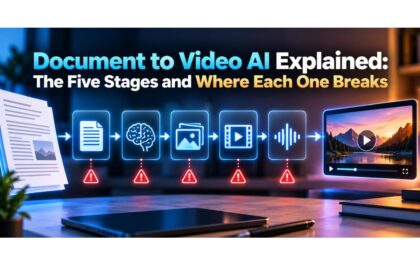
Document to Video AI Explained: The Five Stages and Where Each One Breaks
Document to Video AI Explained Document to video AI runs five stages: it parses the file’s logical structure, plans a…