


How to Download Spotify Music to PC Without Premium
Spotify is one of the world’s most popular music-streaming platforms, offering millions of songs, playlists, albums, and podcasts at your fingertips. But as convenient as Spotify is, downloading music on a PC isn’t always straightforward—especially if you want to listen offline without limitations. Spotify Premium users can download songs through the desktop app, but the downloaded files are encrypted OGG formats that can’t be transferred, backed up, edited, or used on other devices.
So, what if you want to truly download Spotify music on PC as MP3, WAV, FLAC, AIFF, or other common formats? This is where ViWizard Spotify Music Converter becomes the perfect solution.
From here, we’ll explain the differences between Spotify’s built-in download option and real offline downloads, and show you step-by-step how to download Spotify music on PC using ViWizard.
Table of Contents
Why You Can’t Fully Download Spotify Music on PC (Even with Premium)
Before we jump into the solution, it’s important to understand Spotify’s limitations:
-
Spotify downloads are encrypted
Even with Premium, Spotify encrypts downloaded songs in a proprietary OGG format. This means:
- You can’t play them on other music players.
- You can’t transfer them to an MP3 player, car stereo, USB drive, or mobile device.
- You lose access once you cancel your Premium subscription.
-
No MP3 download support
Spotify does not allow downloading music as MP3 files for personal storage.
-
Offline downloads require the Spotify app
You must use the Spotify desktop app, and offline files cannot be backed up.
Because of these restrictions, many users look for a safe, reliable way to download Spotify songs as real audio files.
The Best Way to Download Spotify Music on PC: ViWizard Spotify Music Converter
ViWizard Spotify Music Converter is designed with one clear goal: to make downloading and converting Spotify music astonishingly simple while preserving every bit of its original quality. Here’s what sets it apart:
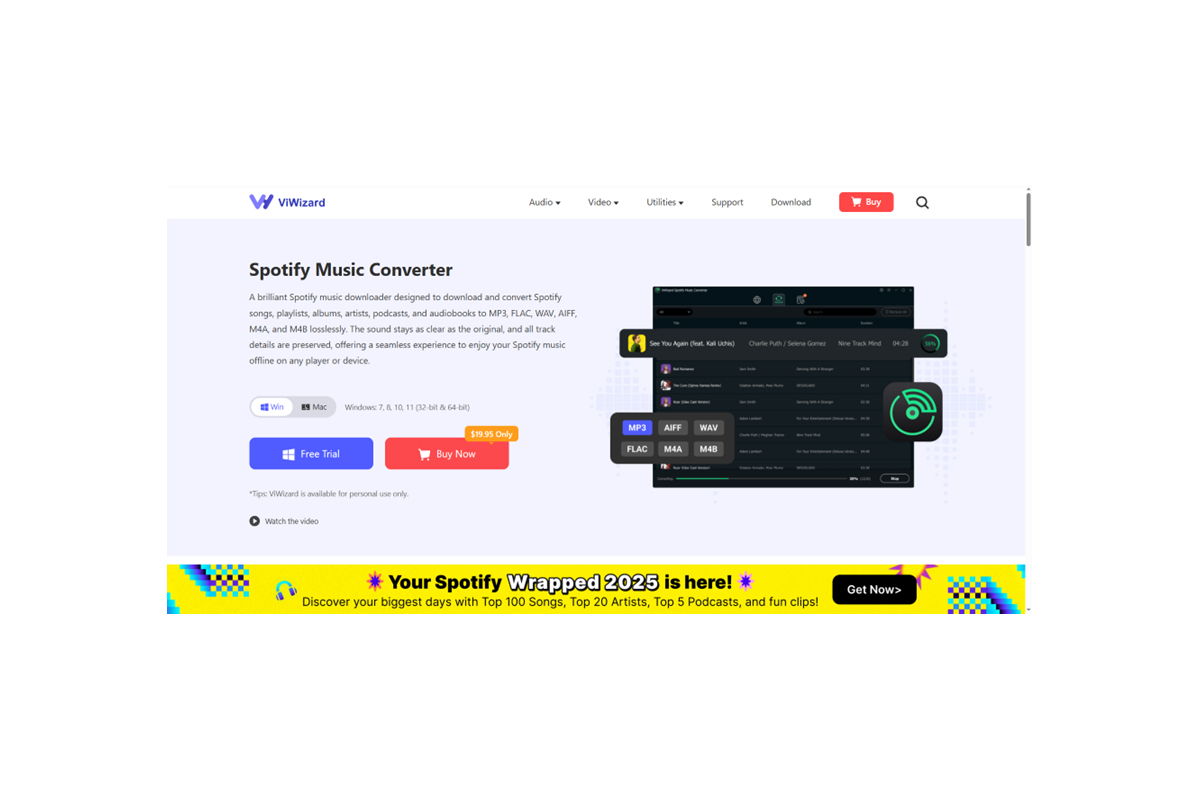
Lossless Audio Quality: ViWizard bypasses DRM without compromising your listening experience. It captures and converts Spotify music at up to 320 kbps MP3 or 256 kbps M4A quality, ensuring your downloaded files sound as crisp and rich as the original streams.
Lightning-Fast Conversion: Engineered for efficiency, ViWizard can convert songs at up to 15X normal speed. Transforming an entire album or lengthy playlist takes just minutes, saving you precious time.
Perfect ID3 Tag & Metadata Preservation: Organization is key to a great music library. ViWizard automatically retrieves and embeds all vital information—track title, artist, album, cover art, genre, and more—into every output file. Your downloaded music arrives perfectly sorted and ready for any media player.
Ultimate Flexibility: The converted DRM-free files are truly yours. Transfer them to a USB drive for your car, import them into editing software, add them to your iTunes library, or store them on any MP3 player. Your music moves with you, anywhere, on any device.
How to Use ViWizard to Download Spotify Music to MP3 for PC?
The process of downloading of Spotify music on ViWizard is intuitive and straightforward, achievable in just a few simple steps:
Step 1: Download and Install ViWizard
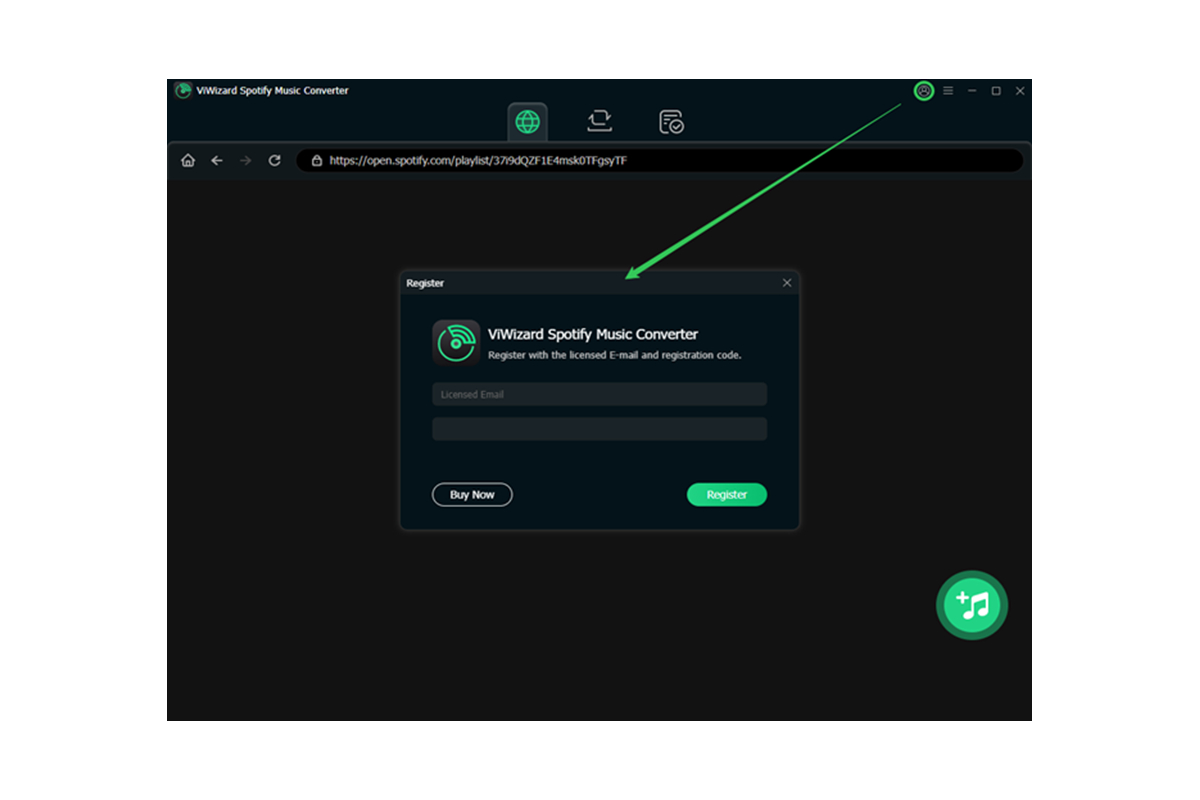
Begin by downloading ViWizard Spotify Music Converter from its official website. The installation on your Windows or Mac PC is quick and guided.
Step 2: Add Spotify Songs or Playlists
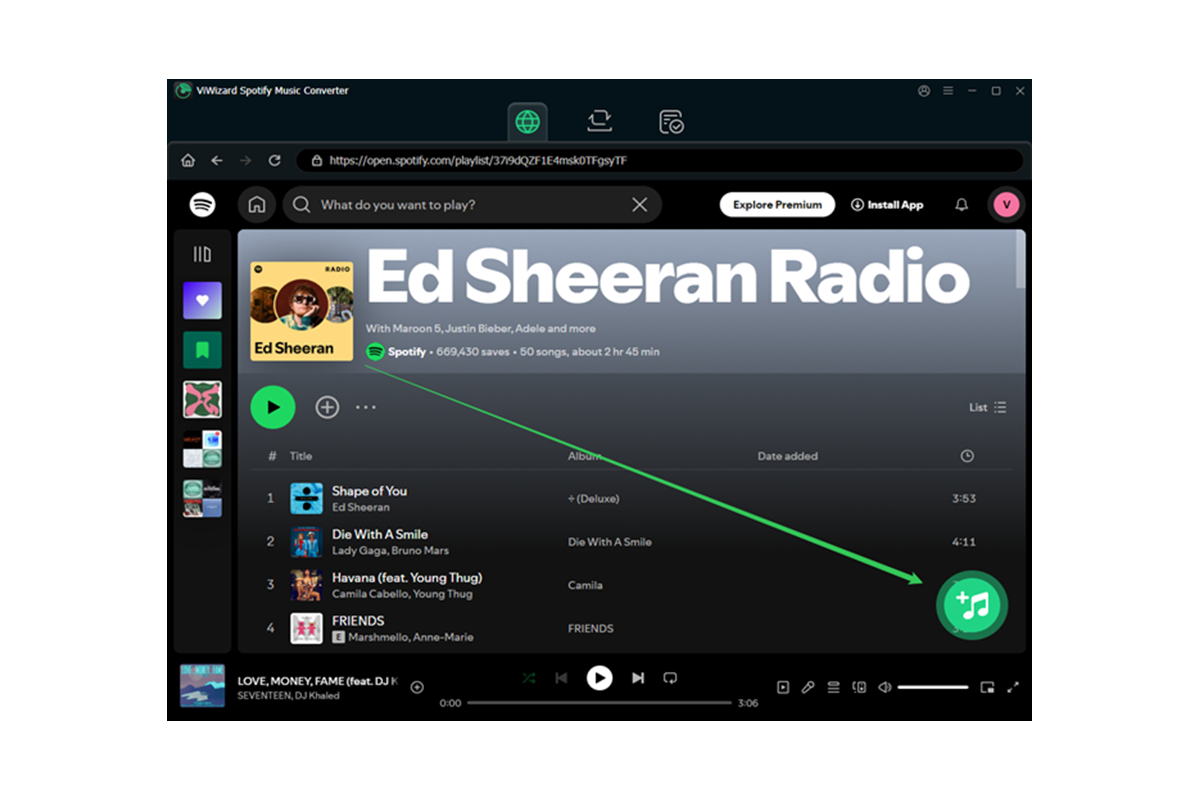
Launch the ViWizard program. Its built-in Spotify web player will open automatically. Simply log into your Spotify account, browse to your favorite playlist, album, or podcast, and drag & drop it directly into ViWizard’s interface. You can also copy and paste the shareable link of any Spotify content.
Step 3: Customize Your Output Settings (Optional)
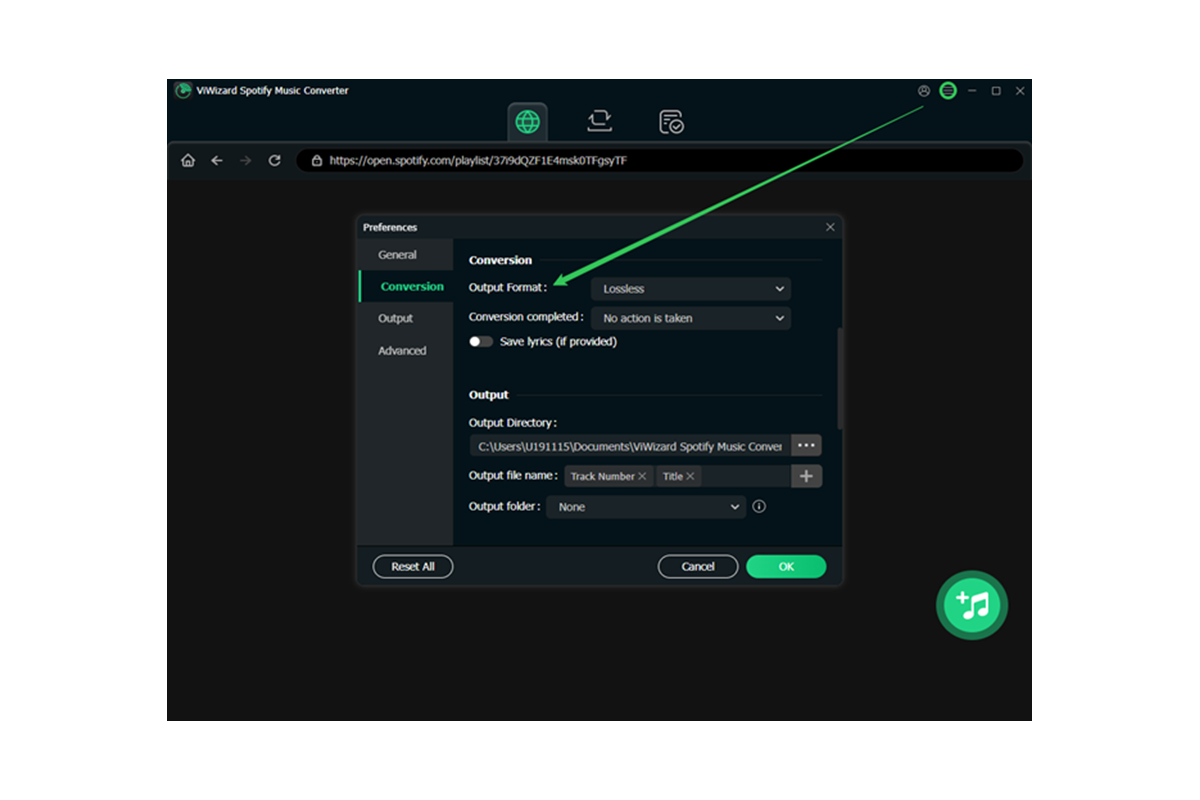
Before converting, click the menu to tailor the output. Choose your preferred format (MP3, M4A, WAV, etc.), set the quality level, organize the output folder, and adjust how the files will be named. This customization ensures the files fit your personal library system perfectly.
Step 4: Initiate the Download and Conversion
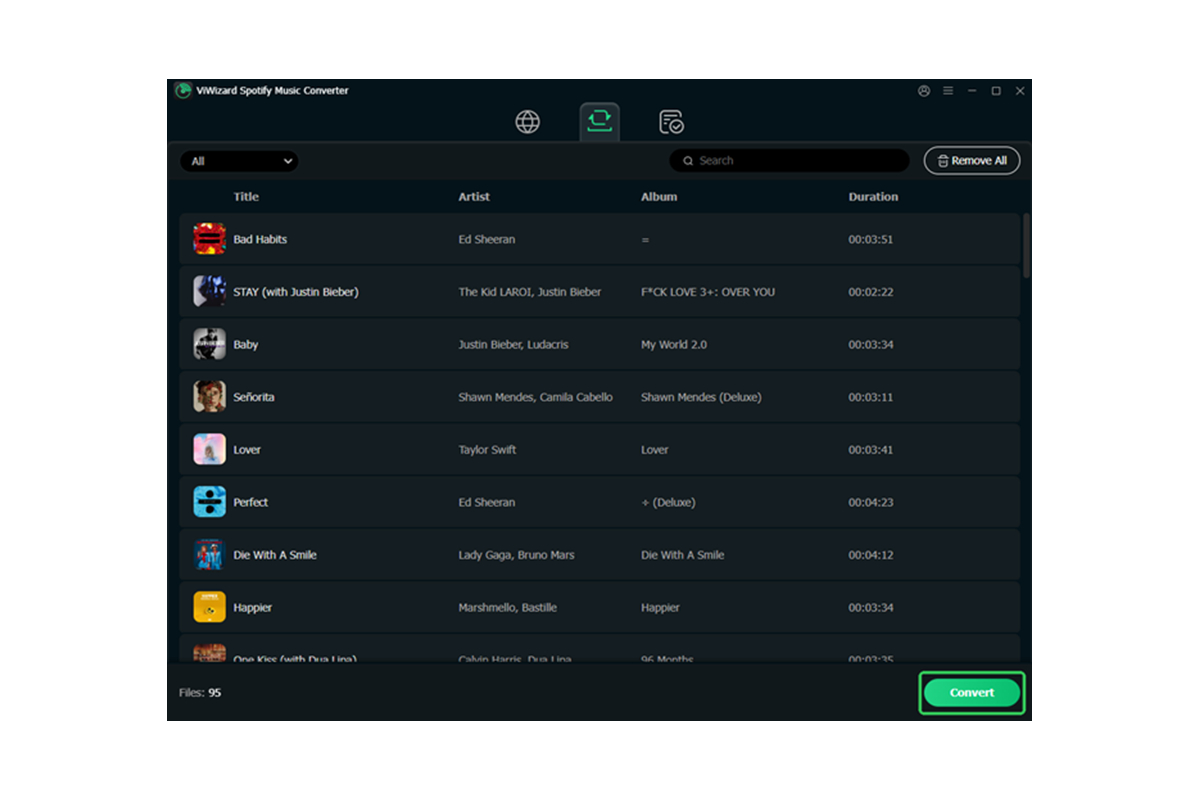
With your songs selected and settings configured, hit the “Convert” button. ViWizard will now work its magic: downloading the audio streams and converting them into your chosen DRM-free format at high speed. You can watch the progress in real-time.
Step 5: Find and Enjoy Your Music
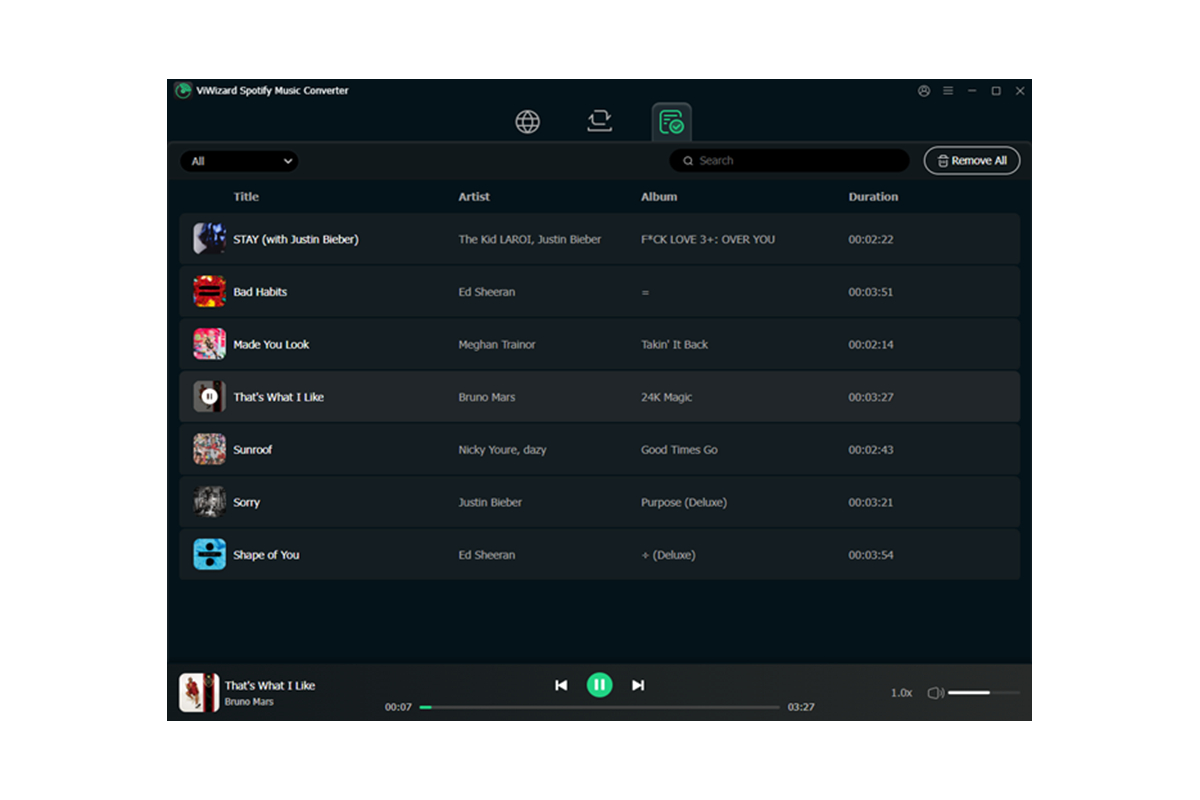
Once completed, click the “Converted” button to locate your perfectly tagged, high-quality audio files. They are now stored in a folder on your PC, ready to be enjoyed on any device, anytime, without limitations.
Other Ways to Download Spotify Music on PC (But with Limits)
-
Spotify Premium Offline Download
You can download playlists, songs, and albums within Spotify, but:
- Files are encrypted
- You can’t export them
- You need to re-verify your subscription every 30 days
- They disappear after canceling Premium
-
Recording Spotify with free screen/audio recorders
Tools like OBS or system recorders can capture audio, but:
- Quality is poor
- Metadata is missing
- It’s slow — you must record in real time
Compared to these, ViWizard Spotify Music Converter is the most efficient and professional solution.
Unlock a World of Musical Freedom
ViWizard Spotify Music Converter is more than just a software tool; it’s a gateway to genuine music ownership. It elegantly solves the problem of temporary streaming access, empowering you to build a personal, permanent collection from the vast Spotify catalog. Whether you’re an avid listener tired of connectivity hiccups, a DJ sampling tracks, or someone who simply values having a lasting library, ViWizard provides a reliable, high-fidelity solution.
Stop letting subscriptions and DRM locks dictate how and where you enjoy your music. Take control of your audio experience. Download ViWizard Spotify Music Converter today and transform your favorite Spotify streams into a timeless, portable collection that you truly own.