
Photo Editing Write for Us – Submit a Guest Post
Good photo editing is not simply about adding filters or making every image brighter. It involves understanding exposure, color, composition, file formats, output requirements, and the purpose of the photograph. A subtle correction may be suitable for documentary work, while advertising, digital art, and social media content may allow more extensive creative changes.
Computer Tech Reviews welcomes photographers, retouchers, graphic designers, software specialists, educators, content creators, and experienced technology writers to contribute to our Photo Editing Write for Us section.
We accept original tutorials, software guides, workflow explanations, troubleshooting articles, responsible comparisons, and professional insights covering desktop, mobile, and browser-based photo-editing tools.
This contributor page forms part of our broader Software Write for Us hub, where writers can explore creative applications, business platforms, operating systems, development tools, and software workflows.
What Is Photo Editing?
Photo editing is the process of correcting, enhancing, organizing, transforming, or preparing digital images. Editing may involve basic adjustments such as cropping and exposure correction or advanced work such as compositing, masking, restoration, and detailed retouching.
The appropriate level of editing depends on the image and its intended use. News, scientific, legal, and documentary photographs may require strict limits on manipulation. Fashion, advertising, illustration, and digital-art projects may use more extensive creative techniques.
Contributors should distinguish between improving how an image is presented and changing what the photograph appears to prove.
Photo Editing Topics We Welcome
- Beginner and advanced photo-editing tutorials
- Exposure, contrast, highlights, and shadows
- White balance and color correction
- Cropping, straightening, and composition
- Layers, masks, selections, and blending
- Portrait, product, and landscape editing
- RAW image processing
- Photo restoration and repair
- Noise reduction and sharpening
- Background removal and replacement
- Image resizing, compression, and optimization
- Color management and printing
- Mobile photo-editing applications
- Batch processing and automation
- AI-assisted photo editing
- Ethical image manipulation
Basic Photo Corrections
Basic adjustments can improve an image without changing its essential content. These may include correcting exposure, adjusting white balance, recovering highlights, opening shadows, straightening the horizon, and refining the crop.
Useful beginner articles should explain how adjustments interact. Increasing brightness alone may remove highlight detail, while excessive sharpening can create halos and emphasize noise. Saturation, vibrance, contrast, and clarity also produce different results and should not be treated as interchangeable controls.
Contributors should encourage readers to evaluate the image rather than apply identical settings to every photograph.
RAW and Non-Destructive Editing
RAW files generally preserve more image data than processed formats such as JPEG, giving photographers greater flexibility when adjusting exposure, white balance, color, and detail. However, RAW formats require compatible processing software and typically use more storage space.
A non-destructive workflow preserves the original image and allows adjustments to be changed later. Depending on the software, this may involve adjustment layers, smart objects, masks, sidecar files, virtual copies, or editing instructions stored in a catalog.
Articles may explain:
- RAW versus JPEG workflows
- Adjustment layers and editable filters
- Image catalogs and sidecar files
- Version management
- Backup and archive strategies
- Exporting copies for different purposes
Adobe Photo-Editing Workflows
Adobe Photoshop and Lightroom are widely used for photography and image editing, but they serve different purposes. Lightroom emphasizes photo organization, RAW processing, and high-volume workflows, while Photoshop provides detailed pixel editing, compositing, masking, design, and retouching tools.
Many photographers use both applications. They may organize and perform initial adjustments in Lightroom before moving selected images into Photoshop for detailed editing.
Writers focusing on Photoshop, Lightroom, Illustrator, Creative Cloud, Acrobat, Premiere Pro, or other Adobe applications can also contribute through our Adobe Write for Us page.
Layers, Masks, and Selections
Layers allow editors to separate image elements and adjustments. Masks control where the contents or effects of a layer are visible, while selection tools help identify specific areas for editing.
High-quality tutorials should explain why a particular selection or masking method is appropriate. A simple geometric selection may work for a product photograph, while hair, fur, glass, reflections, and motion blur may require more careful techniques.
Contributors may cover luminosity masks, color-range selections, channel-based masks, vector masks, subject-selection tools, edge refinement, and manual retouching.
Portrait and Product Retouching
Portrait retouching may involve temporary blemish removal, exposure balancing, color correction, flyaway-hair cleanup, and subtle adjustments to draw attention to the subject. Excessive smoothing can remove natural texture and create unrealistic results.
Product editing may require background cleanup, accurate colors, consistent dimensions, dust removal, perspective correction, and shadows that match the lighting. Ecommerce tutorials should explain how to maintain consistency across a catalog rather than improving only one image.
Writers should avoid presenting body reshaping, skin-color changes, or facial alteration as necessary steps for making a person acceptable or professional.
Image Formats, Compression, and Exporting
The best export format depends on the destination. JPEG is commonly used for photographs, PNG can preserve transparency, WebP and AVIF can provide efficient web delivery, TIFF is often used in high-quality production workflows, and PSD or another project format may preserve editable elements.
Useful export guides may explain:
- Lossy and lossless compression
- Pixel dimensions and print resolution
- Color profiles and color spaces
- Transparency support
- Metadata retention and removal
- Social-media export settings
- Website image optimization
- Print preparation
Writers should not recommend one format for every use. File size, compatibility, transparency, editing requirements, and visual quality must all be considered.
Adding Images to PDF Documents
Edited photographs may be used in reports, portfolios, catalogs, presentations, brochures, and forms distributed as PDF files. The image should be prepared for the document’s intended output before it is embedded.
Excessively large images can increase PDF file size without producing a visible improvement. Heavy compression, however, may introduce artifacts. Authors may discuss image resolution, color profiles, accessibility descriptions, compression, document export, and print preparation.
Contributors focusing primarily on PDF creation, conversion, compression, accessibility, forms, document security, or electronic signatures can visit our PDF Write for Us section.
Photo-Editing Tutorials and Screen Recording
Screen recordings can make complex photo-editing techniques easier to understand by showing tool selection, mask refinement, layer organization, and before-and-after adjustments. However, a useful recording still requires a clear structure, readable interface, understandable narration, and captions.
When recording a tutorial, close unrelated files and remove personal information, client names, license keys, notifications, and confidential images from the screen.
Writers covering screen-capture applications, tutorial recording, audio quality, cursor visibility, captions, editing, or recording export settings can contribute through our Screen Recorder Write for Us page.
AI-Assisted Photo Editing
AI-assisted features can help select subjects, remove objects, reduce noise, enlarge images, replace backgrounds, generate missing areas, adjust lighting, and create visual variations. These tools can save time, but their output should be inspected carefully.
AI systems may introduce distorted details, inconsistent shadows, incorrect text, unrealistic reflections, or objects that were never present in the original scene. Generated changes can also raise questions involving copyright, consent, disclosure, bias, and authenticity.
Articles about AI editing should explain:
- What the feature changes
- Whether processing occurs locally or online
- What information may be uploaded
- How the output was evaluated
- Where manual correction was required
- When disclosure of manipulation is appropriate
Responsible and Ethical Photo Editing
Photo editing can affect how people understand an event, product, location, or person. Contributors should discuss the context in which an editing technique is used and avoid treating every type of manipulation as harmless.
Responsible practices include:
- Preserving original files
- Disclosing material AI-generated changes where appropriate
- Obtaining consent when using identifiable people
- Avoiding deceptive before-and-after comparisons
- Respecting copyright and image licenses
- Protecting private location and camera metadata
- Following documentary or editorial standards
- Clearly labeling composites and illustrative images
How to Write a Useful Photo-Editing Tutorial
A strong tutorial should identify the software, version, platform, starting image, and intended result. Explain the important decisions instead of simply listing buttons to press.
Before submitting:
- Test every step from beginning to end.
- Use an original or properly licensed example image.
- Include realistic before-and-after results.
- Explain destructive actions before recommending them.
- Provide alternative steps when interfaces differ by platform.
- Remove private data from screenshots.
- State whether a feature requires payment or internet access.
- Avoid promising that one preset will improve every photograph.
Suggested Photo Editing Guest Post Ideas
- How to Build a Non-Destructive Photo-Editing Workflow
- RAW vs. JPEG: Which Format Should You Edit?
- How to Correct White Balance Without Creating Unnatural Colors
- Photo Retouching Mistakes Beginners Should Avoid
- How to Prepare Product Images for Ecommerce
- Understanding Layers and Masks for Beginners
- How to Reduce Image File Size Without Ruining Quality
- Desktop vs. Mobile Photo Editing
- How to Restore an Old Photograph Carefully
- Responsible Uses of Generative AI in Photo Editing
- How to Organize and Back Up a Photo Library
- Choosing the Right Image Format for Web and Print
Photo Editing Guest Post Guidelines
- Submit original content that has not been published elsewhere.
- Write at least 800 words unless another length is agreed upon.
- Use clear headings, short paragraphs, and practical examples.
- Identify the software, version, platform, and relevant device.
- Test tutorials before submitting them.
- Use only original or properly licensed images and screenshots.
- Explain limitations alongside benefits.
- Support technical and performance claims with reliable evidence.
- Disclose sponsorships, affiliate interests, and software relationships.
- Check steps, filenames, links, captions, and grammar.
What We Do Not Accept
- Copied, spun, or lightly rewritten articles
- Keyword-stuffed content and search-term lists
- Software advertisements disguised as tutorials
- Instructions for pirating or bypassing software licenses
- Copyrighted photographs used without permission
- Deceptive image manipulation presented as authentic evidence
- Fabricated software features or test results
- Articles promising professional results from one filter or preset
- AI-generated drafts submitted without fact-checking and human editing
How to Submit Your Photo Editing Article
Email your proposed title, a short summary, and either an outline or completed article to contact@computertechreviews.com. Use “Photo Editing Write for Us” as the subject line.
Include a short biography explaining your photography, design, software, or content-creation experience. If you represent an editing application, agency, plugin developer, or photography brand, disclose that relationship.
Frequently Asked Questions
Can I submit a tutorial about a photo-editing application?
Yes. Identify the application, version, platform, and whether the required features are free, paid, or limited to a particular plan.
Can I compare two photo editors?
Yes. Use consistent test images and criteria, and explain the advantages, limitations, cost, compatibility, and intended users of each application.
Are AI photo-editing articles accepted?
Yes, when they explain the real workflow, limitations, privacy considerations, and need for human review. Avoid presenting generated output as automatically accurate.
Can I include before-and-after photographs?
Yes. You must own the photographs or have permission to publish them. Obtain appropriate consent when identifiable people appear in the images.
Explore Related Creative Software Topics
Recent Posts

The 5 Best PDF to Excel Converters for 2026 (For Precise Data Extraction)
The 5 Best PDF to Excel Converters for 2026 This article is part of our Productivity and Collaboration Software resource…
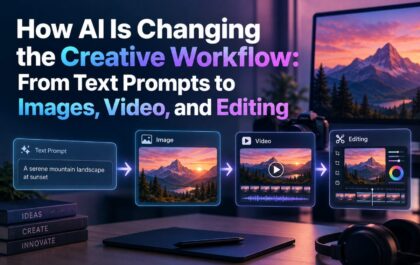
How AI Is Changing the Creative Workflow: From Text Prompts to Images, Video, and Editing
This article is part of our AI and Emerging Technology resource section. How AI Is Changing the Creative Workflow Creating…